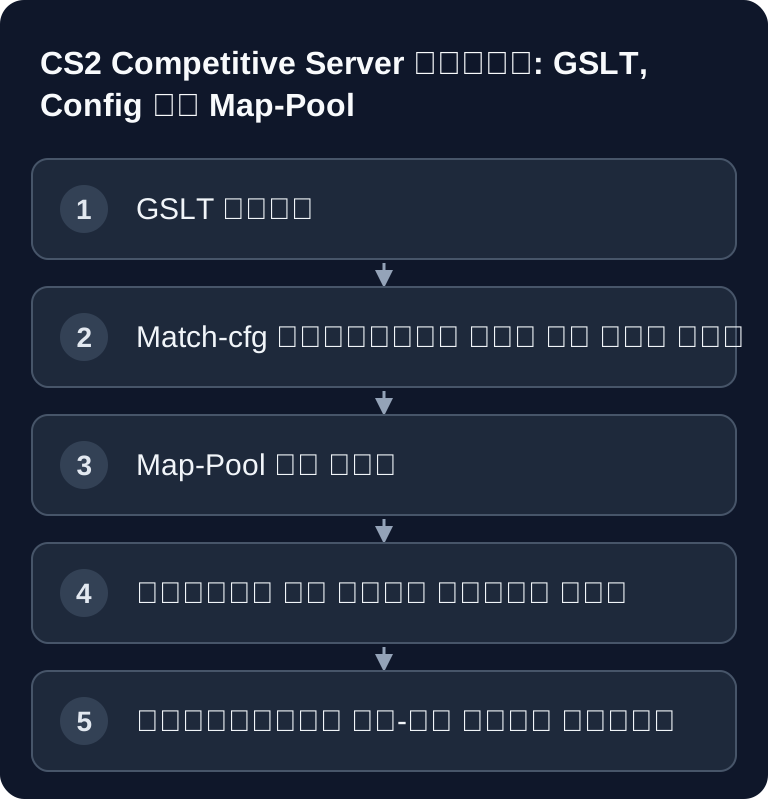
अपना CS2 सर्वर तब फायदेमंद है जब तुम Trainings, Scrims, Community evenings या तय Competitive नियमों को खुद नियंत्रित करना चाहते हो. अहम चीजें हैं एक वैध GSLT Token, समझने योग्य Match-Settings, साफ-सुथरा मेंटेन किया हुआ Map-Pool और ऐसी configuration जिसे तुम बदलावों के बाद खास तौर पर जांचते हो, सिर्फ सफल start पर भरोसा नहीं करते.
आवश्यकताएँ
एक public Counter-Strike-2-Server के लिए तुम्हें पहले एक Game Server Login Token चाहिए, संक्षेप में GSLT. Game-Server-Tokens के लिए आधिकारिक Steam management तुम्हें steamcommunity.com/dev/managegameservers पर मिलेगा. वहाँ CS2 के लिए App-ID 730 इस्तेमाल करो. यह जानकारी महत्वपूर्ण है, क्योंकि Token game से बंधा होता है और सही Token के बिना server को भरोसेमंद रूप से public server की तरह चलाया नहीं जा सकता.
Order करने से पहले desired use भी plan करो: password वाला private training server, changing maps, plugins और कई admins वाले community server से अलग requirements रखता है. शुरुआती setup में कम से कम 4 GB RAM planned है; 64-Tick operation के लिए यह size basic reference के रूप में काफी है. अगर तुम parallel में बहुत सारे Plugins, Workshop content या लगातार full slots चलाते हो, तो operation के दौरान actual load observe करना चाहिए और reserves को generic रूप से assume नहीं करना चाहिए.
अगर तुम अभी कई Survival या Roleplay projects compare कर रहे हो, तो तुम्हें similar setup logic Valheim Server mieten und einrichten – Koop-Guide 2026 और Rust Server mieten und einrichten – Der komplette Guide में मिलेगा. CS2 में focus लेकिन साफ तौर पर Match rules, Map rotation और Plugin compatibility पर ज्यादा है.
GSLT Token बनाना
सबसे पहले steamcommunity.com/dev/managegameservers पर जाओ, अपने Steam account से login करो और नया Token बनाओ. App-ID के रूप में 730 enter करो. उसके बाद generated Token copy करो और उसे इस तरह save रखो कि setup के दौरान dashboard में enter कर सको.
Token को server access information की तरह treat करो. यह public repositories, screenshots या openly accessible support tickets में नहीं जाना चाहिए. अगर कोई Token गलती से publish हो गया है, तो तुम्हें उसे Steam management में replace करना चाहिए और नया value Server-Dashboard में store करना चाहिए.
Server order करना और basic data set करना
CS2 Server को game-serverhosting पर चुनो. Dashboard में GSLT Token enter करो और फिर basic data set करो: Hostname, optional server password, game mode और desired start map. Closed trainings के लिए password समझदारी है; public community servers के लिए name इतना clear होना चाहिए कि players server को browser या favorites के जरिए फिर पहचान सकें.
Game-serverhosting यहाँ खुद को paid multi-game hosting के रूप में position करता है, जिसमें technical control, support और transparent operational workflows हैं. Practical मतलब: तुम्हें panel में changes traceable तरीके से करने चाहिए, save करने के बाद targeted check करना चाहिए और problems के मामले में concrete logs, timestamps और changed values के साथ काम करना चाहिए.
Server & Match configure करना
तुम्हें server.cfg हाथ से edit करने की जरूरत नहीं है – panel में Server-&-Match-Configurator तुम्हारे लिए सबसे जरूरी cvars लिखता है: Hostname, password, round time, freeze time, start money और cheats. Match presets के जरिए तुम एक click में Competitive, Casual, Wingman और Deathmatch के बीच switch कर सकते हो.

जो सीधे लिखना पसंद करते हैं, वे values अभी भी server.cfg में set कर सकते हैं:
// server.cfg
hostname "मेरा CS2 Server"
sv_password ""
sv_cheats 0
mp_autoteambalance 1
mp_limitteams 1
mp_maxrounds 24
mp_startmoney 800
mp_freezetime 15
sv_alltalk 0
ध्यान रखो कि panel changes और manual file changes एक-दूसरे के खिलाफ काम न करें. अगर तुम values सीधे files में maintain करते हो, तो छोटा सा document करो कि कौन-सी file authoritative है. इससे बाद की errors रुकती हैं, जब panel में कोई preset saved settings overwrite कर देता है या manual value वहाँ नहीं मिलता जहाँ तुम उम्मीद करते हो.
Competitive Config
Competitive matches के लिए तुम्हें consistent round और overtime rules चाहिए. नीचे दी गई configuration मौजूदा values को preserve करती है और clear match setup के लिए starting point के रूप में suitable है:
// competitive.cfg
mp_maxrounds 24
mp_overtime_enable 1
mp_overtime_maxrounds 6
mp_halftime 1
mp_match_can_clinch 1
mp_startmoney 800
mp_roundtime 1.92
mp_roundtime_defuse 1.92
mp_buytime 20
mp_freezetime 15
sv_deadtalk 1
Apply करने के बाद तुम्हें सिर्फ यह नहीं check करना चाहिए कि server start होता है या नहीं, बल्कि यह भी कि rules match में सच में apply हो रहे हैं: round count, buytime, freeze time, halftime switch और overtime behavior. सबसे भरोसेमंद तरीका दो teams या admin access के साथ short test है, जिसमें तुम relevant phases एक बार play through करते हो.
Map-Pool manage करना
Map-Pool तुम panel में visually assemble करते हो: standard maps को click से enable या disable करो और Steam Workshop maps को ID के जरिए add करो. Panel gamemodes_server.txt, mapcycle.txt और subscribed_file_ids.txt automatically लिखता है.

अगर तुम Competitive training plan कर रहे हो, तो pool को जानबूझकर छोटा रखो. बहुत सारी maps veto, warmup और fixed workflows को मुश्किल बनाती हैं. Community operation के लिए तुम broader plan कर सकते हो, लेकिन हर Workshop addition के बाद check करना चाहिए कि map load होती है या नहीं और clients उसे बिना errors download कर सकते हैं या नहीं.
CS2 में Tickrate
CS2 Sub-Tick technology इस्तेमाल करता है. Server tickrate default रूप से 64 Tick है. Valve ने Sub-Tick introduce किया है, जिससे actions tickrate से independent register होते हैं. लेकिन इससे कोई blanket performance promise मत बनाओ: gameplay feel के लिए server load, network quality, client connection और सही set किए गए match parameters भी decisive रहते हैं.
MetaMod और CounterStrikeSharp के साथ Plugins
अगर तुम admin functions, moderation या community features expand करना चाहते हो, तो plugins इस्तेमाल कर सकते हो:
- MetaMod install करो
- CounterStrikeSharp install करो
- Plugins को
/game/csgo/addons/counterstrikesharp/plugins/में रखो
Plugins step by step install करो. हर change के बाद restart करो और आगे extensions add करने से पहले logs check करो. इससे तुम जल्दी पहचानते हो कि कौन-सा plugin error पैदा कर रहा है. दूसरे mod- और plugin-heavy setups के लिए Minecraft Server mieten und einrichten – Komplett-Guide 2026 पर एक नजर डालना भी worthwhile है, क्योंकि वहाँ clean extension management के similar principles लागू होते हैं.
Result check करना
Setup के बाद server correct name के साथ reachable होना चाहिए, GSLT Token accept करना चाहिए, desired mode start करना चाहिए और set round rules apply करने चाहिए. यह भी check करो कि password, map rotation, Workshop maps और plugins expected तरीके से काम कर रहे हैं या नहीं. हर change का timestamp note करो, ताकि support और तुम्हारी अपनी troubleshooting बाद में guess न करनी पड़े.
Troubleshooting
अगर server public रूप से दिखाई नहीं देता, तो पहले GSLT Token, App-ID 730 और यह check करो कि Token dashboard में सही save हुआ है या नहीं. अगर settings apply नहीं हो रहीं, तो check करो कि क्या तुमने वही value panel में और साथ ही server.cfg या competitive.cfg में set की है. Map problems में Workshop-ID, mapcycle.txt और server logs check करो. Plugin errors में last installed plugins को test के लिए एक-एक करके remove करो और हर change के बाद server restart करो.
जांच, सीमाएँ और सुरक्षित rollback
Guide “CS2 Server mieten und einrichten – Competitive Guide” article में described server type और check के समय दिख रहे version state पर लागू होती है. Menu names, available versions, mod या plugin compatibility और required resources updates के बाद अलग हो सकते हैं. इसलिए कोई भी values बिना check किए किसी दूसरे game, loader या server version पर transfer मत करो.
World, savegame, configuration या extensions में बदलावों से पहले affected files का backup बनाओ. उसके बाद सिर्फ एक related step बदलो और उसे उसी client और server version के साथ check करो, जिसके साथ तुम बाद में खेलना चाहते हो.
| जांच बिंदु | अपेक्षित परिणाम | रोकना और rollback |
|---|---|---|
| Server start | Server बिना नई error message के operational-ready state तक पहुँचता है. | Start errors में change वापस लो और last backup apply करो. |
| Connection test | एक test account panel में दिखाए गए address के जरिए connect कर सकता है. | Version या connection errors में version, port और permissions फिर से match करो. |
| Function test | specifically changed function existing world या game data को damage किए बिना काम करता है. | Side effects में server stop करो और backed-up files restore करो. |
एक successful single test performance या availability guarantee नहीं है. World size, mods, plugins, player count, network path और simultaneous load result बदल सकते हैं. Version, change और test result document करो, ताकि बाद की deviations समझ सको.
FAQ
क्या हर CS2 Server के लिए मुझे अपना अलग GSLT Token चाहिए?
Public CS2 Server के लिए तुम्हें matching Game Server Login Token चाहिए. इसे official Steam page से बनाओ और CS2 के लिए App-ID 730 इस्तेमाल करो.
क्या मैं manual server.cfg के बिना CS2 configure कर सकता हूँ?
हाँ. Panel में Server-&-Match-Configurator central cvars जैसे Hostname, password, round time, freeze time, start money और cheats लिख सकता है. Manual files फिर भी possible रहती हैं.
CS2 कौन-सी Tickrate इस्तेमाल करता है?
CS2 default रूप से 64 Tick और साथ में Sub-Tick technology इस्तेमाल करता है. इससे तुम्हें कोई isolated quality guarantee derive नहीं करनी चाहिए, क्योंकि network, load और configuration भी relevant हैं.
CounterStrikeSharp plugins कहाँ रखूँ?
Plugins /game/csgo/addons/counterstrikesharp/plugins/ में belong करते हैं. उन्हें एक-एक करके install करो, उसके बाद restart करो और logs check करो.
अगर Competitive Settings active नहीं हैं तो क्या करूँ?
पहले check करो कि competitive.cfg load हो रही है या नहीं और क्या वही values किसी दूसरी जगह overwrite हो रही हैं. उसके बाद round count, halftime, buytime, freeze time और overtime को directly match में test करो.