Last checked: September 25, 2026 with Among Us 18.0.0 (08/19/2026) and Impostor v1.10.8 (08/30/2026). Custom servers work on PC (Steam, Epic, itch), Android and iOS; consoles (Switch, Xbox, PlayStation) don't allow custom servers, and Among Us 3D/VR is a different game.
You run a private Among Us server with Impostor and add it as a custom region on supported clients. For current game versions, game traffic and HTTPS matchmaking must be reachable. A normal private lobby via Innersloth, on the other hand, doesn't require a rented server.
When Your Own Among Us Server Makes Sense
A normal private lobby is enough for many groups: you create a room in the game, share the code and adjust the rules in the lobby menu. Your own server becomes interesting if you want to run a fixed environment for your group, if you want to document technical settings in a traceable way, or if you work with compatible custom server setups.
game-serverhosting positions itself here as paid multi-game hosting with technical control, support and transparent operating procedures. For you, this means you shouldn't only ask whether a server starts, but also how you keep track of configuration, backups, ports and support channels during operation. If you run other survival or co-op servers in parallel, similar operating routines help, as with renting and setting up a Valheim server or creating and restoring a Minecraft server backup.
Requirements
You need an installed Among Us version, a reachable server address, the matching port and a group that uses the same connection method. For Impostor, the official project page on GitHub is the most important primary source: Impostor describes the project as an open-source server for Among Us. According to the release notes, Impostor v1.10.8 supports Among Us 2024.6.18 through 18.0; after every game update, check the Impostor releases for explicitly supported versions. A development build is not automatically a stable replacement for a compatible release.
Also plan ahead whether you only want a private lobby without mods or a modified setup with custom roles. Mods increase the need for coordination: all players should know which mod is installed, which version is used and which roles are enabled.
Set Up an Impostor Server
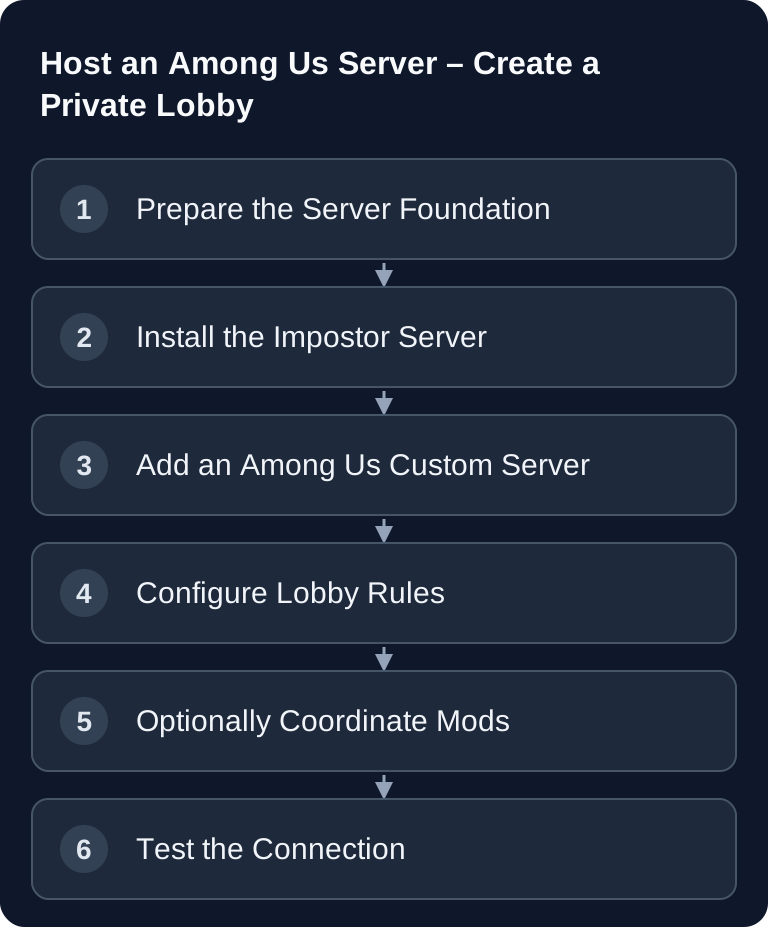
In the initial setup, Impostor is intended as the open-source Among Us server. The basic process stays simple:
- Order a server from game-serverhosting
- Install Impostor or have it provisioned
- Add your server as a custom region in Among Us
- Select the region in the region menu and create a private lobby
The specific installation depends on your package, operating system and the provided management interface. Before the first start, have the server address, port and access to the log files ready. If the lobby isn't reachable, you'll need this information for troubleshooting.
An existing example configuration looks like this:
{
  "Server": {
    "PublicIp": "your.domain.tld",
    "PublicPort": 22023,
    "ListenIp": "0.0.0.0",
    "ListenPort": 22023
  },
  "HttpServer": {
    "Enabled": true,
    "ListenIp": "127.0.0.1",
    "ListenPort": 22023
  },
  "AntiCheat": {
    "Enabled": true,
    "BanIpFromGame": true
  }
}
PublicPort is the externally reachable, assigned UDP game port; ListenPort is the internal UDP port on the server process. With port forwarding, the two can differ. PublicIp contains the public IP or domain; 0.0.0.0 is exclusively a bind address for ListenIp. The example values use 22023 for UDP game traffic and the separate TCP HTTP service (HttpServer); use the mappings actually set up for your server. Since Among Us 16.0.5, the matchmaking service must be reachable via HTTPS, meaning with a reverse proxy and certificate (for example Caddy) in front of it; at game-serverhosting, this is prepared in the egg. The custom region points to this HTTPS service. Only change anti-cheat settings deliberately, because they can affect bans and connection drops.
Connect a Custom Server in Among Us
There is no input for IP and port in the game. You add your server as a custom region: either you place a regionInfo.json in the game data folder (%APPDATA%\..\LocalLow\Innersloth\Among Us), or you generate an "Open in Among Us" link on impostor.github.io/Impostor that adds the region directly. Then you select it in the region menu at the bottom right of the main menu. After that, you create a lobby as usual and have a second player join as a test.
Don't just check whether the room appears. Start a short round, call a meeting, vote and end the round. This tests more than the initial connection setup and shows you early on whether roles, meetings or votes cause problems.
Game Settings for Private Groups
For a round with about 10 players, this table can serve as a starting point. It is not a fixed performance or balance guarantee, but a practical starting configuration that you should adapt to your group's play style and experience.
| Setting | Recommended (10 players) |
|---|---|
| Impostors | 2-3 |
| Kill cooldown | 25-30s |
| Discussion time | 30s |
| Voting time | 120s |
| Vision | 0.75x |
| Speed | 1.25x |
For new groups, less chaos is usually better: start with clear rules, moderate speed and enough voting time. Experienced groups can vary kill cooldown, vision and task count more strongly. At least 6 players make sense for a good play experience; with 10 or more players, 2-3 Impostors often work better than just a single Impostor.
Custom Roles and Mods
Popular mods for Among Us include:
- TOU-Mira (fork of Town of Us) – New roles such as Sheriff or Jester; the original Town of Us has been on pause since April 2025 (as of Among Us 16.0.2)
- The Other Roles – Many custom roles, but no longer maintained for current game versions since v4.8.0 (February 2025)
- Submerged – New map, PC only (last updated for Among Us 17.1)
All of the mods mentioned require BepInEx; every Innersloth update (for example 16.0.5 with the Unity switch) can break mods until the authors catch up.
Treat mods as a separate setup, not as a minor side setting. Document the mod name, version and enabled roles before game night. If only part of the group has the matching mod installed, connection errors or unclear game situations quickly arise. For regular groups, a short fixed checklist is worthwhile: check game version, check mod version, server reachable, start a test lobby.
Verify the Result
You can recognize a working setup by four points: the server starts without obvious errors in the log, Among Us connects via the custom server, several players can join the same lobby, and a short test round runs through including a meeting and a vote. Only after that should you enable more complex roles, changed ports or additional mods.
If you run several game servers, apply the same care to other titles as well. Administrative procedures such as roles, commands and access control are just as important, for example, in the guide to Valheim server commands and admin commands, even though the specific technology is different.
Troubleshooting
If nobody can connect, first check the IP, port and server status. ListenPort refers to the UDP port on the process, PublicPort to the UDP port reachable by players; with forwarding, they can differ. Also check the HTTPS address of the region and the certificate: reachable UDP game traffic alone doesn't prove working matchmaking. The Impostor configuration explicitly separates public and internal ports.
If individual players can't join, compare game version, platform, mod status and server selection. In mod setups, everyone involved must use the same foundation. As a test, remove all mods and start a standard lobby to separate server problems from mod problems.
If players get disconnected during a round, check the logs, anti-cheat settings and the most recent changes you made. Don't change several things at once. Change one setting, test again and document the result.
FAQ
Can I simply play Among Us privately without my own server?
Yes. For many groups, a normal private lobby via the standard servers is enough. Your own server mainly makes sense if you want more technical control and a fixed environment.
Is Impostor an official Innersloth server?
No. Impostor is an open-source project for Among Us servers. Use the project page on GitHub as the primary technical source and check the current compatibility there.
Which port setting is used in the example?
The example configuration uses port 22023 for PublicPort and ListenPort. Use the actual public UDP assignment and the internal listener of your server. For the region entry, you also need the HTTPS matchmaking address you set up; a reachable game port alone isn't enough.
Do I need custom roles for a good private lobby?
No. Custom roles are optional. For new groups, a stable standard lobby is often better, because all the rules stay understandable directly in the game.
What is the most important check before game night?
Start a test lobby with at least one second player and play a short round. This lets you check connection, lobby, meeting, voting and basic stability in advance.