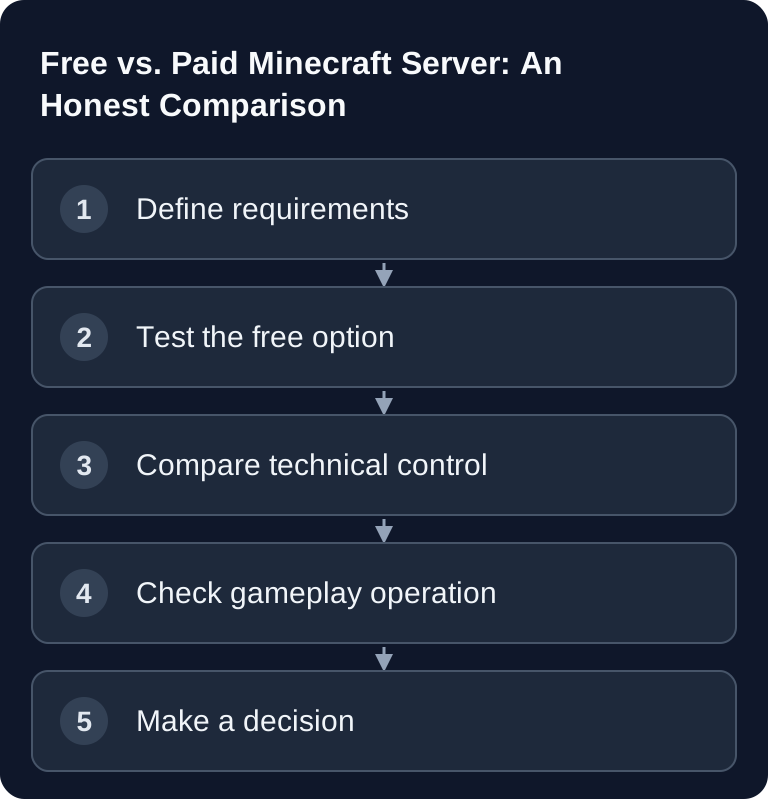
A free Minecraft server makes sense if you play occasionally with a few friends and accept restrictions. Paid hosting fits better as soon as your server needs to be regularly reachable, use mods or plugins reliably and be administered properly. The real difference lies less in the starting price than in control, operating procedures and responsibility.
Free vs. Paid Minecraft Servers
Overview
| Comparison Point | Free Hosting | Paid Server at game-serverhosting |
|---|---|---|
| Price | Check provider terms and possible extra costs | Currently from €2.80/month; the checkout is authoritative |
| Resources | Check limits, sharing and supported software | Compare the booked configuration with actual usage |
| Uptime | Check inactivity, sleep mode or queue | Check the agreed term and maintenance rules |
| Extensions | Check allowed packs, plugins and uploads | Check compatible software, versions and available resources |
| Files | Clarify world/config access and export | Check file access and export for your setup |
| Backups | Clarify backup, download and restore | Check retention and restore in the chosen plan |
| Support | Compare available help and its scope | Consider the agreed support scope |
Compare specific offers instead of lumping all free hosts together. Free can also offer mods, backups or a custom address; paid means neither unlimited extensions nor constant performance under any load. For GSH, what counts are the features promised in the current plan and your actual operating needs.
The Minecraft Help site is an important official primary source: for your own Java servers, Mojang describes, among other things, Java as a prerequisite, the server.properties file, the EULA file and the default port 25565: Documentation at help.minecraft.net. These very technical basics remain relevant in the comparison, whether you host locally, use a free host or rent paid hosting.
When Is Free Enough?
A free Minecraft server is enough if you only play occasionally, do not need fixed availability and can live with restrictions. Typical scenarios are small sessions with 1-2 friends, a short test of a world or a vanilla evening without special requirements.
Free also makes sense if you first want to learn how Minecraft servers work in general. You can try out how whitelists, operator permissions, game mode and simple settings work without having running costs right away. For a long-term world, though, you should check early on how to export backups and whether you can move cleanly later. If you already have your own map, the guide on uploading and switching a Minecraft world helps you plan the move.
When Is Paid Worth It?
Paid hosting is worth it when your server becomes part of regular play. That applies to small friend groups with fixed schedules just as much as to community projects, modpack servers or technical worlds with lots of redstone mechanics. What matters is that the server does not just start, but runs predictably.
Paid hosting is worth it if your specific free offer does not cover the uptime, file control, resources or support you need. First check the desired setup and the world export. For a later software switch, the version guide helps; operating values are explained in server.properties.
The Hidden Costs of Free
Free does not automatically mean stress-free. The most common costs come from time: waiting, starting, re-inviting players, working around restrictions and hunting for errors. If a server is only active as long as someone starts it, that is impractical for spontaneous players.
The second point is reliability. If players repeatedly find an offline server, a project quickly loses activity. That is not a technical defect, but a consequence of the operating model. Free hosting is optimized for low cost, not for maximum control.
Third, it is about data. Without reliable backups, a corrupted world, a wrong plugin or an operating mistake can cost a lot of progress. So before any decision, check whether you can export world files, how backups are created and whether you have access to logs and configuration files.
Making the Decision in Practice
Clarify the Requirements
First decide which edition and server software you need. Java servers are typical for Paper, Purpur, Forge and Fabric. Bedrock setups have different requirements; if you are weighing PocketMine against Bedrock Dedicated Server, use the comparison PocketMine or BDS.
Then note down player count, desired online time, mods, plugins, world size and backup needs. This list is more important than a blanket recommendation, because a small vanilla server has different requirements than a large modpack.
Test for Free
Start with a realistic test: the same player count, a similar world, the same mods or plugins as far as the free host allows them. Pay attention not only to the first start, but also to restarts, wait times, uploads, settings, logs and whether your fellow players can join without detours.
Verify the Result
A setup is sufficient if players join stably, the world is saved, the most important settings are available and you can understand what happened after an error. Also check whether you can download a backup and restore it. If you cannot properly verify these points, that is a risk for longer projects.
Troubleshooting
Server Starts Slowly or Not at All
As a test, reduce plugins, mods, view distance and player limit. Check the logs if the provider allows access. With free hosts, a queue or inactivity rule may also apply.
Players Have Lag
Distinguish between network lag and server lag. If blocks drop with a delay, mobs freeze or chunks load slowly, resources, view distance, world load or plugins are possible causes. With paid hosting, you can usually check these factors more precisely.
Mods Do Not Work
Check the Minecraft version, mod loader and mod versions. Forge and Fabric mods are not interchangeable. If a free host does not allow certain files, a paid server with file access is often more practical.
World or Progress Is Gone
First look for backups and check whether the right world is being loaded. On Java servers, the level-name value in server.properties plays a role. Always work with a copy of the world files before making changes.
Sources and Verification Basis
The linked subpages support the technical basis explained immediately before or after them. Product prices and account features are additionally checked against the currently visible order or dashboard path.
Limits and Way Back
Costs, limits and feature scope differ by provider and point in time. The comparison therefore does not replace checking the current plan page, contract terms and the resources you actually need. Back up the affected files or the world before making changes. Then verify the result with the same version and the same test procedure; if there are errors, restore the backup.
FAQ
Is a free Minecraft server bad?
No. It is just built for a different purpose. For occasional private sessions, free can be perfectly sufficient. For long-term projects, the restrictions are often the deciding factor.
When should I switch from free to paid?
When players want to be online regularly, you need mods or plugins, backups become important or you need direct access to files and settings.
Can I move my world later?
Often yes, as long as the free host allows an export of the world files. Check this before starting the project, not after weeks of playtime.
Do I always need paid hosting for mods?
Not always. Simple or supported modpacks can also work for free. As soon as you need free file control, your own versions or multiple mod dependencies, paid hosting is much more practical.
What is the most important comparison point?
Not the price alone, but predictability: availability, backups, access, support and the ability to fix problems yourself in a traceable way.