Plan RAM and CPU for Palworld based on the manufacturer's requirements and repeatable load measurements. On our customer servers with up to 4 simultaneously active players, RAM usage stayed below 6 GB with a daily restart. How many players can play smoothly depends mainly on the CPU limit. A RAM upgrade only helps once memory is actually limiting operation.
Last checked: September 25, 2026 with Palworld v1.0.5 and the Pocketpair server documentation as of v1.0.4.
Reading the Official Requirements Correctly
For a dedicated Palworld server, Pocketpair lists 16 GB of RAM, at least four recommended CPU cores, and a fast SSD. These figures are a manufacturer recommendation, but not a players-per-GB table. They do not say that a certain amount of RAM automatically guarantees a certain number of players.
You can find the current manufacturer source in the official Palworld server requirements. Pocketpair also warns there that slow storage can corrupt save data. That's why you should plan RAM, CPU, and storage together.
What We Measured on Our Servers
On our running customer servers with up to 4 simultaneously active players, RAM usage stayed below 6 GB with a daily restart, without any out-of-memory crashes (14-day measurement, October 2026). The peaks ranged between 3.4 and 5.3 GB, regardless of the booked plan. The CPU, on the other hand, was the bottleneck: with every additional player, the CPU load rose noticeably, and a server with 4 players was at times running at its CPU limit. We have no measurements of our own for larger groups.
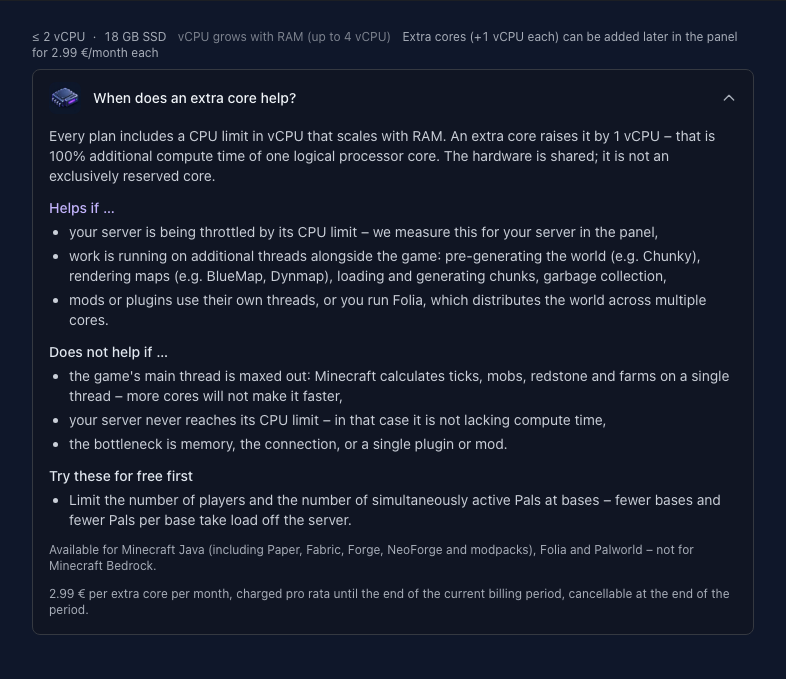
If more players should play at the same time, choose a plan with a higher CPU limit or book an extra core: +1 vCPU for €2.99 per month, up to 2 extra cores.
| Component | Official classification | Consequence for your planning |
|---|---|---|
| RAM | 16 GB operating requirement | Manufacturer figure; on our customer servers with up to 4 players, usage stayed below 6 GB |
| CPU | at least four cores recommended | Determines how many players can play smoothly; more players need a higher CPU limit |
| Storage | fast SSD recommended | do not neglect save data and I/O |
Why Player Count Alone Is Not a RAM Formula
Two worlds with the same number of connected players can produce completely different loads. A new world where a group travels together behaves differently from a long-running world with scattered bases, many worker Pals, large building complexes, and an increased spawn rate. Simultaneously active world areas, automation, and changed server settings also affect the work the dedicated server has to do.
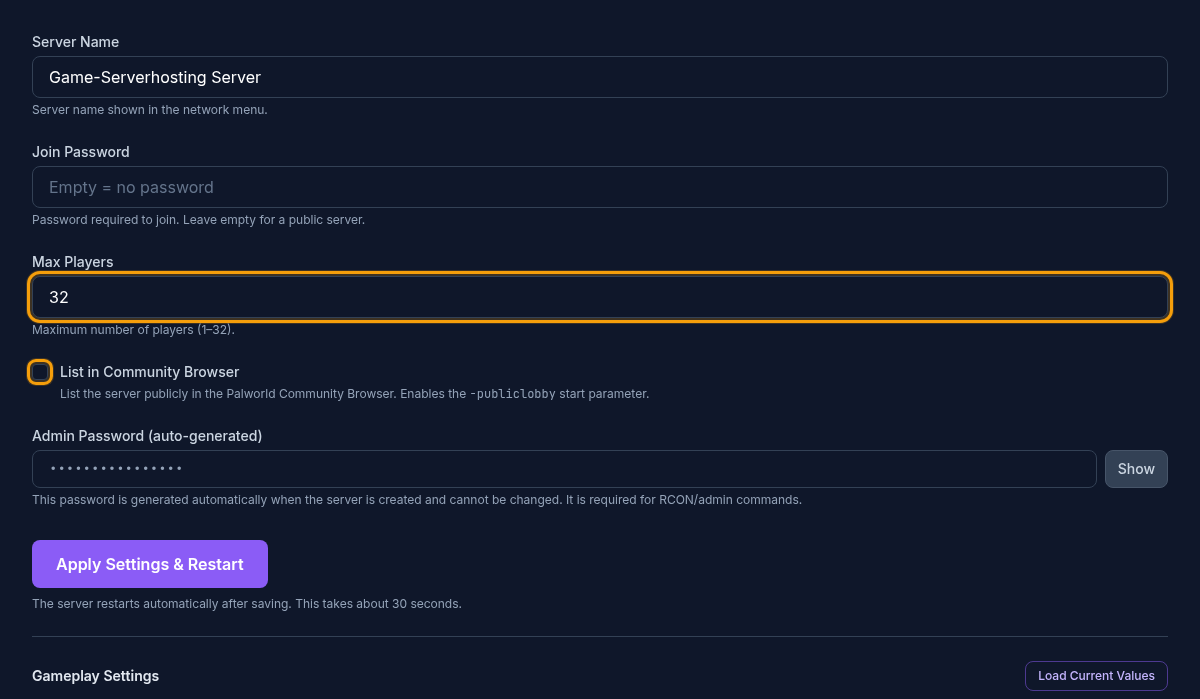
The maximum number of participants is therefore an access limit and not a direct resource gauge. A blanket statement such as a fixed amount of RAM per player ignores world state, CPU load, and storage access. Use the player count as a context value, but only decide on an upgrade together with reproducible measurement data.
Building a Usable Measurement Baseline
First, define a typical load window. This could be a community evening, a boss event, or a phase in which several groups are working at different bases at the same time. During this window, record at least the simultaneously connected players, RAM and CPU usage, server FPS, frame time, number of bases, and any notable log events. You can read server FPS and frame time via the server's REST API (RESTAPIEnabled=True in the PalWorldSettings.ini, then GET /v1/api/metrics): it returns serverfps, serverframetime, currentplayernum, and uptime. Also note which spawn rates and performance-relevant settings were active.
A single spike is not enough as proof. Repeat the observation at comparable times and document whether the saturation is permanent or only brief. Also record the patch level: since version 1.0, Palworld checks the version strictly, and a server that hasn't been updated rejects clients with a newer version as incompatible. A game update or a new world phase can also change the load without the player count rising. This baseline makes later before-and-after comparisons possible.
Separating RAM Bottlenecks from Other Causes
Before you add RAM, compare memory usage and process runtime under similar load. If usage climbs over a longer period at the same activity level and drops after a restart, a scheduled restart can limit the symptom temporarily. Back up the world state beforehand. Still investigate the cause and available updates: this pattern does not prove that an upgrade is unnecessary in general.
A RAM upgrade is plausible if the process repeatedly hits the available limit, OOM events occur, or the server reproducibly runs more stably with additional memory under comparable load. A high used value alone does not yet prove a shortage: the operating system and applications can use free memory as cache. What matters are saturation, error pattern and repeatable behavior.
Check the CPU in parallel. On our customer servers, it was more often the bottleneck than RAM. If individual cores are constantly maxed out while there is still RAM headroom, more memory does not solve the actual bottleneck. Falling server FPS or rising frame time can be related to CPU work as well as to complex world states. Therefore, don't change RAM, CPU allocation, and spawn rate at the same time; otherwise, you can no longer determine which measure was effective.
Including Storage and Save Safety
Pocketpair recommends fast SSD storage and points to a risk for save data on low-performance storage; the requirements page explicitly advises against Docker Desktop because it increases the risk of corrupted saves. bIsUseBackupSaveData (on by default) creates rolling backups in the savegame folder and costs additional disk load. Therefore watch for I/O errors, unusually long save operations and free disk space. Before any test with mods, larger configuration changes or server updates, create a verifiable backup. The guide Backing Up and Restoring a Palworld World describes the appropriate procedure.
A backup is only reliable once you know where it is stored, which world state it contains and how restoring works. Do not run risky load tests on the only copy of your production world. This prevents a performance investigation from itself causing data loss.
Testing Changes in a Controlled Way
Before making the change, create a short test plan: Which symptom should disappear, which measurement should improve, and in which comparable load window will you check? Then back up the world and change exactly one variable. For a suspected RAM bottleneck, that is the memory capacity; for a CPU bottleneck, a higher CPU limit, for example via an extra core, or a performance-relevant setting.
After the change, restart the server cleanly and repeat the documented load window. Compare not just a peak value but stability, OOM events, RAM, CPU, server FPS and frame time. If the problem stays the same, roll back the change or investigate the next justified bottleneck. If the behavior improves reproducibly, document the new baseline and the trigger.
For configuration changes, use the guide Configuring Palworld Server Settings. Pocketpair's official argument list explains, among other things, the listen port, the maximum player count and the current notes on performance arguments. Do not blindly copy launch parameters from old community posts, because for version 1.0 and newer the manufacturer explicitly points out that certain earlier multithreading parameters may behave better without them.
Capacity Check After Updates and World Growth
Since v1.0.3, bAllowEnemyCampSpawnNearBaseCamp=False limits raid spawns near player bases, and since v1.0.4, MaxBuildingLimitNum caps the building pieces per player; both are performance-relevant switches. Server clustering, announced in June 2026, has not been delivered as of v1.0.5, so distributing load across multiple instances is still not an option.
A size measured once does not automatically stay correct forever. Repeat the check after major Palworld updates, strong base growth, changed spawn rates, and a significantly larger community. Always compare against the last stable baseline. This way, you can tell whether the resource demand has actually changed or whether a new bug has arisen independently of RAM and CPU.
Use the same sequence for every decision: check the official minimum baseline, back up the world, record measurements, classify the bottleneck, test exactly one change, and document the result. This way, you avoid both undersized instances and expensive upgrades that don't fix a CPU, storage, or configuration problem.
FAQ
Is 6 GB of RAM Enough for a Palworld Server?
On our running customer servers with up to 4 simultaneously active players, RAM usage stayed below 6 GB with a daily restart, without any out-of-memory crashes (14-day measurement, October 2026). Pocketpair lists 16 GB of RAM as the operating requirement. We have no measurements of our own for larger groups.
How much RAM do I need per player?
There is no reliable fixed formula for this. Player count, bases, worker Pals, buildings, spawn rate, settings, and simultaneously active world areas all work together to affect the load. On our servers, it was mainly the CPU load that rose with each player, hardly the RAM. Decide on additional capacity based on repeatable measurements.
When Do I Need More RAM or a Higher CPU Limit?
More RAM helps if RAM saturation or OOM events occur reproducibly under comparable load. If the CPU is constantly at its limit while RAM is free, you need a higher CPU limit, for example via an extra core.
Does more RAM help against every kind of lag?
No. CPU saturation, slow storage, world complexity, network problems, and unsuitable settings can produce similar symptoms. Check RAM, CPU, server FPS, frame time, logs, and storage together before you pin down a cause.
What do I need to back up before a performance test?
Create a verifiable world backup and document the patch level and settings. Then change only one variable and repeat a comparable load window. This keeps the result traceable and the production world restorable.
Using a Restart as a Comparison
Note RAM and server FPS before a planned, cleanly saved restart and after the same group rejoins. Wait until the same bases are active again; an empty server after startup is not a comparable measurement point. If usage stays low under comparable activity, investigate the trend over the runtime. If memory is immediately exhausted again, check the world load. A restart can temporarily reduce a symptom, but it proves neither a memory bug nor a plan that is too small. Decide based on several comparable operating windows.