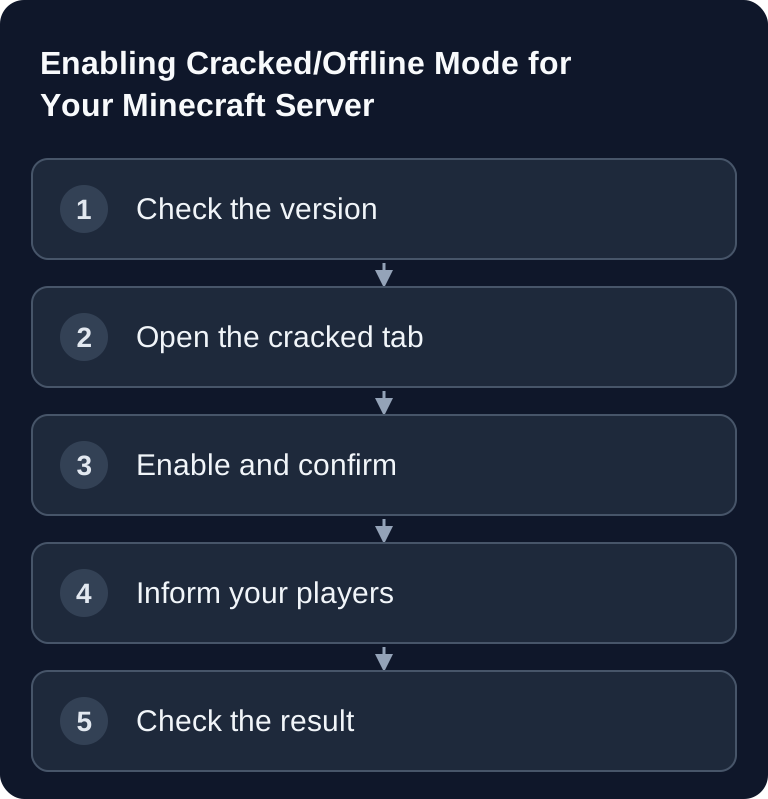
Offline mode disables the central Java account check and therefore needs a working login safeguard. Use the intended panel switch and then check registration, auto-login and player data separately. Manually changing online-mode alone does not provide this protection.
What the Mode Changes Technically
A normal Minecraft Java server checks on join whether a player account is validly signed in. In offline mode, this external account check is skipped. Technically, online-mode=false is set in the server configuration. The official Minecraft Help describes server.properties as the central configuration file of a Java server and points to the official Java server download for server operation: Documentation at help.minecraft.net
When you enable it at game-serverhosting, two things happen together:
- The server switches to
online-mode=false. This allows non-premium Java clients to join. - The server automatically installs a login plugin. It ensures that cracked/non-premium Java players protect their name with a password.
The second point is crucial. An offline server without auth protection can allow name abuse because the central account check is missing. That is why the mode is only enabled if the safeguard can be set up properly.
Who Needs a Password?
| Player type | Login |
|---|---|
| Bedrock (mobile, console, Windows) | Automatic – no password |
| Premium Java (purchased account) | Automatic – no password |
| Cracked/non-premium Java | Once /register <password> <password>, then /login |
For premium Java and Bedrock players, joining therefore stays as smooth as possible. Only genuine cracked/non-premium Java players have to register once and then log in with their password later.
Checking the Requirements
Before you enable the switch, check the server software and version. On Paper/Bukkit, cracked mode works with Minecraft 1.21.1 and older. If your server runs on a newer Paper or Bukkit version, the panel shows a notice instead of a switch before enabling.
For modern versions up to 26.2, the mode is available via a Fabric server. If you want to change your server software anyway, use the guide on Switching Your Minecraft Server Version. If you also want to review other basic settings such as difficulty, whitelist, view distance or MOTD, the guide on Configuring Minecraft server.properties Correctly will help.
Enabling Cracked/Offline Mode
First open the Minecraft server you want in your server overview and go to the Minecraft settings. There, switch to the tab “Allow cracked/non-premium players”. If your current server version is supported, you will see the enable switch with confirmation. If it is not supported, the panel shows you a notice and refers you to the version switch.
To confirm, type in your server name and click Enable. The panel then installs the login plugin, sets online-mode=false and restarts the server. Depending on the server, this takes one to two minutes. You do not have to edit any configuration file manually, and you should not make parallel changes to the version, plugins or server properties during the restart.
Checking the Result
After the restart, test not only whether the server is online but also whether the login flow works correctly. A premium Java player should join without a password. A Bedrock player should also be connected automatically. A non-premium Java player should be prompted to register on the first join and then set a password with the following command:
/register <password> <password>
On the next join, this player uses:
/login <password>
If you use Fabric, note the password characters: for /register, only 0-9 A-Z a-z _ . + - are allowed. The chat command rejects other special characters.
Informing Your Players Properly
Briefly announce the change before you enable the mode. For premium and Bedrock players, it is enough to say that nothing should change about joining. Non-premium Java players, on the other hand, need the register and login commands. Also point out that passwords should not be shared in public chat and that every player registers their own name.
If you are using your own world at the same time or want to switch the map before a bigger changeover, do that separately from the auth change. You can find the matching guide at Uploading and Switching a Minecraft World.
Turning It Off Again
You can disable the mode at any time via the same panel tab. The server removes the auth safeguard, restores online-mode=true and restarts. After that, only premium Java players or regularly supported player groups can join. The created player accounts are kept in case you enable the mode again later.
If the Log Says tried to join with an invalid session
Username 'Player123' tried to join with an invalid session
If this line appears in the server console or in latest.log, your server, running in normal online mode, checked a player's session with the Mojang session servers, and this check failed. The player was rejected and usually sees “Invalid session” or “Failed to verify username” in the game. The server itself keeps running normally; the message is not a crash and not a defect in the world.
This message can tempt you to enable cracked/offline mode. First check the specific cause. You don't resolve session, proxy or connection problems across the board by turning off online authentication.
What Is Behind the Message
- Stale session. The launcher was open for a long time or the same account was signed in on another device. The player fully closes the game and launcher, logs out and back in, and reconnects. Nothing changes on the server here.
- Launcher without a purchased account. The player uses a client that cannot sign in a valid session. The offline mode described in this guide is intended only for this case — and only with the safeguard of the login plugin.
- Proxy network with a verifying backend. If the server runs behind Velocity or BungeeCord and still performs the check itself, it rejects every connection coming through the proxy. In that case, the account check belongs on the proxy; the backend gets
online-mode=falsealong with the forwarding that matches the proxy and must never be reachable without the proxy. This is a network setup, not a cracked server. - VPN with
prevent-proxy-connectionsactive. If this option is set totrueinserver.properties, the check fails when the address reported by the player does not match the connection. If it only affects VPN users, that is intended, or you revert the option.
If the line appears for only one player, it is almost always the player's client (case 1 or 2). If it affects all players at the same time, it is the server configuration or the proxy (case 3 or 4).
Checking Success and Distinguishing Similar Messages
The issue is resolved when the affected player can join and the line no longer appears in the log for them. With a proxy setup, a player with a purchased account should also get through, and a direct connection attempt to the backend bypassing the proxy should fail.
Other messages mean something else: Authentication servers are down is an outage at Mojang, where the only fix is to wait. You are not whitelisted is the whitelist. Messages with Floodgate concern Bedrock players joining via crossplay. A timeout while connecting is a network problem and not a session check.
Open the full checklist for “invalid session”
Troubleshooting
The switch is not displayed
Then your current server version is probably not suitable. Check whether you use Paper/Bukkit newer than 1.21.1. In that case, you must switch to a supported version or use a Fabric server, if that fits your setup.
Non-premium players can join but cannot register
First check the spelling of the command. The first join requires /register <password> <password>, and both passwords must be identical. On Fabric, only 0-9 A-Z a-z _ . + - may be used in the password.
Premium players are asked for a password
After enabling, wait for the restart to finish completely and test again. If premium or Bedrock auto-login does not work correctly, do not fiddle with online-mode manually, but check the status in the panel and the server console.
After disabling, non-premium players can no longer get in
This is expected behavior. With online-mode=true, the normal account check applies again. Non-premium Java players can then no longer join.
Legal Framework
Offline mode is a technical server setting. Whether a player uses a Minecraft client that has not been purchased is their own responsibility. Operate the mode deliberately, inform your players clearly and do not use it as a substitute for proper server rules, moderation and access control.
Sources and Basis for Verification
The linked subpages support the technical basis explained immediately before or after them. Product prices and account features are additionally verified against the currently visible order or dashboard path.
Limits and Way Back
Offline mode weakens identity verification and enables name abuse. Only use it if you consciously accept this risk, additionally restrict access and create a backup beforehand. Before making changes, back up the affected files or the world. Then check the result with the same version and the same test procedure; if errors occur, restore the backup.
Backing Up Existing Player Identities Before the Change
In addition to the world, back up playerdata, permission and economy data as well as the authentication data of the extension in use. Switching between online and offline identities can produce different UUIDs; an empty inventory therefore does not automatically mean data loss. First test an already known premium player and then a newly registered offline player. Check whether a second client can take over the same name without the correct password; this must not work with the intended safeguard. If problems occur, do not change UUID files on a hunch, but document the software, login message and affected player type.
FAQ
What exactly does cracked/offline mode mean?
The server skips the normal Java account check and thereby also allows non-premium Java players. At game-serverhosting, online-mode=false is set for this and a login plugin is installed at the same time.
Does that automatically make my server insecure?
Not automatically. An offline mode without auth protection would be critical. That is why the login plugin is installed along with it, so that non-premium players protect their name with a password.
Which versions does the mode work on?
On Paper/Bukkit it works up to Minecraft 1.21.1. For modern versions up to 26.2, the mode is available via Fabric. For unsupported versions, the panel shows a notice before enabling.
Do premium and Bedrock players have to enter a password?
No. Premium Java and Bedrock players are logged in automatically. Only cracked/non-premium Java players register once with /register and then use /login.
How do I turn the mode off again?
Open the same tab in the server panel and disable the mode. The server restores online-mode=true, removes the auth safeguard and restarts.
Are registered accounts kept after turning it off?
Yes, the created player accounts are kept. If you enable the mode again later, they can be used again.