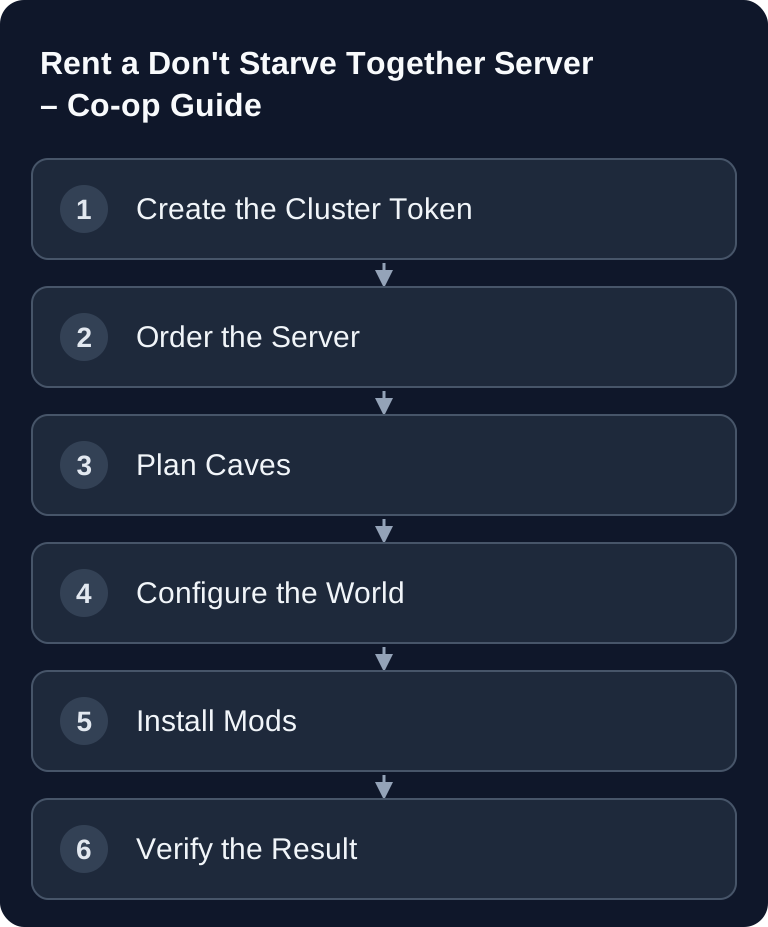
A Don't Starve Together server mainly needs three solid foundations: a valid Klei cluster token, a suitable cluster configuration and deliberately chosen world or mod options. If you enable Caves, you also need to plan for a second shard. This guide walks you through ordering, setup, testing and typical sources of error. For how to pick mods and enable them in the cluster, see Don't Starve Together: Setting Up Mods.
Requirements
For a dedicated server you need a valid Don't Starve Together license, a Klei account, access to the server dashboard and a decision on whether you only want to play the surface world or Caves as well. The token is created through the official Klei page for game servers at accounts.klei.com. There you generate the cluster token that your server needs to register with Klei.
If you're starting with a small co-op group, a lean configuration makes sense. The initial setup provides 2-4 GB RAM, with Caves 4 GB. Treat this figure as a planning value: mods, player count and world size can increase the requirements. At game-serverhosting, technical control is the focus: you manage the token, configuration files, restarts and mods deliberately instead of relying on an opaque default.
If you're comparing other co-op setups, you'll find similar planning questions in the Rent and Set Up a Valheim Server – Co-op Guide 2026 and in the Rent and Set Up an Enshrouded Server – Co-op Guide.
Order the Server
- Go to game-serverhosting
- Choose 2-4 GB RAM (with Caves: 4 GB)
- The server is set up automatically
After provisioning, you shouldn't mix mods and world options right away. First set up the token, start the server once without any additional changes and check whether it is visible in Don't Starve Together. Only then does it make sense to add Caves, world rules and Workshop mods. That way you can later tell more easily which change caused an error.
Create the Cluster Token
- Start DST → Account → Games → Game Server (Klei Entertainment)
- Generate a token at accounts.klei.com
- Enter the token in the dashboard
The cluster token is not a cosmetic name, but the link between your dedicated server and the Klei service. Treat it like a credential: don't post it publicly, don't show it in screenshots and don't publish it in shared configuration examples. If you have accidentally exposed a token, create a new one via the Klei page and replace it in the dashboard.
Enable Caves
Caves need a second shard. This means the surface world and the caves run as separate server processes that communicate with each other through the cluster configuration. That's why you should only enable Caves once the base server is running stably.
# cluster.ini
[SHARD]
shard_enabled = true
bind_ip = 127.0.0.1
master_ip = 127.0.0.1
master_port = 10889
cluster_key = secret
The cluster_key must match between the shards involved. Don't use a publicly known example value in production. If Caves aren't reachable, first check whether both shards have started, whether the master port matches and whether the second shard uses the same cluster data.
World Settings
World settings belong in worldgenoverride.lua. This file influences the generation and rules of your world. Ideally, change it before the first productive game start, because many settings no longer apply cleanly retroactively after the world has been generated.
return {
    override_enabled = true,
    overrides = {
        day = "longday",
        season_start = "autumn",
        autumn = "longseason",
        winter = "shortseason",
        beefalo = "often",
        berry = "more",
    }
}
The example makes days longer, starts in autumn, lengthens autumn, shortens winter and increases certain resources and creatures. Options like these can change the difficulty significantly. For a new group that's often helpful; for an experienced group, however, it can reduce the survival tension. So briefly document which values you've set so that later changes remain traceable.
Install Mods
dedicated_server_mods_setup.lua determines which Workshop mods are downloaded. They are additionally enabled in the modoverrides.lua of the respective shard. Check the surface world and Caves separately; a downloaded mod is not yet active in both worlds. In case of errors, save the log files of both shards along with the time of the start attempt; Klei describes the logs and required error evidence.
ServerModSetup("378160973")    -- Global Positions
ServerModSetup("462434129")    -- Wormhole Marks
ServerModSetup("458587300")    -- Season Clock
Don't install too many mods at once. First add a small group, test joining the server and add more mods afterwards. Individual Workshop mods can become incompatible, especially after game updates. If players get stuck while connecting, temporarily disable the most recently added mods and check whether all clients can load the same mod dependencies.
For other mod-heavy or community-driven server concepts, you can use the Rent a Team Fortress 2 Server – Community Server Guide as a comparison. If co-op survival with clear server control matters to you, the Rent and Set Up a V Rising Server – Vampire Guide is also a good thematic fit.
Admin Commands
Admin rights and console commands help with operation, but should be used sparingly. Use them mainly for maintenance, rollbacks and tests, not as a replacement for proper backups.
c_rollback(1)                   -- roll back to the previous snapshot
c_reset()                       -- reload the current save
c_godmode()                     -- Invulnerable
c_supergodmode()                -- Immortal + no hunger
For permanent admin rights, the Klei user ID (KU_...) belongs in the adminlist.txt of your cluster, one ID per line. Back up the file and check the permission after the restart. Verify admin rights after a restart by using a harmless command or by checking in the game whether the expected permissions apply. c_reset() reloads the current save; it does not create a new world. A rollback, on the other hand, discards progress since the chosen snapshot. Only use such commands when the consequences are clear.
Verify the Result
After setup, you should check four things: the server appears in Don't Starve Together, joining works without mod errors, the desired world options are active and Caves are reachable if you enabled them. It's also worth looking at the server logs right after the start. Errors related to the token, shards or mods often show up there earlier than in the game client.
Ask a second person from your group to join as a test. This checks not only your local client, but also whether the server is reachable for others and whether Workshop content is distributed correctly.
Troubleshooting
If the server isn't visible, first check the cluster token and restart the server. A missing or invalid token prevents proper registration. If Caves are missing, check the shard configuration and whether the second shard is really running. If mods cause problems, remove the most recently added Workshop IDs and keep testing in small steps.
If world options seemingly don't take effect, the world may have been generated already. In that case, depending on the setting, you either need a new world or have to deliberately keep playing with the existing parameters. Always back up the current state before making destructive changes.
FAQ
Do I absolutely need a Klei cluster token?
For a Don't Starve Together dedicated server registered online, you need a cluster token from Klei; a cluster explicitly configured for offline use is a different operating mode. It is created via the official Klei game server page and entered in the server dashboard.
Should I enable Caves right at the first start?
Only if you really want to play them. Caves require a second shard and increase complexity. For the first check, starting without Caves is often clearer.
Can I add mods later?
Yes. Enter the Workshop IDs for the download in dedicated_server_mods_setup.lua and additionally enable the mods per shard in modoverrides.lua. Then restart both shards involved in a controlled way. Add mods step by step so you can more easily trace errors back to a specific change.
When is the best time to change worldgenoverride.lua?
Ideally before the first productive world generation. Many world options take effect when the world is created and can't always be changed cleanly retroactively later.
What do I do if players get stuck while joining?
First check the logs and temporarily disable the most recently added mods. Then check the token, the shards and whether all required Workshop content is loading correctly.
How do I handle admin commands safely?
Use admin commands deliberately for maintenance and tests. You should only run critical commands like c_reset() after careful consideration and ideally after a backup.