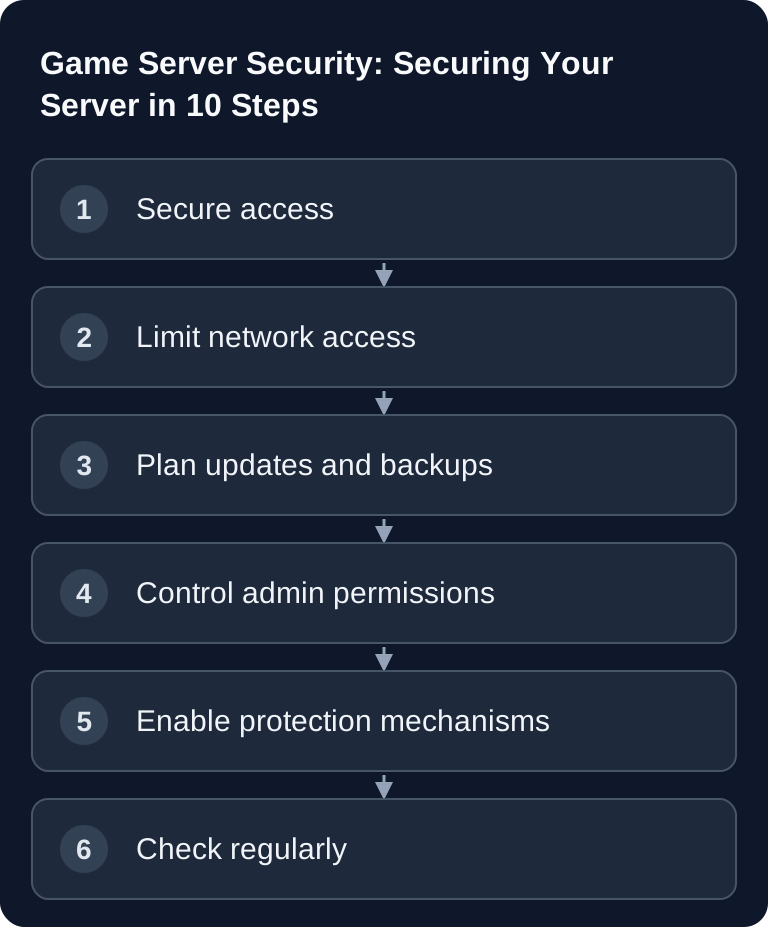
A secure game server doesn't come from a single setting, but from clean access controls, limited ports, up-to-date software, reliable backups and traceable admin actions. The following checklist helps you reduce typical risks without making unfounded protection promises. It fits many game servers, but must always be adapted to the game, mod setup and hosting environment.
Define Your Security Goal
Before you change individual options, briefly clarify what needs to be protected: save games, configuration files, admin permissions, RCON access, mod files and the availability of the server. With a paid multi-game hosting service like game-serverhosting, it's also about transparent operating processes: you should be able to trace who has access, which changes were made and how you can get back to a clean state if something goes wrong.
If you're currently switching from another provider, back up your data and configurations first. You'll find suitable preparation in the guide on moving your game server from ZAP-Hosting to game-serverhosting.
The 10 Most Important Security Measures
1. Use Strong Passwords
Use separate passwords for the panel, admin account, RCON, SFTP and database access. A reused password makes multiple systems vulnerable as soon as a single service is compromised. The official NIST guideline SP 800-63B recommends long, hard-to-guess secrets and warns against weak, predictable passwords: current NIST SP 800-63B
❌ admin123
❌ password
✅ Kf8#mP2$xQ9!nL4w (random, 16+ characters)
Store passwords in a password manager and don't share admin credentials via chat histories, screenshots or public tickets. If an admin leaves the team, change the affected passwords immediately.
2. Change the RCON Password
Depending on the game, RCON allows far-reaching game server commands, but it is not automatically an operating system shell. Check whether your specific server provides RCON at all, set a dedicated password if RCON is active and restrict access. Minecraft RCON, for example, is not automatically encrypted in transit; simply using a strong password therefore does not replace a protected connection.
Set a dedicated RCON password, document its purpose and restrict access to known IPs or to the hosting panel where possible. If you manage Valheim, the Valheim server commands for admin commands help you plan permitted actions deliberately.
3. Configure the Firewall
Only open the ports you need. Every additional service enlarges the attack surface and makes troubleshooting harder. Check the official documentation of the respective game or vendor first before you open ports.
| What | Port | Protocol |
|---|---|---|
| Game | Game-dependent | TCP/UDP |
| RCON | Game-dependent | TCP |
| SSH | 22 | TCP |
| SFTP | 2022 | TCP |
RCON, SSH and SFTP are management access points. They should not be open any wider than necessary. If your hosting panel reliably covers file management, console and restarts, you may not need permanent direct shell access at all.
4. Keep Software Up to Date
Keep your server software up to date regularly. This also applies to plugins, mods and operating system updates. Mods in particular can bring outdated libraries, sloppy permissions or incompatible configurations. So don't schedule updates in the middle of an active play session, but in a maintenance window.
- Update server software regularly
- Keep plugins/mods up to date
- Install operating system updates
Before larger changes, note versions, changed files and the time. That way, after an error you can narrow down more quickly whether a game update, a mod or a configuration change was the cause.
5. Create Backups
Backups are not a substitute for security, but they limit the damage. Back up worlds, save games, configuration files, whitelists, ban lists and important mod files. A backup is only useful once you know how to restore it.
- Automatic daily backups
- A manual backup before every major update
- Store backups in a different location
Regularly verify at least one backup by restoring it to a separate copy. A successful download only proves the transfer, not that the world, inventories and external data can be fully restored. For co-op setups with world progress this is especially important, for example with a Valheim server to rent and set up.
6. Limit Admin Permissions
Only appoint trustworthy people as admins. Use graduated permissions. Not everyone who moderates events needs full access to server files, RCON or payment and contract areas. Separate moderation, technical administration and account management if the system supports these roles.
Maintain a simple access list: name, role, reason for access and date of the last review. Remove old admins immediately instead of leaving them in place "for later".
7. Enable Anti-Cheat
Anti-cheat can reduce suspicious behavior, but it doesn't replace good administration. Only enable systems that suit the game and are supported by the game or the server ecosystem.
- VAC (CS2, TF2)
- BattlEye (check the matching ARK edition and server configuration)
- Easy Anti-Cheat (including Rust; Facepunch EAC help)
- Server-side anti-cheat plugins
After enabling it, check that legitimate players can still connect. Some mods, clients or launch parameters can conflict with anti-cheat. So document what was enabled and where players should report error messages.
8. Protect the Server IP
A domain keeps the game address memorable and maintainable. However, its DNS record can reveal the server IP; it does not hide a game server and does not prevent a DDoS attack. In case of an incident, you check the affected protocol and the filtering with the operator, rather than assuming a spontaneous IP or node change is an available fix.
Never publish management ports in public server descriptions. For community pages, the game address is normally enough. RCON, SSH or SFTP details should only go to people who specifically need them.
9. Enable Logging
Enable logs for events you will need to trace later. Good logs help with suspected cheating, misconfigurations, crashes and unclear admin actions.
Log all important events:
- Player joins/leaves
- Admin actions
- Errors and crashes
Make sure logs don't grow endlessly. Set up rotation or regular cleanup if your system supports it. Don't store sensitive data longer than necessary, and only share log excerpts in shortened form if they contain tokens, IPs or private information.
10. Regular Review
Security is a maintenance process. Schedule a short check once a month: open ports, admin list, plugin versions, new error messages and backup status. After major updates you should additionally test whether joining the game, admin commands, backups and restarts still work.
- Check logs monthly
- Remove unknown admins
- Perform a plugin audit
Verify the Result
After securing the server, you should test it from both the player's and the admin's perspective. Connect as a normal player, check that joining works and then deliberately test only the admin functions you really need. Check that unauthorized users cannot run admin commands, that backups are being created and that relevant actions show up in the log.
For technical control, it's important to make changes traceable: date, purpose, affected file and expected result. This turns a loose collection of settings into a workable process.
Troubleshooting
If players can no longer connect after a firewall change, first check the game port, protocol and query port against the official game documentation. Don't open entire port ranges across the board, but fix the missing rule in a targeted way.
If RCON doesn't work, first check its availability, password, port, protocol and bind address. Avoid short test passwords that stay active later. If you suspect a compromised account, also revoke active sessions, API tokens and stored keys using the available account functions; a password change alone does not revoke all access in every system. Secure logs before the restore and initially start the cleaned state with restricted access.
If logs show no admin actions, either logging is not active, the wrong log path is in use or the game does not record these events in the expected file. In that case, document the limitation instead of assuming a control that doesn't exist.
FAQ
Do I still need to configure security on a rented game server?
Yes. Hosting takes infrastructure work off your hands, but passwords, admin permissions, mods, backups and many game options remain your responsibility. These very settings often decide whether an incident can be contained quickly.
Is a strong RCON password enough?
No. A strong RCON password is important but not sufficient. Also restrict access, keep software up to date, log admin actions and remove permissions that are no longer needed.
How often should I check backups?
You should check automatic backups regularly and supplement them manually before major updates. An occasional test restore makes sense, because a backup without a working restore is of little help in an emergency.
Should I enable all anti-cheat systems?
No. Only enable anti-cheat systems that are intended for your game and work with your mod setup. Too many unsuitable protection modules can cause connection problems or false alarms.
What do I do if an admin account has been compromised?
Revoke access immediately, change the affected passwords, check logs and restore a clean backup if there are suspicious file changes. Afterwards, you should reassess all admin permissions and shared credentials.