Game servers cost different amounts depending on the game, RAM requirements, player count and included operating services. What matters is not only the lowest monthly price, but whether protection, backups, file access, support and transparent billing are included. This guide shows you how to plan costs realistically and compare offers properly.
Game Server Costs: What Determines the Price
A game server is not static web space. The running costs come from computing power, memory, storage, network, protection measures, automation and support. The more demanding a game is, the more strongly RAM, CPU performance and the number of concurrent players affect the price.
| Factor | What to check for a fair comparison |
|---|---|
| RAM | Usable amount, headroom and upgrade price |
| CPU | Shared or guaranteed performance; GHz alone is not a performance comparison |
| Storage | Usable space including world growth and backup limits |
| Region | Region actually offered and the total price there, without a blanket DE surcharge |
RAM is often the most visible price factor, because many games keep large worlds, mods, databases or multiple processes in memory. CPU performance becomes more important when many players trigger actions at the same time, or when vehicles, physics, AI or complex mods are running. Storage is usually less expensive, but becomes relevant for backups, large maps and frequent saves.
As the official primary source for game server operation, Mojang/Microsoft refer to the official server software and documentation for Minecraft at documentation on minecraft.net. Such vendor sources are useful for distinguishing between general hosting marketing and the actual technical foundations of a game.
Price Overview by Game
The table lists starter configurations, not universal manufacturer minimums. Prices with placeholders are inserted from the current offer; afterwards, compare the same billing period and the selected configuration. For ARK, you also need to distinguish between Survival Evolved and Survival Ascended. For Palworld, the official server requirements list 16 GB of RAM; on our customer servers with up to 4 simultaneously active players, the usage stayed below 6 GB.
| Game | Min. RAM | Recommended | Price from |
|---|---|---|---|
| Minecraft | 2 GB | 4 GB | €2.80/month |
| Terraria | 2 GB | 2 GB | €3.84/month |
| Valheim | 4 GB | 4 GB | €6.32/month |
| Palworld | 6 GB | 6 GB (measured with up to 4 players; Pocketpair lists 16 GB) | €6.78/month |
| Rust | 12 GB | 12 GB | €22.05/month |
| ARK | 12 GB | 12 GB | €14.56/month |
| CS2 | 4 GB | 4 GB | €8.92/month |
| TeamSpeak 3 | Check separate voice offer | No confirmed current GSH offer | Don't derive the price from a game server package |
For small private groups, a smaller configuration is often enough. As soon as you plan many mods, larger maps, high player counts or roleplay systems, you shouldn't decide based on the entry price alone. For FiveM in particular, separate cost planning is worthwhile, because frameworks, scripts, databases and player counts vary greatly.
What's Included with game-serverhosting
At game-serverhosting, the approach is paid multi-game hosting with technical control, support and transparent operating processes. What matters here is that you don't just rent the server, but also keep the management and operating functions in view.
Check in the current offer and for the specific game which of these features are included and which limits apply:
- DDoS protection
- Backup scope, retention, available automation and download option
- Free subdomain
- Web dashboard
- SFTP access
- Mod management for the chosen game; check server type and supported extensions
- Player analytics
- German-language support
These points matter for the total cost. If backups, protection features or file access are charged extra by a provider, an initially cheap price can become more expensive in ongoing operation. SFTP access is especially relevant if you want to edit configuration files, mods, worlds or logs directly. The guide SFTP access to the game server: managing files explains how this works in practice.
Hidden Costs and Comparison Traps
When looking at offers, watch out for costs that aren't visible in the first price field:
- Setup fees
- Backup surcharge
- DDoS protection extra
- Slot-based billing
- Cancellation periods
- Support by ticket only
Slot-based billing can seem sensible, but isn't automatically cheaper. For some games, the actual server load counts more than the pure slot count. Cancellation periods also affect the real costs: if you only want to test a project, a flexible term is often more important than a slightly lower monthly price.
If you're already with another provider, you should also factor in the effort of moving when comparing costs. For existing servers, these guides help: G-Portal move to game-serverhosting, Nitrado move to game-serverhosting and ZAP-Hosting move to game-serverhosting. That way you can assess whether worlds, configurations and files can be transferred cleanly.
Step by Step to the Right Budget
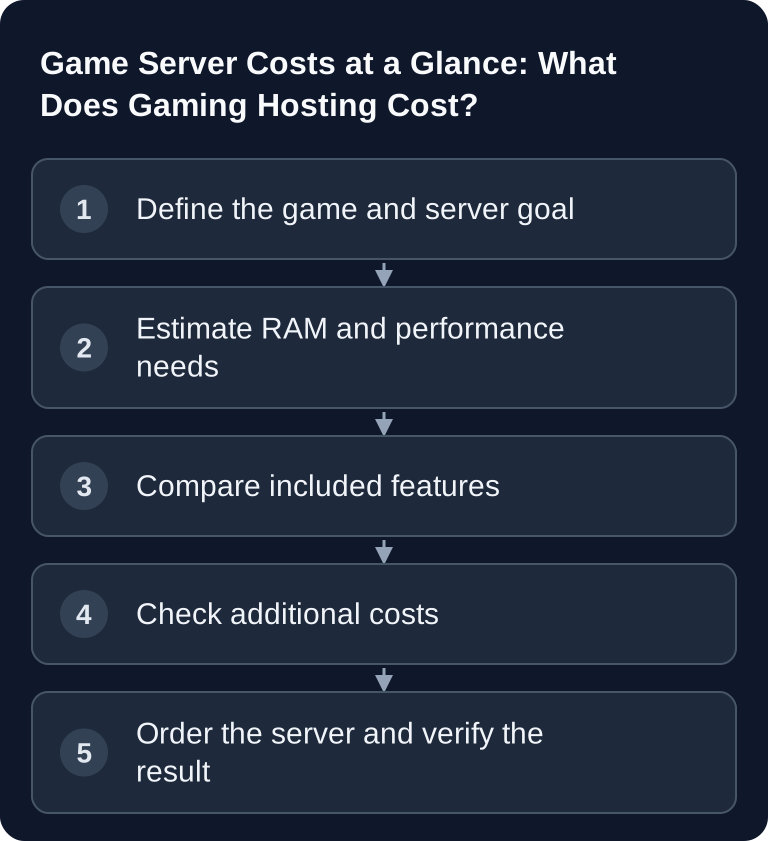
1. Define the Game and Usage
First note the game, planned player count, mods, map scope and duration. A small vanilla server has different requirements than a long-term community project with many extensions.
2. Choose RAM Realistically
Use the table as a starting point. Plan headroom if many players are online at the same time, mods are active or the world grows regularly. RAM that is calculated too tightly doesn't automatically lead to lower total costs if restarts, lag or rework result.
3. Check Included Features
Don't just compare price and RAM. Also check backups, DDoS protection, support, file access, dashboard and mod management. These features often decide how well you can control the server day to day.
4. Plan for Operating Effort
In addition to the package price, factor in domain costs, separately purchased mods, backup storage and the time spent on updates, if you actually need them. Compare the initial term, renewal and cancellation conditions at the order step. For file work, the panel or SFTP is often enough; a game server package does not automatically include its own Linux host with shell access.
5. Verify the Result
After launch, you should test whether the server runs stably. Check RAM usage, startup time, lag with multiple players, log files, mod errors and backup status. Only then will you know whether the chosen size really fits.
Troubleshooting Cost and Performance Problems
If the server lags, the plan isn't automatically wrong. First check logs, mod errors, world size, player count and configuration. Individual plugins or scripts can create more load than expected. For recurring problems, you should document when lag occurs, how many players were online and which changes were made shortly beforehand.
If costs seem higher than planned, separate essential needs from comfort. A more powerful server can make sense if it brings stability. However, you should avoid unnecessary over-provisioning. When switching games, it's also important how billing and resources are handled. The guide Switching games: costs, billing and what you need to know fits here.
FAQ
Is the cheapest game server enough for every game?
No. The cheapest plan only fits if the game, player count and mod usage match it. For large worlds, many players or extensive mods, you should plan for more RAM and performance headroom.
Which costs are often overlooked when comparing?
Setup fees, paid backups, additional costs for DDoS protection, long cancellation periods or limited support are often overlooked. That's why you should always check the included features.
Why is RAM so important for the price?
Many game servers keep world state, player actions, mods and processes in memory. More RAM increases the possible stability headroom, but also costs more. What matters is a suitable size, not automatically the largest.
Can I share game server costs with others?
Yes. If you play with friends or a community, you can split the monthly costs internally. It's important that one person manages the server responsibly and that changes remain traceable.