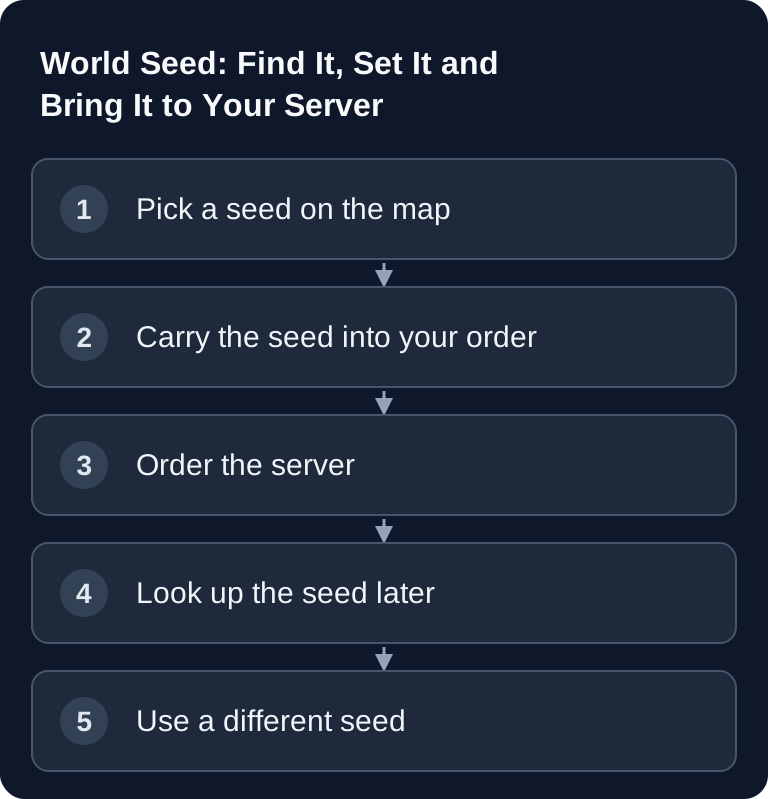
A Minecraft seed controls the generation of new terrain, but it does not replace a saved world. For a different seed, you create a new world and keep the old one as a way back. Match edition, version, world type and generator before you expect results from a seed map.
The Most Important Rule First
A seed is not a switch, it is a blueprint. It is read exactly once: at the moment the world is generated for the first time. If the world folder already exists, the game ignores a new seed, with no error message, no log line, no signal at all.
This is the most common disappointment with seeds: enter a seed, restart, see the same world. If you want a different seed, you need a new world, and the old one is preserved.
Our config editor now tells you this directly: if you save a seed even though a world already exists, a notice appears with the way to the new world.
Step 1: Find the Right Seed
For Minecraft Java, you can preview seeds with us beforehand without installing anything: the seed map calculates the world in your browser.
You see the biome map for the Overworld, Nether and End, can zoom and pan, and can search specifically for:
- Structures: village, desert pyramid, ocean monument, woodland mansion, pillager outpost, ancient city, trial chambers, buried treasure, shipwreck, swamp hut, igloo, jungle temple, ruined portal, ocean ruin, trail ruins
- Strongholds: for everyone who wants to get to the End quickly
- World spawn: the point where you actually start (not the map center 0/0)
- Biomes: for example cherry grove, mushroom fields or badlands near spawn
Clicking a result opens the map at that location. The positions are calculated candidates; verify them in your world.
The map runs entirely in your browser. Your seed is not transmitted to us as long as you don't share it yourself.
Step 2: Pass the Seed Along with Your Order
If you found a seed on the map, the link “Configure a server with this seed” takes you straight to the configurator, where the seed is already filled in the World Seed field. The server then generates its very first world from exactly that.
The seed is transferred in the address fragment, the part after the #. Technically, that part never reaches our server; the seed stays in your browser until you enter it in the configurator.
You can of course also simply type the seed into the configurator. Leaving it empty means: random world.
Step 3: Find Out the Seed of a Running World
In the server panel under Worlds, you'll find the seed of your active world, with a button to copy it. This applies to Minecraft Java and Bedrock.
Important to know: this value comes from the world file, not from the configuration. In server.properties, level-seed still shows nothing after random generation, yet the world has a seed anyway. This display closes exactly that gap.
If nothing is shown there, the server is usually switched off or the world hasn't been generated yet. Start it briefly and reload the tab.
Step 4: A New World with a Specific Seed
In the server panel under Worlds → New World, you enter name and seed together. Your previous world stays in place and can be switched back to at any time. After creating it, restart once, and the server will generate the new world from your seed.
Seeds in Other Games
Not every game knows seeds, and some have a fixed map. You can run these games with your own seed with us:
- Minecraft Java and Bedrock: when ordering, in the config editor and when creating new worlds
- Terraria and tModLoader: World Seed field in the startup parameters. The well-known special seeds also work here:
for the worthy,not the bees,getfixedboi,celebrationmk10,don't dig up - Rust: Map Seed in the startup parameters, plus a map preview in the panel as soon as a fixed seed is set.
0means: new random seed on the next start - 7 Days to Die: RWG Seed in the config editor, effective only with
GameWorld = RWG - Vintage Story: World Seed in the config editor, group “World (new world only)”
- Core Keeper: World Seed when ordering
- Factorio: its own map generator in the panel: preset, ore, enemies, cliffs, water, starting area and seed
Valheim is the well-known special case: the server has no seed parameter. The seed is stored in the world file, which is created randomly on first start. If you want a specific world, you generate it in the game itself and upload it in the server panel under “Game” → “Worlds” (world folder or .fwl + .db as a .zip; the server starts it on the next restart). Fixed maps, without a seed, are used by ARK, Conan Exiles, V Rising, Enshrouded, Satisfactory, Project Zomboid and DayZ, among others.
FAQ
Can I change the seed of an existing world afterwards?
No. The seed belongs to the generated world and cannot be changed. You can only create a new world with a different seed; the old one is preserved and can be switched back to.
Why does my world look different from the map?
First check the game version: the map calculates with the normal world generation of Java 26.2. Other versions, mods, datapacks or a different world type (e.g. Superflat, Large Biomes) change the result. The map does not apply to Bedrock, since Bedrock generates its worlds by its own rules.
Do Java seeds also work on Bedrock?
Since world generation was aligned, identical numeric seeds in matching Java and Bedrock versions can produce similar terrain and biomes. Structures and details, however, do not generally match. Check the locations you want in the target edition; the Java seed map is not a Bedrock guarantee.
What is a text seed like “Minecraft”?
Minecraft converts text into a number. You can enter either, a number or text. Our map does the same conversion, so you see exactly the world the server will generate later.
Primary Sources
- Minecraft Wiki: Seed (level generation)
- Minecraft Wiki: server.properties
- Minecraft Wiki: Java and Bedrock world generation compared
Related Guides
Which settings besides the seed matter on first start is explained in Configuring server.properties, which also covers why a changed seed leaves an existing world untouched. If you'd rather bring a finished world, Uploading and Switching Worlds walks you through the route via the file manager, and A New World Instead of the Old One describes the cleaner fresh start with a backup of the old world.
In Rust, the counterpart is called server.seed and is set together with the map size: Rust: Choosing a Map and Seed. For large Minecraft worlds, it's worth pre-generating the freshly created area right away; Chunky: Pre-Generating a World spares the server the costly chunk loading during first exploration.
Documenting a Seed Choice with Version and World Type
Besides the numeric value, note the edition, Minecraft version and world type. First check the desired spawn and a few map candidates in a new test world. Mods and datapacks can change generation, so the same seed alone does not guarantee an identical view. An imported city map contains later builds that a seed finder cannot derive from the seed. For an existing world, keep its files rather than just the seed. For the switch, choose a new unique world name so that no old folder is silently loaded again.