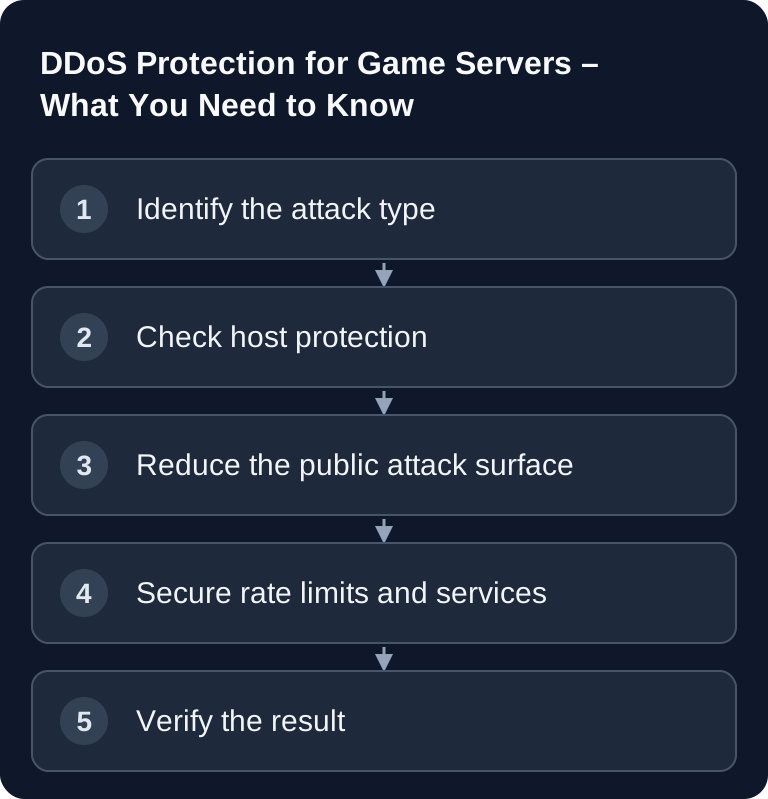
DDoS protection filters attacks as far upstream of the game server as possible. For a usable diagnosis, compare the game connection, query and panel separately, test with multiple players or networks, and report the time, duration and affected ports to support. Packet loss alone does not prove an attack; incorrect port forwarding, an overloaded simulation or a fault along the internet path can produce the same symptoms.
What Is a DDoS Attack?
A Distributed Denial of Service attack floods a service with so many requests or packets that legitimate players can no longer connect or experience severe lag. For game servers, this often affects UDP traffic, because many games handle their real-time communication over UDP. Depending on the game, query ports, login endpoints, web panels or voice services can also be affected.
The official Hetzner documentation describes DDoS protection as automatic detection and filtering of suspicious traffic in the network: Documentation at docs.hetzner.com. The practical takeaway is important here: filtering helps against many patterns, but it does not replace a clean server configuration and does not guarantee that every attack is absorbed without side effects.
Common Attack Types
| Type | Description | Target |
|---|---|---|
| UDP Flood | Massive numbers of UDP packets | Game server ports |
| SYN Flood | Half-open TCP connections | Web panels |
| Amplification | DNS/NTP amplification | Bandwidth |
| Application Layer | Login spam, query flood | Application |
UDP floods often target the game port directly. SYN floods are more relevant if TCP services such as a web panel, API or login components are also reachable. Amplification attacks abuse third-party, misconfigured services to amplify traffic. Application-layer attacks are harder to detect because they sometimes look like genuine game or query requests.
Why Are Game Servers Attacked?
Typical triggers are rivalry between server projects, frustrated players after a ban or wipe, extortion attempts, or people trying out freely available attack tools. For you, the exact reason is secondary. What matters more is that your operation does not depend on individual publicly visible services and that you can quickly work out what is actually happening when something goes wrong.
What Your Host Should Provide
A good host filters problematic traffic as far upstream of your server as possible. This includes network-level filtering, automatic detection of suspicious patterns, rate limiting at suitable points and clear escalation paths to support. Anycast can help with certain infrastructures by distributing traffic across several locations. Blackholing, meaning the temporary dropping of traffic to an IP, is more of an emergency measure for extreme attacks, because the affected service may then be unreachable as well.
At game-serverhosting, DDoS protection is intended as part of server operation. The positioning is deliberately practical: paid multi-game hosting with technical control, support and transparent operating procedures. If you also need to check files, mods or logs, the guide on SFTP access to the game server will help you. For diagnostic work in the console, the overview of important Linux game server commands is also useful.
What You Can Do Yourself
1. Keep the Public Attack Surface Small
Publish only what players really need. A domain is more convenient than a raw IP, but it does not replace DDoS protection for the actual game traffic. A classic web proxy usually protects only HTTP or HTTPS traffic, not UDP game server ports automatically. Admin access, SSH, databases and management services should not be exposed openly to the internet if they do not need to be publicly reachable.
2. Set Firewall Rules Properly
On a managed game server, you use the ports assigned in the panel and the provided settings. The firewall of the hosting node is managed by the operator; your own ufw recipe inside the game container does not replace these rules. On self-managed hosts, you open only the protocols required for the game, query and management, and keep a working management access ready as a way back. Check the port list again after switching games. The guide Switching Games: Costs and Billing describes the relevant process.
3. Limit Query and Login
Server lists, status queries and login functions are useful, but they can generate load when abused. Disable query functions only if you really do not need them, because some community tools or server lists depend on them. A limit, a restrictive firewall rule or a configuration that reduces unnecessarily frequent queries is often the better choice.
4. Secure Admin Access Separately
SSH should not sit unprotected on a widely known default port. Use strong keys, restrict access via firewall or VPN, and disable password logins if your setup supports it. Web panels should be used with two-factor authentication where available. Do not share admin links and credentials in public Discord channels.
Check the Result
After every change, you should not only check whether the server starts. Use a test client to verify that players can connect, that the server list finds the server correctly, that RCON or admin tools work, and that logs show any suspicious blocking. If you changed firewall rules, test from an external network, not just from the server itself. If you suspect a DDoS, timestamps help: when did the packet loss begin, which ports were affected, which logs show errors?
Troubleshooting
If players cannot connect even though no attack is visible, first check ports, game version, mods and whitelist. After moving from another provider, old IPs, DNS entries and server lists are common sources of error. For migrations, you will find separate guides for moving from G-Portal to game-serverhosting, moving from Nitrado to game-serverhosting and the ZAP-Hosting migration.
If only the web panel hangs but the game server remains reachable, the problem is probably not the game port. If the game server is reachable but query does not work, the query port or the query configuration is usually affected. If everything fails at the same time and external tests show packet loss, a network problem or an attack is more plausible. In that case, collect the time, affected services, error messages and recent configuration changes before you contact support.
Sources and Basis for Review
The sources explain attack types and filtering. They do not imply any commitments regarding filter capacity, automatically available firewall switches or the reachability of a specific GSH server during an attack.
Limits and Way Back
The effectiveness of DDoS protection depends on the attack, volume, protocol and filter rules. Before making a local firewall change, back up the existing rule set and keep a second management access open. Then test the game connection and management from another network. If the change locks out legitimate users, restore the old rule set; a world restore does not fix a faulty network block.
FAQ
Can I completely prevent DDoS attacks?
No. You cannot prevent attacks in general, but you can reduce the attack surface and, with suitable hosting, ensure that many patterns are filtered before they directly burden your game server.
Is Cloudflare enough for my game server?
For web traffic, Cloudflare can make sense. For typical game server connections, especially UDP game traffic, a normal web proxy is not automatically enough. For that, you need protection at the network and port level.
Should I keep my server IP secret?
You should not spread it unnecessarily, but that alone does not create real security. Players must be able to reach the server, and depending on the game or server list, the destination address becomes visible. Filtering, a firewall and separate admin access are more important.
What do I do during an ongoing attack?
Do not frantically change several things at once. Note the time, symptoms, affected ports and recent changes. Check whether only one service or the entire server is affected, and contact support with this information.
Can a faulty firewall look like a DDoS?
Yes. If ports are missing, UDP is blocked or query rules are too strict, players see similar symptoms: timeouts, empty server lists or dropped connections. That is why an external connection test belongs after every rule change.