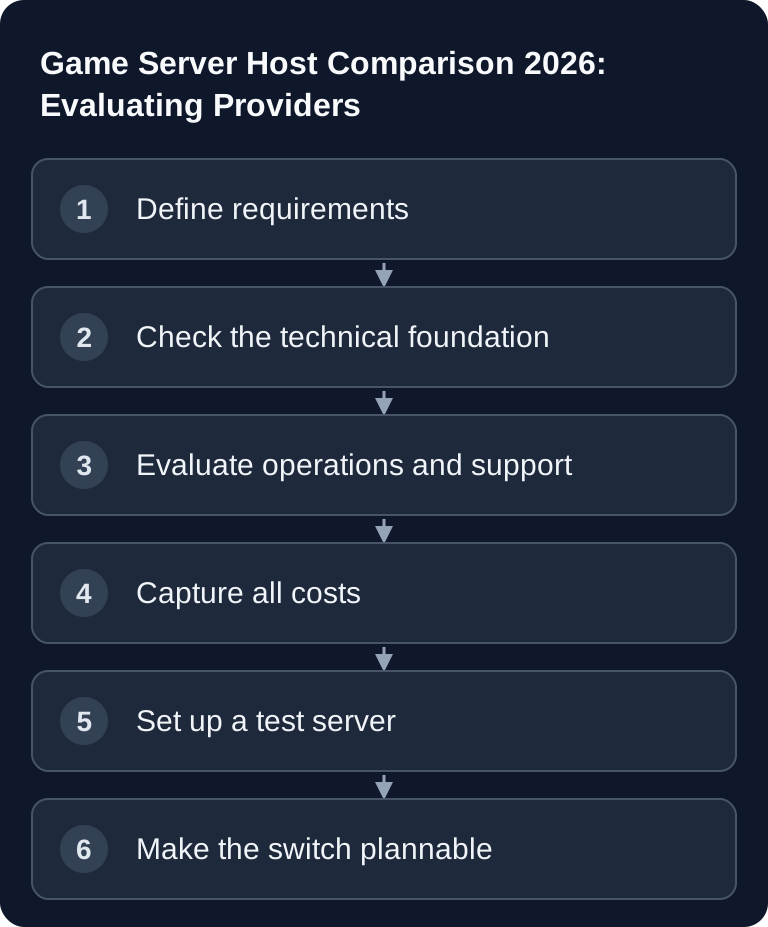
Verified comparison basis: September 2026. Compare game server hosts for the same game, the same RAM/slot tier and the same term. Then check file export, restoration, mod support and support for your specific server. A low entry price or the length of a feature list does not replace this operational comparison.
Key Comparison Criteria
Game, Player Count and Mod Needs
Start with the specific server profile: Which game should run, how many players do you expect at the same time, do you need mods, plugins, crossplay, whitelists or regular wipes? A small Valheim co-op server has different requirements than a modded Minecraft or Rust server with an active community.
For Steam-based dedicated servers, the official Valve documentation on SteamCMD is a sensible primary source if you want to check how server files are installed or updated: Documentation at developer.valvesoftware.com. Official sources like this help separate provider features from requirements on the game side.
If you run Rust, map seed, map size and wipe schedule belong in your planning. For related details, see the guide on Rust Server Map Seeds 2026 and the Rust Wipe Calendar 2026.
Technical Control
With a paid host it should be clear which layer you can control yourself. Important are a web console, access to configuration files, SFTP, logs, startup parameters, mod or plugin management and a comprehensible restart and backup process. If you want to manage files directly, SFTP is particularly relevant; you can find a practical overview in the internal guide SFTP Access to Your Game Server.
Also pay attention to the server location. For German-speaking communities, a location in Germany or the nearby EU often makes sense, because network paths can be shorter. However, low ping is never guaranteed by the city alone; routing, load, game server tick rate and the client connection also play a role. Frankfurt am Main is available with almost all large providers and is therefore not a unique selling point. Before ordering, choose a location that suits your player group and check the actual network paths. Judge existing servers by measured connection and load; a city name alone does not explain a lag problem.
Also ask which panel the provider uses. In-house developments are often tailored to a few games; widespread standard panels such as Pterodactyl (open source, each server runs in its own Docker container) or TCAdmin are well documented, so you can find guides and community knowledge that do not depend on the provider.
Comparison Table
The following table shows the status as of September 2026, read from the websites of the three providers for which we also have migration guides. Treat it as a comparison matrix and verify feature details directly with the respective provider before ordering, because plans, promotional discounts and included services change constantly. Features that a provider does not state on its site are deliberately left out of the table.
| Feature | game-serverhosting | Nitrado | GPORTAL | ZAP-Hosting |
|---|---|---|---|---|
| Server location | Germany and France; check the currently offered region in the order step | Frankfurt am Main, more worldwide (including London, New York, Singapore) | Frankfurt, Cologne, Düsseldorf (“Central Europe”), more worldwide | Frankfurt/Eygelshoven, more including London, Dallas, Singapore |
| Billing model | per game RAM or slot/resource package; current term in the configurator | by slots, prepaid 3–365 days | Minecraft by RAM, other games by slots; from 3 days | Slots + RAM, prepaid or lifetime purchase |
| DDoS protection | Included | Included | Included | Included |
| Backups | Automatic; check the specific retention in the panel | Daily automatic; full archives not directly downloadable according to current docs | Manual in the web interface, 50 GB backup storage by default | Create and restore with one click; check export separately |
| Mod installation | 1-click | Modpack offerings, otherwise via FTP | Steam Workshop in the interface, over 250 modpacks | Version manager, modpacks |
| Web console | Yes | Yes | Yes (web interface with log access) | Yes |
| API access | Yes | Yes (public API docs) | not stated | not stated |
For price, only comparing the same tier is worthwhile: a small Minecraft server with 2 GB RAM, regular 30-day prices including VAT, with promotional discounts for the first term excluded. Our price is the current checkout price; the competitors' prices carry their check date:
| Provider | RAM | Price per month | As of |
|---|---|---|---|
| game-serverhosting | 2 GB | €2.80 | current order price |
| Nitrado | 2 GB | €5.39 | 09/26/2026 |
| GPORTAL | 2 GB | €5.40 | 09/26/2026 |
| ZAP-Hosting | 2 GB | €2.76 | 09/26/2026 |
Regular monthly prices without promotional discounts; competitor prices in their original currency, not converted. An entry only appears with a source and drops out after 45 days without a fresh check.
Reading Costs Correctly
Don't just compare the eye-catching entry price. What matters is what is included in the monthly amount: backups, DDoS protection, storage, mod management, subdomain, support and cancellation terms. Slot-based models can be easy to follow for small servers but become more expensive as the community grows. RAM-based models are more transparent if you roughly know how much memory your game and your mods need.
Also check whether prices apply permanently or only for the first billing period. GPORTAL, for example, shows a 25% discount on its Minecraft pricing page (as of September 2026) that explicitly applies only to the initially chosen contract term; Nitrado shows the regular price alongside the promotional price. Setup fees, longer terms or paid extra features belong in the same comparison as the base price.
Also watch the billing model: many providers sell prepaid terms of 3 to 365 days that expire without cancellation – handy for tests, but a 3-day price says little about monthly costs. Some providers additionally offer a one-time purchase (“Lifetime”) where you pay upfront and are tied to the provider; calculate after how many months this pays off compared to renting, and check what happens if you change games or locations.
Always compare the same game with the same player count. A Rust server with 20 slots costs many times as much as a small Minecraft server at the same providers – the “from” price on the homepage almost always refers to the cheapest game in the smallest tier.
Support and Operations
Support is not just a question of speed. Good providers make it clear which problems they solve, which tasks remain with the customer and how maintenance, outages or migrations are communicated. For German-speaking communities, German-language support is practical because logs, error messages and configuration questions can be clarified faster. Many providers state an average response time (as of September 2026 between a few minutes and around an hour). Such figures are self-reported without a guarantee – more telling is whether support answers in your language, whether it reads logs and what it explicitly does not handle.
Check backup and independent file export separately. Nitrado describes full automatic archives as not directly downloadable; GPORTAL lists 50 GB of backup storage by default. For a later provider switch you additionally need a genuinely usable download of the world, configuration and, if applicable, the database. Test this export and a restoration before you cancel.
Practical Check Before You Decide
If possible, set up a small test server. Install the planned mods or plugins, upload an existing world, restart several times and check the console, logs, backup restoration and file access. Simulate typical tasks: change the whitelist, switch the server version, adjust a configuration value, restore a backup and give a fellow player access.
If you are already with another provider, plan the switch before cancelling. The internal guide Moving Your Game Server to game-serverhosting helps with files, configuration and procedure. For a specific provider switch there are also the guides G-Portal Migration: Moving Your Game Server, Nitrado Migration: Moving Your Game Server and ZAP-Hosting Migration: Moving Your Game Server.
Troubleshooting When Comparing Hosts
Ping looks good, but players complain about lag
Check server load, tick rate, mods, logs and network paths. Low ping only shows response time, not automatically stable server performance under load.
Mods don't work after the move
Compare game version, mod versions, loader, startup parameters and file permissions. With SFTP uploads, the folder structure and configuration files must match exactly.
Backups exist, but it is unclear how to use them
Test restoration before an emergency. A backup is only helpful if you know where it is, what state it contains and how quickly you can restore it.
FAQ
Which game server host is the best in 2026?
There is no single best host for every game. Choose by game type, player count, mod needs, support expectations, location and technical control. For German-speaking users, game-serverhosting is a suitable option if you are looking for paid multi-game hosting with transparent processes.
Is a free game server enough?
Free providers such as Aternos are financed by ads. In return, you wait in a queue at startup, the server stops when inactive, and resources and file access are limited. For a weekend with friends that is often enough; for a permanently available server with backups, mods and predictable performance, a paid host is the more reliable choice.
Is a cheap game server enough for a small group?
Often yes, as long as the game, mods and player count stay manageable. Still check backups, notice period, file access and upgrade options, so the server doesn't have to be moved again right away as usage grows.
Why is SFTP access important?
With SFTP you can manage worlds, configurations, logs and mods directly. This is helpful for migrations, manual backups and error analysis, especially when the web panel doesn't cover a particular file or setting.
Should I order a test server before switching?
Yes, if the server is important to your community. A short test shows whether the panel, support, performance, mod management and backup process fit your everyday routine.
Are automatic backups always sufficient?
Not automatically. Frequency, retention, restoration and transparency are what matter. Before major changes, additionally create a deliberately set restore point if the provider offers that option.