A game switch affects server data and the billing shown in the panel. Back up your world, settings and extensions before you confirm. Check the specific switch summary instead of assuming that the same slot count or term automatically means the same resources and costs.
When a Game Switch Makes Sense
A game switch is practical if you want to keep using your existing server term but want to test or permanently run a different game. Typical cases are switching from a smaller game to a more resource-intensive setup, from one survival title to another multiplayer game, or back to a cheaper package.
At game-serverhosting, the basic idea stays transparent: you don't switch blindly, but see before confirming whether any costs arise. This is especially suited to servers where you want to keep technical control but don't want to piece together billing, backups and operational processes manually.
If you only want to change the software within a game, a complete game switch is often not the right way. For Minecraft, for example, switching between Vanilla, Paper, Purpur, Forge and Fabric is a separate process. The guide Switching Your Minecraft Server Version – Vanilla, Paper, Purpur, Forge & Fabric Without a Reinstall covers that. If, on the other hand, you want to bring an existing Minecraft world onto a server, Uploading & Switching a Minecraft World – Your Own Map on the Server will help.
Requirements Before Switching
First check whether you really want to change the game and not just a version, mod loader variant or world. A game switch installs different server software. As a result, existing worlds, savegames, configurations, mods or plugins may be incompatible.
You should also have access to the server panel and know whether your server runs on credit or on a subscription. For credit-based servers, the panel shows a charge or credit for the actual price difference. For a Stripe subscription, the self-service switch depends on approval in the panel. If the option is missing or the switch is blocked, contact support and do not confirm any other process as a substitute.
As an official primary source on payment logic for subscriptions, you can refer to the Stripe documentation on Subscriptions: Documentation at docs.stripe.com. For your specific server, however, the display in the game-serverhosting panel is always authoritative, because that is where game, term, credit and price preview come together.
How the Switch Works in the Panel
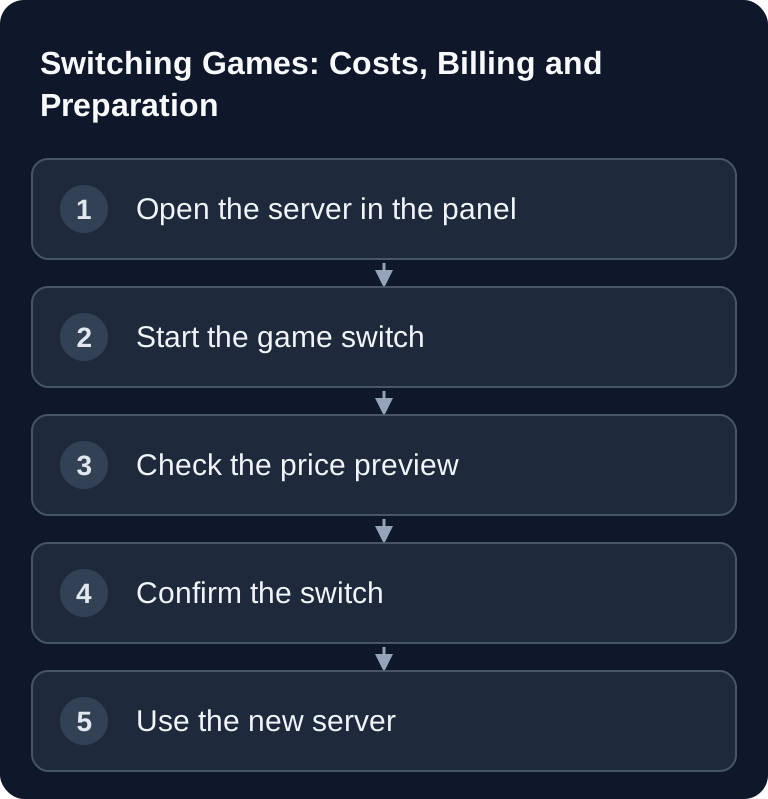
Open your server in the panel and go to the game or software selection. There you choose the new game. Before you confirm, the panel shows you the billing for this specific switch: a switch without a price change, a charge or credit, and, where applicable, insufficient credit or a blocked subscription approval.
When you confirm the switch, a backup of your server is created automatically before the changeover. Then the system installs the new server software. Still, plan deliberately: a backup protects your previous data, but it does not automatically make it compatible with every other game.
Case 1: Switching to a More Expensive Game
If your actual base price increases, the difference is normally deducted from your credit on a prorated basis for the remaining time of the period you have already paid for. Within the first 24 hours after the server purchase, the full actual price difference applies. Check the amount and the next renewal date in the preview; from the next renewal, the new price shown applies.
Calculation example for a monthly period outside the first 24 hours after purchase: your previous base price is €5.00, the calculated new base price is €10.00. With 15 of 30 days remaining, this gives:
(€10.00 - €5.00) × 15 / 30 = €2.50
This €2.50 is deducted from your credit once. The next renewal uses the new base price of €10.00 plus any add-ons you continue to book. The amounts are for explanation only and are not a current rate offer.
The new base price is calculated from your previous base price plus the difference between the regular list prices for your existing RAM allocation. It does not fall below €0. Existing add-ons remain separate. An existing price advantage is therefore taken into account through the difference; the total price does not necessarily equal the list price of the new game. For the charge or credit, the actual change of your base price after this lower limit is what counts.
Case 2: Switching to a Game of the Same Price or a Cheaper One
If the actual base price is unchanged, there is no credit movement. If the base price decreases, the actual difference is normally credited to your customer account on a prorated basis for the remaining period. Within the first 24 hours after purchase, the full actual price difference applies. This is an account credit, not an automatic payout to your payment method.
Your remaining term stays in place. After a successful switch, the server configuration shows the new price; the next renewal uses it, including any add-ons you continue to book. Check the credit and the total price against the preview you confirmed beforehand.
If you want to put your ongoing hosting costs into context before making a decision, the overview Game Server Costs at a Glance – What Does Gaming Hosting Cost? is a good follow-up.
Case 3: Not Enough Credit
If your credit is not enough for an upgrade, the panel does not carry out the switch. This avoids any unclear in-between state: the server stays on the previous game until you have topped up enough credit and confirmed the switch again.
In this case, the panel directly offers you a button to top up your credit. After topping up, you can complete the game switch and have the displayed difference deducted.
Case 4: Server With a Subscription
With an approved subscription switch, the recurring base price is adjusted for the next renewal. The difference for the current period is settled through your customer account: as a credit deduction for an upgrade, as a credit for a downgrade. That is why even a subscription upgrade may require sufficient credit. If the self-service approval is missing for your server, contact support. The preview shown decides the amount and approval; a subscription does not mean a free switch across the board.
If you are unsure whether your server runs on credit or a subscription, check the payment method in the customer area or ask support before you plan the switch.
Checking the Result
After the switch, you should check that the panel shows the new game, that the server starts and that the price shown matches the preview displayed beforehand. For an upgrade, the confirmed charge should be visible in your credit. For a downgrade, also check the credit shown and the lower price for the next renewal. For a subscription, its recurring price must also match the confirmed switch.
Also check the server files. If you deliberately start with a new world or a new savegame, that is expected. If you wanted to keep using your data, check whether the new game supports those files at all.
Troubleshooting
The switch is blocked because of insufficient credit
Top up credit via the button offered and then start the switch again. The charge only happens once you confirm the price preview.
The new game does not start as expected
First check logs, configuration and startup parameters in the panel. Some games need different ports, different default files or a fresh world. If the error is not clear, contact support with the server ID, the time of the switch and relevant log excerpts.
My old world is not visible
This is possible with a game switch. Different games use different formats. The automatic backup saves the previous state but does not automatically make the data compatible.
I have a subscription and see no self-service option
The self-service switch may be blocked for your subscription server. Contact support with your server ID and the game you want; a missing approval does not replace a price preview.
Preparing the Switch With a Clear Way Back
Before confirming, note the game type, version, expiry date and the displayed price or term change. Before confirming, also create your own backup, download it externally and check that the world and important configuration are included. After the switch, first check the new base installation without old files. A backup of the previous game cannot sensibly be restored into the new game. If you want to go back, you again need the matching game type and a compatible version. If the switch summary looks unexpected, stop before confirming and clarify the specific display with support.
FAQ
Do I pay the full new price twice when switching?
Normally only the actual price difference is charged, prorated for the remaining period. Within the first 24 hours after the server purchase, the full difference applies. The next renewal uses the new total price shown.
Do I get money back on a downgrade?
If the actual base price decreases, you receive the calculated difference as credit in your customer account: normally prorated for the remaining period, and as the full difference within the first 24 hours after purchase. There is no automatic payout to your payment method. The preview and credit booking show your specific amount.
Do I lose my discount when I switch games?
An existing price advantage is taken into account via the difference method: previous base price plus the list price change at the same RAM allocation, with a lower limit of €0. Add-ons remain separate. Check the total price in the preview.
Will my world and plugins be carried over?
Not automatically. Each game uses its own server software and its own data formats. A backup is created before the switch, but compatibility depends on the respective game.
Can I go back to the old game after switching?
In principle, you can start another game switch. Whether old data can be used again depends on the backup and the compatibility of the respective server software.
What should I keep in mind regarding DDoS protection and operation?
A game switch changes the game software, not automatically your general security requirements. You can find the basics in the guide DDoS Protection for Game Servers – What You Need to Know.