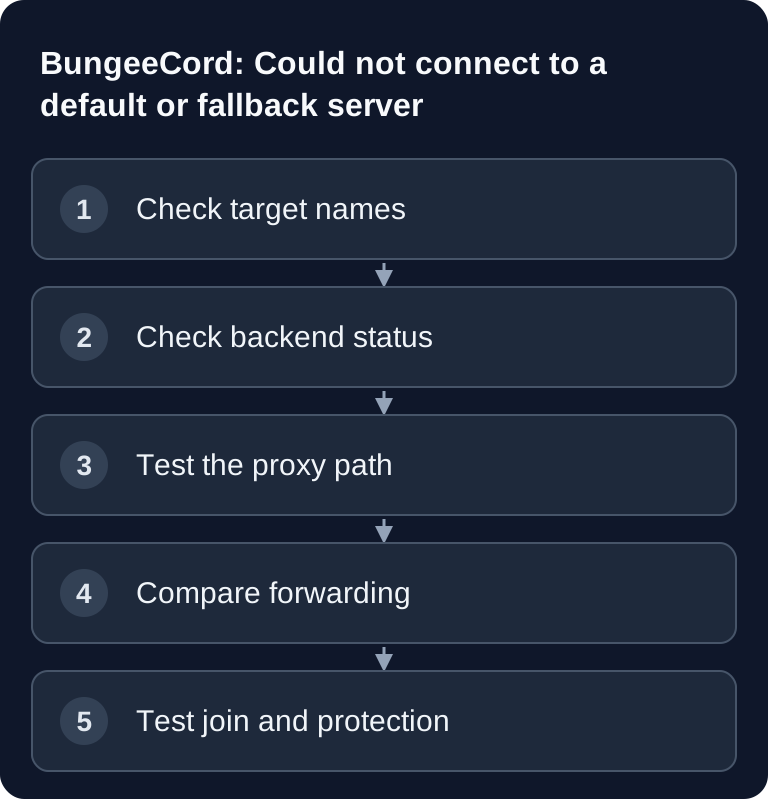
“Could not connect to a default or fallback server” means that BungeeCord can't reach any permitted start server. First check priorities, the active backend status and the address from the proxy's point of view. Only after that come forwarding and protocol; the message alone is no evidence of a corrupted world.
Don't open the backend port to the internet across the board for troubleshooting. Test from the proxy's point of view and keep allowing only its verified path. The safe target setup is shown in the BungeeCord setup pillar.
Diagnostic tree
Does every priorities name exist under servers?
├─ no -> correct names and capitalization
└─ yes
   Is at least one target fully started?
   ├─ no -> fix the backend startup error
   └─ yes
      Does the proxy reach exactly this address and port?
      ├─ no -> check address, allocation, route and firewall
      └─ yes
         Do forwarding and versions match?
         ├─ no -> correct the configuration consistently
         └─ yes -> check the first concrete proxy/backend stack trace
1. Compare priorities against servers
servers:
  lobby:
    address: <LOBBY-ADRESSE>:<PORT>
    restricted: false

listeners:
  - priorities:
      - lobby
lobby, Lobby and lobby are not the same key. Every entry in priorities must exist under servers. With several targets, BungeeCord tries them in order; a broken first target must not hide the second fallback as well.
2. Actually start the backend
A container status of “running” is not enough. Read the backend log up to the ready message. Typical startup blockers are:
- EULA not accepted;
- wrong Java image;
- corrupted or incompatible plugin JAR;
- world/mod errors;
- port already in use;
- server listening on a different allocation.
Then test the specific servers.<name>.address. A ping to the host IP doesn't prove that the Minecraft TCP port is reachable.
3. Check the address from the proxy's point of view
Inside the proxy container, 127.0.0.1 points to the proxy container itself. Use it only if the backend and proxy demonstrably share the same network namespace. With separate instances, you need the backend address that the proxy can reach.
Error patterns:
| Message | Typical meaning |
|---|---|
Connection refused |
nothing is listening on the target port or a rule actively rejects it |
| Timeout | route or firewall drops packets, target hangs or address is wrong |
Unknown host |
DNS/hostname error |
Address already in use |
duplicate listener/port conflict |
On game-serverhosting, the active backend guard protects the proven BungeeCord paths. If the proxy is stopped or its specific source is missing, the backend path intentionally stays drop-only. Start the correct proxy and wait for the re-evaluation instead of removing the protection rule.
4. Check the firewall precisely
The firewall must satisfy two statements at the same time:
- the associated proxy reaches the backend TCP port;
- an independent source does not reach it.
If both fail, first check the specific proxy assignment and source resolution. If both succeed, the backend is unprotected. Allowing an entire shared hosting or Docker subnet is not a clean fix.
5. Compare forwarding values
For classic BungeeCord with Paper/Spigot:
- Proxy
online_mode: true; - Proxy
ip_forward: true; - Backend
server.propertieswithonline-mode=false; - Backend
spigot.ymlwithsettings.bungeecord: true; - Paper
proxies.bungee-cord.online-mode: trueif the proxy authenticates online.
A message such as If you wish to use IP forwarding... often indicates an inconsistent proxy/backend configuration. Because UUIDs may change, only change these values after a backup and with the forwarding security guide.
6. Isolate version and plugins
Compare client, proxy and backend protocol. An open TCP port can still reject a join. If possible, start with a lobby without any newly added proxy plugins. Install BungeeCord plugins only on the proxy and Bukkit/Paper plugins only on backends; the plugin guide explains the layers.
Don't blindly remove plugins from a production server. Back up plugins/ and the configuration, change one variable in a copy and roll back if it fails.
7. Check the domain only after the direct path
First test the public proxy IP plus port. If it works but the domain doesn't, investigate A/AAAA and SRV separately. The SRV target name must point to the proxy. Use the domain/SRV guide.
Final check
The error is only solved when TCP, Minecraft ping and a real lobby join through the proxy are all green. Then repeat the independent negative test against the backend. Before a rebuild or version change, use the backup and rollback path first. Crossplay comes only after that; TCP and Geyser UDP are checked separately.
FAQ
What exactly does the message mean?
It means BungeeCord itself is running and accepted the player, but couldn't hand them over to any permitted start target. The proxy is therefore not the source of the error — the cause lies in priorities, the backend status, address and port, the firewall, forwarding or the protocol version.
Can I enter 127.0.0.1 as the backend address?
Only if the proxy and backend demonstrably share the same network namespace. Inside the proxy container, 127.0.0.1 points to the proxy container itself, not to the backend. With separate instances, you need the address at which the proxy actually reaches the backend.
Connection refused or timeout — what's the difference?
Connection refused means that nothing is listening on the target port or a rule actively rejects the connection: usually a backend that hasn't started or a wrong port. A timeout points to a route or firewall that drops packets, a hanging target or a wrong address.
Should I briefly open the backend port for troubleshooting?
No. An open offline-mode backend port allows strangers to impersonate any player. Test from the proxy's point of view instead. If the backend path stays blocked even though the proxy is running, check the specific proxy assignment — and don't remove the protection rule.
The TCP port is reachable, but the join still fails — why?
An open port only proves that something is listening. If the join fails after that, compare the client, proxy and backend protocol versions and, as a test, start a lobby without any newly added proxy plugins. Also check whether BungeeCord plugins have accidentally ended up on a backend.
Primary sources
Assess two fallback targets individually
Check each configured start target separately: is the key correct, is the game server fully started and can the proxy reach exactly its TCP endpoint? A second target doesn't help if both use the same wrong address or firewall rule. Record the first error message per target instead of just copying the summarizing fallback message. If one target works, put it first for the test and confirm the join. Then roll back only the faulty route. The offline-mode backends stay protected against external direct connections.