With Geyser, players on Minecraft Bedrock Edition can join a supported Java server. For this, the server type and version must be compatible, Geyser must be running, and the Bedrock client must use the UDP port shown in the panel. Floodgate is optional and allows logging in with a Bedrock account without an additional paid Java account.
Native Bedrock Server or Java Crossplay?
The two variants solve different tasks:
| Variant | Who connects? | Technical approach |
|---|---|---|
| Native Bedrock Dedicated Server | Bedrock players | The Bedrock client connects directly to a Bedrock server |
| Java server with Geyser | Java and Bedrock players | Java players connect normally; Geyser translates Bedrock connections for the Java server |
Geyser does not turn a Java server into a native Bedrock server. If you only expect Bedrock players, a native Bedrock variant may make more sense. For a mixed group, however, check whether your chosen Java server variant supports crossplay.
Which Server Variants Support Crossplay?
The automatic setup in the GSH panel must be distinguished from the currently compatible Geyser build. Check the offered server type, the Minecraft version and the overall crossplay status. When checked, the Geyser version table lists Java 26.2 and Bedrock 26.30–26.52 as the current protocols; older Java servers need a documented translation path such as ViaVersion. In addition, current Geyser-Spigot requires at least Spigot/Paper 1.20.5 and Java 21. For older servers, a supported proxy route may be an option. Fabric/NeoForge Geyser depends on the currently supported game version. An installation claim of "from 1.20" alone is therefore not enough for a successful Bedrock join today.
So don't rely on the name "Minecraft server" alone. Open the specific server in the panel and check there:
- whether crossplay is offered for this server variant;
- which overall crossplay status the panel shows and whether crossplay is enabled or disabled;
- which server version is actually running;
- which address and which Bedrock port are assigned.
If any of this information is missing, or the panel reports the variant as unsupported, don't promise crossplay to your players yet.
What Do Geyser and Floodgate Do?
Geyser translates network protocols so that a Bedrock client can communicate with a supported Java server. Floodgate adds an optional login path: Bedrock players can then use their Bedrock account without additionally needing a paid Java account.
Floodgate is not a general compatibility guarantee. Client-required mods, custom blocks, items or other features for which the Java client needs additional files do not automatically become Bedrock-compatible through Floodgate. Menus, skins, resource packs and individual plugin features can also differ between the editions.
Step 1: Check Server Type and Version
Open your Minecraft server in the panel and check the server variant, version and overall crossplay status. For a new server, wait until provisioning has fully completed. Then start the server completely once so that status and connection details are displayed reliably.
If you change the server type or version later, check the crossplay approval again. A configuration that works for Paper cannot automatically be transferred to Fabric, NeoForge, Forge, Quilt or a modpack that requires client files.
Step 2: Read the Actual Bedrock Port
Minecraft Bedrock uses UDP for the connection to Geyser. 19132/UDP is Geyser's usual software default, but not automatically the port of your hosting server. The only binding value is the Bedrock port that the panel shows for the specific server.
Always give Bedrock players this combination:
- the server address shown in the panel;
- the Bedrock port shown in the panel;
- the note to use Bedrock Edition.
Java players continue to use the Java connection details. The panel information applies there as well; a blanket default port does not replace a current assignment.
Step 3: Avoid UDP Port Conflicts
On the same bind address, Geyser must not share its UDP port with a competing UDP service. This applies especially to Minecraft Query and voice chat extensions. The Java service can use the same port number over TCP; two UDP listeners, however, cannot occupy the same assigned address-port combination at the same time.
Check in the panel whether each service has its own assignment:
- Geyser: its own Bedrock UDP port;
- Minecraft Query: its own UDP port, if active;
- Voice chat: its own UDP port, if active.
Don't change port values on a hunch. Adjust the respective configuration to the panel assignment and then restart the server in a controlled way.
Step 4: Test the Java Connection First
First connect a Java client using the Java address from the panel. The test must show:
- the server has reached its operational state;
- the server type and version match the planned configuration;
- the Java player can enter the world;
- there is no new startup or plugin error message.
If this test already fails, the problem is not the Bedrock port. First fix the server start, the Java version or the affected server configuration.
Step 5: Test the Bedrock Connection
On Windows and on mobile devices, you add the server in Bedrock Edition with the panel address and the assigned Bedrock port. Don't just test whether it appears in a list, but whether the player actually enters the world.
Xbox, PlayStation and Nintendo Switch do not support entering a custom host directly in the normal server list. There, a platform account, multiplayer permission, an online subscription and an additional platform-specific connection method may be required. Use the current console guide in the server panel for this, and not random DNS addresses from videos or comments.
The crossplay test is only complete when:
- a Java player can join;
- a Bedrock player can join via the panel address and the panel port;
- the Bedrock player appears with the expected identity;
- the client and server versions in use are compatible;
- voice chat and Query still work, if these services are enabled.
Document the server version, Geyser version, test time and the ports used. This lets you tell after an update whether the cause lies in a version change or in the network configuration.
Fixing Common Errors
Java Works, but Bedrock Doesn't
First check whether the Bedrock client really uses the panel port and not the Java port or a blanket 19132. Then check whether Geyser is loaded and listening on exactly this UDP assignment. A TCP test alone does not prove a working Bedrock connection.
Geyser Reports a Port in Use
The assigned UDP port is probably already being used by Query, voice chat or a second Geyser instance. Assign separate ports to the services and compare every configuration with the panel. Then restart completely and repeat both connection tests.
Bedrock Players Suddenly Need a Java Account
Check in the startup log whether Floodgate is actually loaded and Geyser uses the intended Floodgate login path. With a newly generated or wrongly assigned key file, login can fail. Restore the documented configuration including the matching keys, instead of disabling online-mode or Geyser auth on a hunch. Then test the actual Bedrock account, its UUID and the existing inventory.
A Mod or Plugin Behaves Differently for Bedrock Players
Geyser does not automatically translate all client-side content. Test the specific feature with both editions. If a mod requires additional client files, it is not suitable for an unmodified Bedrock client. It is better to withdraw the affected promise than to promise untested compatibility.
Nobody Can Connect After an Update
Compare the new Minecraft, Geyser and loader versions with the last working state. Then check the startup log, crossplay status and panel ports. If the error occurred immediately after a change, go back to the last documented, supported state and test Java and Bedrock again.
Safe Way Back
Before changing the version, loader, modpack or crossplay configuration, create a backup of the affected files and the world. Change only one related item at a time. If an error occurs, stop the server, restore the last working configuration and check the Java join first, then the Bedrock join.
A single successful test is not a performance or availability guarantee. World size, plugins, mods, player count, network path and simultaneous load can change the result.
FAQ
Can Java and Bedrock Players Play Together?
Yes, if a supported Java server is running with a compatible Geyser version and the Bedrock port is reachable. A native Bedrock server is a different server variant.
Which Port Do Bedrock Players Have to Use?
The Bedrock UDP port from the panel. 19132/UDP is the usual Geyser default, but a hosting assignment can differ from it.
Do I Have to Install Geyser and Floodgate Myself?
If the panel offers automatic setup for your specific combination, it takes care of the supported components. Afterwards, still check the Geyser/Java/Bedrock versions, crossplay status and UDP port. Older servers may need additional protocol translation; not every Fabric/NeoForge modpack supports it.
Do Bedrock Players Need a Java Account?
With Floodgate set up correctly, they can use a Bedrock account without additionally needing a paid Java account. Without Floodgate, login depends on the configured authentication mode.
Does Crossplay Work with Every Modpack?
No. Modpacks with client-required mods in particular are not automatically compatible. Check the server type, version and the specific modpack before you promise crossplay.
Can Geyser, Voice Chat and Query Use the Same Port?
Not on the same bind address if all three listen as a UDP service: Geyser, voice chat and Query then need separate UDP assignments. A Java TCP connection can use the same port number because TCP and UDP are separate protocols. Follow the information in the panel.
Comparing Bedrock Server Variants
If you are planning a native Bedrock server instead of a Java server with Geyser, the comparison PocketMine or BDS? Minecraft Bedrock Server Software Compared will help you.
Source Status
Documentation rechecked on 07.10.2026. What matters are the current version approvals of Geyser and the crossplay status of the specific server in the panel. The following vendor/project sources document setup and compatibility; this source comparison does not replace a join test on your instance:
- https://geysermc.org/wiki/geyser/setup/
- https://geysermc.org/wiki/geyser/supported-versions/
- https://geysermc.org/wiki/floodgate/
Views in the Panel
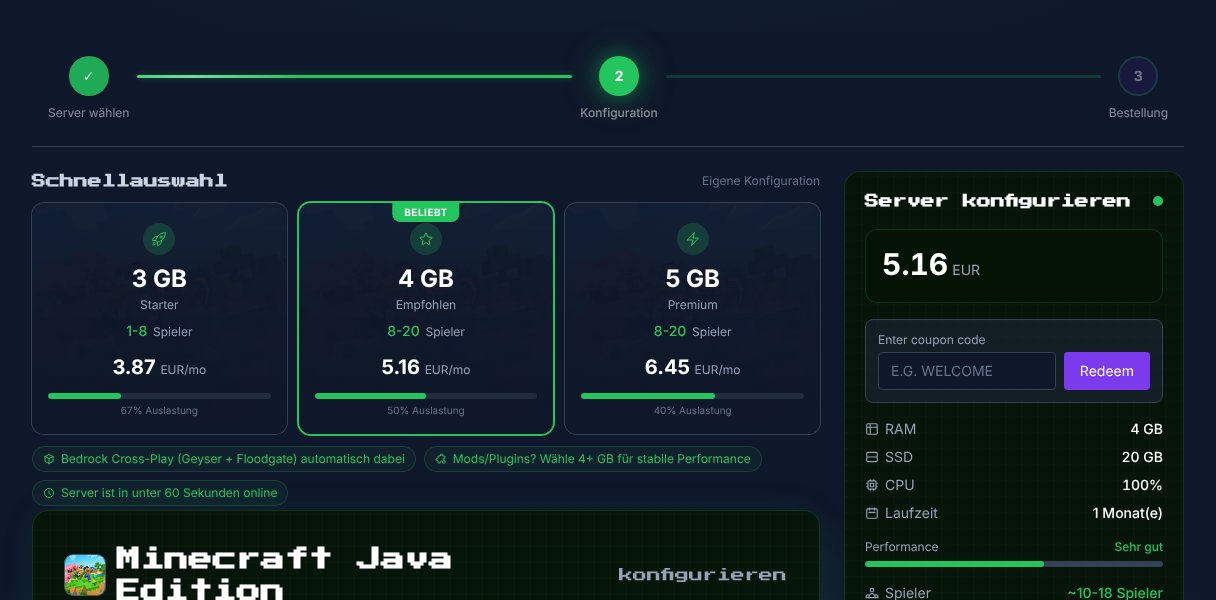
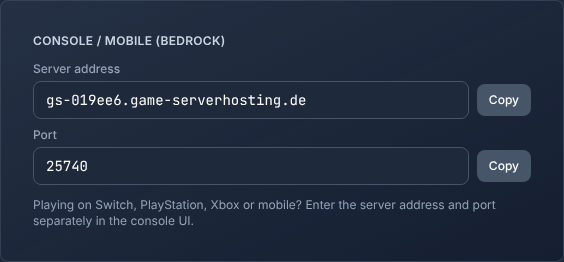
More Guides and Sources
- Geyser documentation
- Setting Up Simple Voice Chat on the Minecraft Server — the second UDP service alongside Geyser
Geyser (Bedrock-Crossplay): view an example
Our own captures from a demonstration environment. The version and setup shown may differ from your server.
- Java player: first bridge block over the magma.
- Bedrock player (via Geyser): second block, bridge done.
- He crosses over and hands over a diamond.
- Java view: the diamond has arrived.
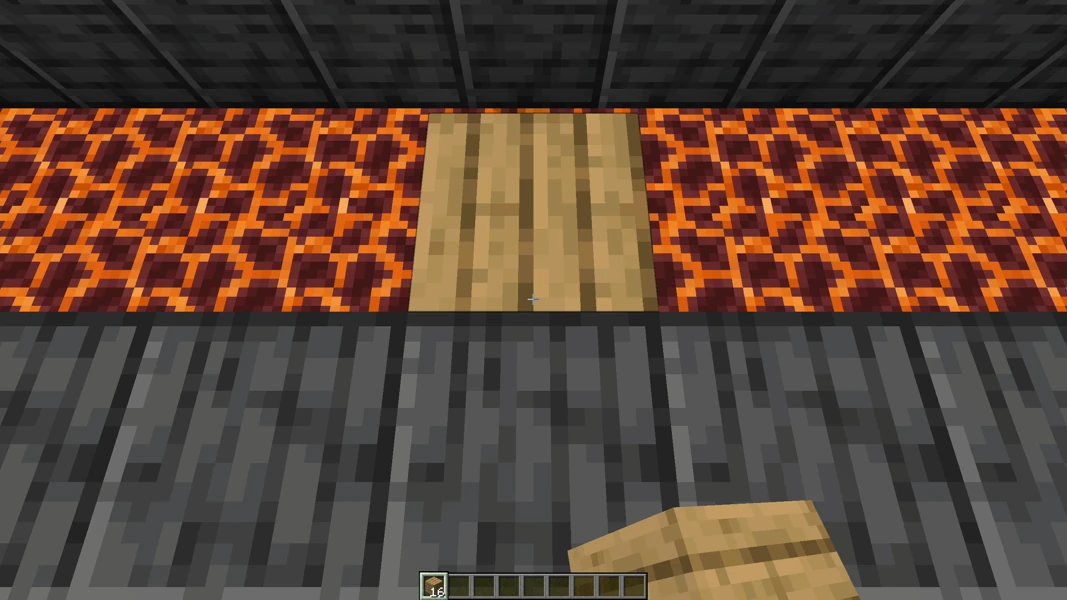
Geyser 2.11.2 · Paper 1.21.1 · Java 1.21.4 + Bedrock 1.26 · 2026-09-15
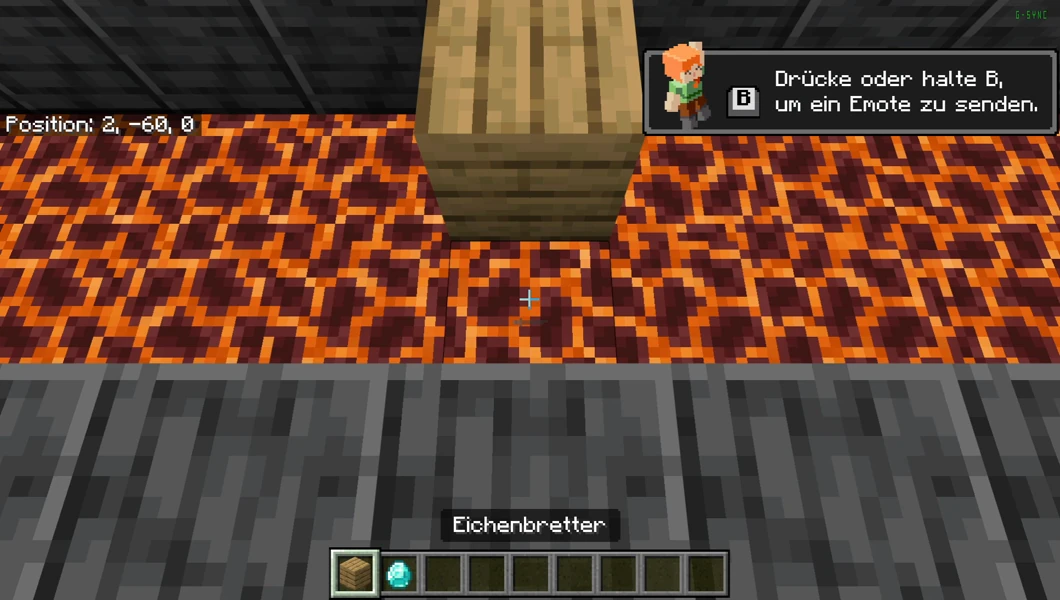
Geyser 2.11.2 · Paper 1.21.1 · Java 1.21.4 + Bedrock 1.26 · 2026-09-15
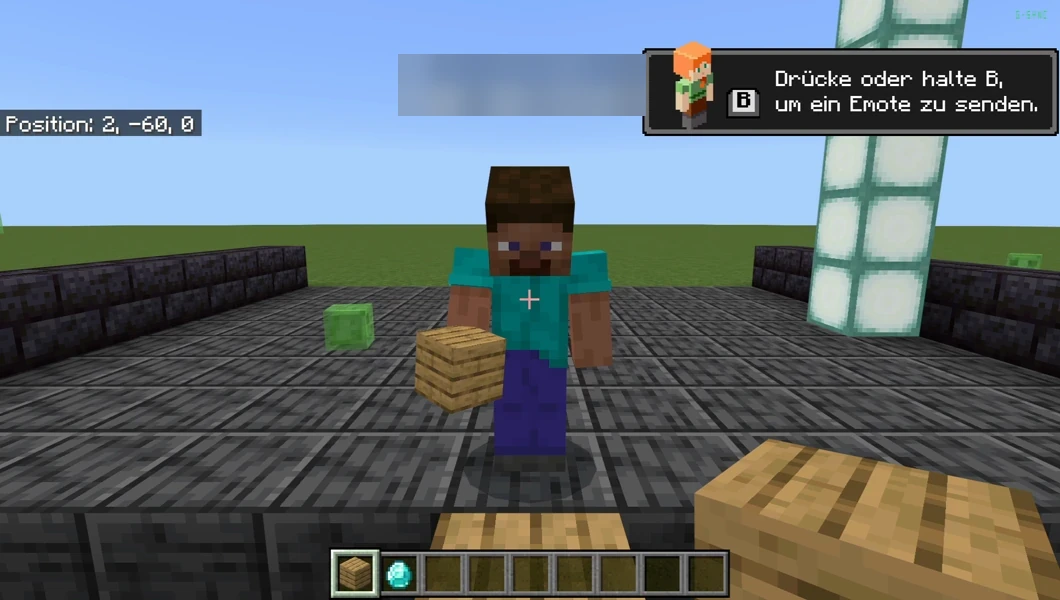
Geyser 2.11.2 · Paper 1.21.1 · Java 1.21.4 + Bedrock 1.26 · 2026-09-15
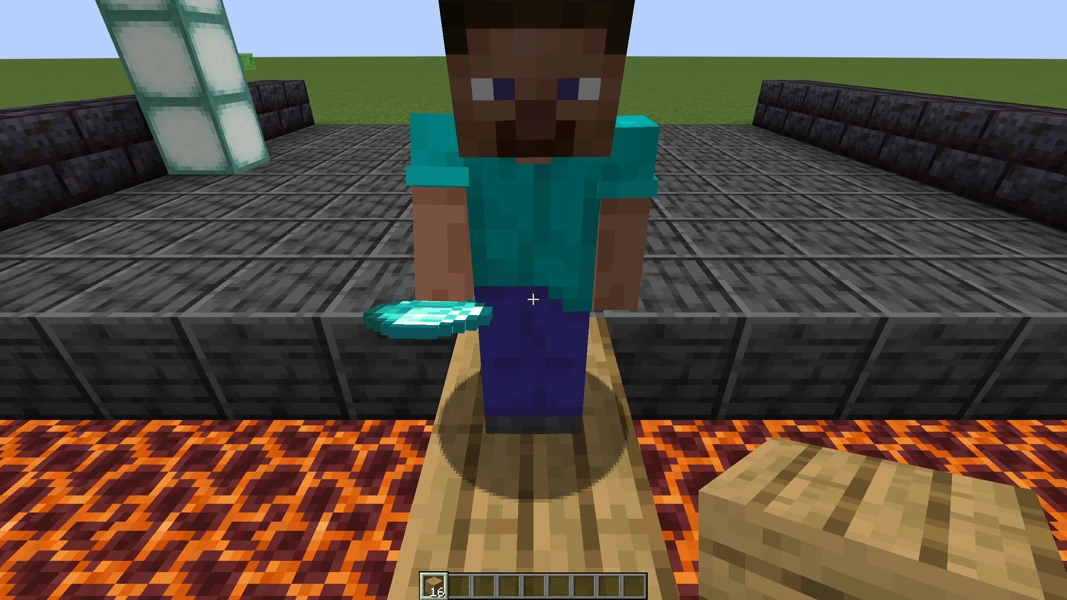
Geyser 2.11.2 · Paper 1.21.1 · Java 1.21.4 + Bedrock 1.26 · 2026-09-15