The short answer: You create an All of Create server via the Minecraft order page: open “Choose Modpack” there and select All of Create. The pack, NeoForge for Minecraft 1.21.1 and 8 GB RAM are preselected afterwards; after you order, the author's server pack installs itself. In our nightly run on October 15, 2026, the pack's first start took 1 minute and 46 seconds to reach the Done line, with the installation before that taking a good five minutes. Your fellow players need All of Create in exactly the same version as the server.
As of this guide: October 20, 2026. The pack data comes from our catalog and from the server pack that the pack author publishes on CurseForge. Times and mod counts come from our nightly test runs. The clip and still image are our own recordings in a prepared workshop.
What is All of Create, and is a dedicated server worth it for you?
All of Create is a pack that focuses entirely on Create: the mechanical tech mod with gears, conveyor belts, presses, trains and contraptions, plus nearly every major Create add-on available for Minecraft 1.21.1. Unlike kitchen-sink packs such as All the Mods 10 or Craftoria, it doesn't mix in magic or a second tech system. The server pack of version 2.6 contains 181 mods, of which more than 60 have “create” in their name.
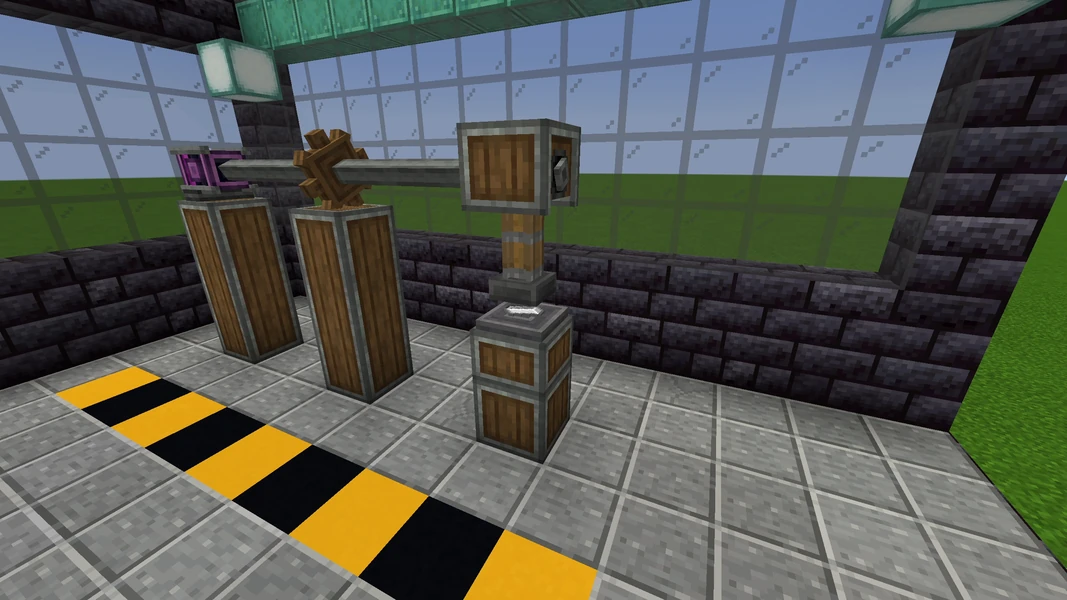
A dedicated server is especially worthwhile with this pack because Create thrives on building together: one person lays the railway line, one builds the factory, one takes care of farming, and everything hangs on the same power grid of shafts and gears. The world keeps running when the host is offline, and trains keep running too. For a short solo session, a singleplayer world is enough.
These mods shape the pack. All of them are in the server pack that we install:
| Area | Mod in the pack (version) |
|---|---|
| Core | Create 6.0.10, Create: Connected 1.3.3, Create Encased 1.9.0, Copycats+ 3.0.9 |
| Power and drive | Create: New Age 1.2.0, Create Crafts & Additions 1.6.0, Create: Diesel Generators 1.3.15, Create Generators 1.2.5, Electro-Energetics 1.1.3, PowerGrid 0.6.2 |
| Trains and transport | Create Railways Navigator 0.10.0, Create: Train Parts 0.5.2, Create: Hypertube 0.6.0, Create: Kart 3.0.0, Immersive Aircraft 1.6.0, Create: Ornithopter Glider 1.2.0 |
| Production | Create: Enchantment Industry 2.4.2, Create: Mob Spawners 1.1.0, Create: Deep Dark 3.0.2, Create: Integrated Farming 1.4.3, Create Mechanical Botany 1.1.3 |
| Food and decor | Farmer's Delight 1.3.4, Create Central Kitchen 2.6.2, Create Confectionery 1.1.3, Create: Food 3.0.0, Create Garnished 0.1.7, Design n Decor 2.2, Supplementaries 4.0.1, Quark 4.1 |
| World and protection | Open Parties and Claims 0.32.7, Corpse 1.1.13, Xaero's Minimap and World Map, Integrated Villages and Stronghold |
| Progression and help | FTB Quests, FTB Teams, Just Enough Items, Jade, Patchouli, Create Schematic Checker |
| Server performance | ModernFix 5.27.26, Lithium 0.15.4, FerriteCore 7.0.3, Clumps, Chunk Sending |
Which version, which loader, which Java version?
| Property | Value |
|---|---|
| Pack version | All of Create 2.6 for Minecraft 1.21.1 (CurseForge file from October 13, 2026) |
| Minecraft | 1.21.1 |
| Loader | NeoForge 21.1.256 |
| Java on the server | Java 21 |
| Mods on the server | 181 |
| RAM with us | 8 GB |
You don't need to set the matching Java version: the server automatically gets Java 21 for this pack. The pack author also maintains an older series for Minecraft 1.20.1 on Forge; we install the 1.21.1 series, and your fellow players must choose the same one.
All of Create or Create+?
| All of Create | Create+ | |
|---|---|---|
| Minecraft | 1.21.1 | 1.21.1 |
| Loader | NeoForge | NeoForge |
| RAM with us | 8 GB | 6 GB |
| Mods on the server | 181 | smaller, limited to Create and convenience |
| Focus | as many Create add-ons as possible, trains, power, factories | easy entry with core Create |
Pick All of Create if your group wants to try every Create add-on and needs room for big factories and rail networks. Create+ is the smaller pack with a shorter startup time and less RAM, good for getting started. For an overview of more packs, see The Best Minecraft Modpacks for Your Own Server.
How much RAM does All of Create need? Our measurement
We offer All of Create with 8 GB RAM. Our test runs regularly install the pack on a dedicated test node with exactly this allocation:
| Measurement | Value | Run |
|---|---|---|
| Installation and first start combined | 7 minutes 19 seconds | Nightly run October 15, 2026, version 2.6 |
First start of the pack until Done (from container start) |
1 minute 46 seconds | Nightly run October 15, 2026 |
Time Minecraft itself reports after Done |
32 seconds | Nightly run October 15, 2026 |
First start until Done on the two previous versions |
also 1 minute 46 seconds | Nightly runs October 8 and 9, 2026 |
We haven't measured the memory used at idle for this pack; the 8 GB is the allocation with which the test runs start and reach Done. Every player who explores new terrain makes the server generate chunks, and every running factory keeps ticking. Create itself is relatively frugal here, because contraptions and conveyor belts are calculated server-side as just a few objects; many trains running at the same time and large, permanently loaded setups are what get expensive. We don't promise a player count.
The pack doesn't include a profiler. For lag diagnosis, you can install spark afterwards via “Manage Mods” in the panel; how to read a lagging server is covered in the guide Minecraft Server Lagging: Fixing Watchdog Timeouts Properly. The bundled mod “Does It Tick” shows you in-game whether a block is currently ticking.
Ordering the server and the first start
- Open the Minecraft order page, click “Choose Modpack” and select All of Create.
- In the configurator, the loader and pack are then set, and the RAM is at 8 GB. You see the price there before you pay.
- After you order, the system creates the server, downloads the server pack from CurseForge and unpacks it. You don't have to upload anything. In our nightly run, the installation took a good five minutes.
- Wait until the console shows the line
Done (…)! For help, type "help". The first start took 1 minute and 46 seconds, counted from the container start; the number in parentheses afterDoneis shorter because Minecraft only measures the world loading there. - Read through the
server.propertiesin the file manager once: it comes from the pack and deviates from the Minecraft default in a few values (next section).
Which settings does All of Create bring along?
Unlike most packs, All of Create ships its own server.properties. These values deviate from the Minecraft default:
| Setting | Value in the pack | Note |
|---|---|---|
allow-flight |
true |
Intended: the pack has flying machines, the ornithopter glider and elevators. Don't turn it back, or players will be kicked. |
difficulty |
easy |
Set it to normal or hard for more challenge. |
max-players |
10 |
Player slots; increase if needed. |
enable-command-block |
true |
Command blocks are allowed. |
max-tick-time |
120000 |
The server only aborts after a tick has been blocked for two minutes, not after 60 seconds. |
view-distance |
10 |
Default. |
The mod settings are located under config/ (524 files in the server pack). These values determine the gameplay feel on a multiplayer server:
| File | Setting | Value in the pack | Effect |
|---|---|---|---|
config/create-server.toml |
maxBlocksMoved |
2048 |
This many blocks can be moved by a contraption. Large excavators and movable factories hit the limit here. |
config/create-server.toml |
maxChainConveyorLength |
32 |
Maximum length of a chain conveyor in blocks. |
config/create-server.toml |
disableStress |
false |
Stress is active: machines need enough drive power. |
config/openpartiesandclaims-server.toml |
Claims per player | Pack default | Players claim chunks with /openpac-claims; outsiders can't break anything there. Permanently loaded chunks cost tick time. |
config/corpse-server.toml |
corpse.despawn.time |
600 |
On death, a corpse with the inventory stays behind; it disappears after 600 seconds with no player nearby, and after an hour it turns into a skeleton. |
config/ftbteams-server.snbt |
max_party_size |
0 |
No upper limit on team size. |
Change such values only with the server stopped and after a backup. Values in defaultconfigs/ apply to new worlds; for an existing world, the copy is located under world/serverconfig/.
What awaits you in the world
Create rewards planning: a press needs a shaft, the shaft needs a drive, the drive needs water or wind. On the server, this quickly grows in a group into a workshop with multiple production lines. Our clip shows exactly such a press, recorded in a prepared Creative workshop.
For the server, this means: every contraption that moves and every train that runs loads chunks. Multiple trains on long routes are the most common cause of load in Create packs. Build routes deliberately, don't let trains shuttle without a destination, and back up the world before every major rebuild, then a broken factory is only a setback of a few minutes.
Common problems and their causes
| Problem | Cause | Solution |
|---|---|---|
| Players get kicked for “flying” | allow-flight was set back to false |
Set the value in server.properties back to true, restart the server |
| A contraption can't be assembled | more than 2048 blocks, or blocks that the pack marks as immovable (obsidian, reinforced deepslate) | Make the contraption smaller; the limit is in config/create-server.toml |
| Joining fails with a message about missing or wrong mods | Fellow player has a different version or installed the 1.20.1 series | Install the same pack version as the server (1.21.1 series), see next section |
| Server gets slow even though nobody is online | running trains and permanently loaded chunks with factories | Park trains at stations, use claims without force-loading, check the load with spark installed afterwards |
| Server gets slow when many players explore | a lot of new terrain with structures at once | Lower view-distance and simulation-distance, pregenerate the world with Chunky beforehand |
| Inventory is missing after death | the corpse lies at the place of death and disappears after 600 seconds with no player nearby | Run back quickly or increase corpse.despawn.time in config/corpse-server.toml |
Connecting fellow players
Every fellow player needs All of Create on their own PC, in the same version as the server, and from the series for Minecraft 1.21.1. The easiest way is via the CurseForge app: search for All of Create, select the matching version, install it and launch it. In the game, the fellow player enters the server address from your panel under “Multiplayer”. If the versions don't match, the server rejects the join. The detailed guide covering all launchers is in Joining a Minecraft Modpack Server.
Bedrock players, meaning console and mobile, can't join an All of Create server. The pack requires the Java Edition with the installed mods on every device.
Backups and updates
The pack doesn't include its own backup mod. You make backups in the panel; they cover the world, config/ and the player data. How that works is covered in the guide Creating a Minecraft Server Backup. Before every pack update:
- Create a backup in the panel.
- Read the changelog of the new version; the author also swaps Create add-ons between versions.
- Bring the server and all clients to the same version together.
- Check joining, trains and the most important machines before everyone keeps playing.
FAQ
Why Minecraft 1.21.1 and not the latest version? Create and its add-ons are built for 1.21.1; the pack author maintains this series and an older one for 1.20.1. Which Minecraft version a pack uses is determined by the pack.
Is 8 GB enough for my group?
The test runs start with 8 GB and reach Done in under two minutes. We haven't measured the requirement with players, factories and trains. For the first evenings, watch the RAM display history in the panel and the tick rate before you increase it.
Can I turn off claims?
Open Parties and Claims can be restricted in config/openpartiesandclaims-server.toml; it's easier to keep claims and give fellow players access via parties.
Can I install spark afterwards? Yes. spark is a server-only mod; fellow players don't need it on the client. Install it via “Manage Mods” in the panel.
How long does a restart take? We haven't measured a restart separately for All of Create. The first start took 1 minute and 46 seconds; a restart without new configuration files is usually shorter.
Sources and test setup
Test setup: The times come from our nightly test runs, the pack data from our catalog and the author's server pack. In detail:
- Pack: All of Create on CurseForge, version 2.6 for Minecraft 1.21.1 (file 9164652 from October 13, 2026, server pack 9164660), NeoForge 21.1.256, 181 mod files in the server pack.
- Nightly runs: October 8, 9 and 15, 2026, 8 GB RAM, dedicated test node. On October 15 with version 2.6: installation plus first start 439 seconds, start until
Done106 seconds, world loading according to Minecraft 31.8 seconds, 181 mods installed. The runs from October 8 and 9 on the previous versions were also at 106 seconds untilDonewith 179 and 180 mods. - Settings: read from the server pack (
server.properties,config/create-server.toml,config/corpse-server.toml,config/openpartiesandclaims-server.toml,config/ftbteams-server.snbt), as of October 20, 2026. - Not measured: memory at idle, restart time, RAM and TPS with real players, player capacity.
- Images and clip: our own recordings from a prepared Creative workshop with All of Create (September 2026).
- Diagnosis: spark command documentation, in case you install spark afterwards.