The short answer: You create a Craftoria server via the Minecraft order page: open “Choose Modpack” there and select Craftoria. The pack, NeoForge for Minecraft 1.21.1, and 10 GB of RAM are then preselected; after you order, the pack installs itself, mod by mod, from the pack author's manifest. In our nightly run on October 6, 2026, the pack's first start took 3 minutes and 48 seconds until the Done line; the installation before that took around ten minutes. Seven mods whose authors block downloads by third parties have to be downloaded by you after the installation; the panel shows you which ones. Your players need Craftoria in exactly the same version as the server.
This guide was last updated on October 20, 2026. The pack data comes from our catalog and from the files the pack author publishes on CurseForge. Times and mod counts come from our nightly test runs and a manual installation on October 13, 2026. The clip and screenshots are our own recordings from Craftoria 1.36.0.
What is Craftoria, and is your own server worth it?
Craftoria is a kitchen-sink pack on NeoForge for Minecraft 1.21.1: technology, magic, storage, exploration, and a quest book with more than 2,000 quests are all packed into one bundle. It is the direct alternative to All the Mods 10 on the same Minecraft version, with a different focus: Craftoria leans more heavily on Create, Modern Industrialization, and Ars Nouveau, and brings a lot for explorers and collectors with Lootr and Aquaculture. The manifest of version 1.37.0 lists 560 mod files; after removing client-only mods, around 460 remain on the server.
Your own server is worth it when a group wants to share a project over weeks: everyone builds a branch of the quest book, the intermediate products come together, and the world keeps running when the host is offline. For a short solo playthrough, a singleplayer world is enough. Craftoria is the right choice if your group wants to play on Minecraft 1.21.1 and already knows ATM10 or prefers the Create-heavy mix.
These mods shape the pack. All of them are listed this way in the manifest of version 1.37.0:
| Area | Mod in the pack |
|---|---|
| Technology | Create, Modern Industrialization, Mekanism with Generators, Industrial Foregoing, PneumaticCraft: Repressurized, Actually Additions, Integrated Dynamics |
| Storage and logistics | Applied Energistics 2 with Applied Flux, Sophisticated Backpacks |
| Magic | Ars Nouveau, Occultism |
| Exploration | The Twilight Forest, Tectonic (terrain), Lootr (per-player loot chests), Aquaculture 2 |
| Convenience | Waystones, Farmer's Delight, Supplementaries, Xaero's Minimap and World Map, EMI |
| Pack structure | FTB Quests, FTB Teams, FTB Chunks, FTB Essentials |
| Server performance | ModernFix, FerriteCore, spark (profiler, see the RAM section), Simple Backups (see Backups) |
Which version, which loader, which Java version?
| Property | Value |
|---|---|
| Pack version | Craftoria 1.37.0 (CurseForge file from September 13, 2026) |
| Minecraft | 1.21.1 |
| Loader | NeoForge 21.1.249 |
| Java on the server | Java 21 |
| Mods on the server | 457 in our own test on October 13, 464 in the nightly run on October 6 (difference: the blocked mods, see below) |
| RAM with us | 10 GB |
You don't need to set the right Java version: the server automatically gets Java 21 for this pack.
Craftoria or All the Mods 10?
| Craftoria | All the Mods 10 | |
|---|---|---|
| Minecraft | 1.21.1 | 1.21.1 |
| Loader | NeoForge | NeoForge |
| RAM with us | 10 GB | 10 GB |
| Mods on the server | around 460 | 464 |
| Server pack from the author | no, installation from the manifest | yes |
| Page | this guide | All the Mods 10 |
Both packs are kitchen-sink packs on the same foundation. Pick ATM10 if your group wants the best-known pack with the most guides and the ATM Star as the goal. Craftoria is the fresher mix with more Create and Modern Industrialization; because the author doesn't publish a ready-made server pack, our installation downloads every mod individually, and you have to add a few mods yourself. For ATM10, there is the guide Creating an All the Mods 10 Server and the load measurement How Much RAM Does ATM10 Really Need?. For an overview of more packs, see The Best Minecraft Modpacks for Your Own Server.
How much RAM does Craftoria need? Our measurement
We offer Craftoria with 10 GB of RAM. Our test runs regularly install the pack on a dedicated test node with exactly this allocation:
| Measurement | Value | Run |
|---|---|---|
| Installation and first start combined | 16 minutes 15 seconds | Nightly run, October 6, 2026 |
First start of the pack until Done (from container start) |
3 minutes 48 seconds | Nightly run, October 6, 2026 |
Time Minecraft itself reports after Done |
68 seconds | Nightly run, October 6, 2026 |
| Installation and first start combined | 13 minutes 7 seconds | Own test, October 13, 2026 |
Done in our own test |
after 81 seconds of world loading | Own test, October 13, 2026 |
| Container memory at idle after the first start | around 4.8 GB | Own test, October 13, 2026 |
The 4.8 GB is the value of the entire container without players, not the used Java heap. Java reserves memory before game objects actually occupy it, and it also needs memory outside the heap; a high value in the panel therefore proves neither a memory leak nor that more RAM is needed. We haven't measured how much Craftoria needs with multiple players. For the sister pack ATM10, there is the load measurement with 5, 10, and 15 players, whose order of magnitude serves as a rough guide here. We don't promise a player count.
The pack ships with the profiler spark. With /spark tps you see the tick rate and CPU values in-game, and with /spark healthreport --memory the heap as well. In the server console, you enter commands without the leading slash. If the TPS drops permanently, start a recording with /spark profiler start --timeout 120 and check the report before you add RAM. How to read a lagging server is covered in the guide Minecraft Server Lagging: Fixing the Watchdog Timeout Properly.
Ordering the server and the first start
- Open the Minecraft order page, click “Choose Modpack”, and select Craftoria.
- In the configurator, the loader and pack are then set, and the RAM is at 10 GB. You see the price there before you pay. The configurator already shows a note on how many of the pack's mods you have to download yourself after the installation.
- After the order, the system creates the server, reads the pack's manifest, and downloads every server mod individually from CurseForge. You don't have to upload anything. With around 460 mods, this takes longer than with packs that have a ready-made server pack: in our runs, 10 to 13 minutes until the first start.
- Wait until the console shows the line
Done (…)! For help, type "help". The first start took 3 minutes and 48 seconds in the nightly run, counted from container start; the number in parentheses afterDoneis shorter because Minecraft only measures the world loading there. - Open the Modpack tab in the panel and read the box with the mods you download yourself (next section).
You download seven mods yourself
Mod authors on CurseForge can block third parties from downloading their files. Since October 13, 2026, we respect this block for customer servers as well: our installation no longer fetches such files through workarounds, but skips them and shows them to you in the panel. For Craftoria 1.37.0, this affected seven mods in our test:
| Mod | Type |
|---|---|
| Structory and Structory: Towers | new structures in the world |
| Apothic Nerf | adjustment for Apotheosis |
| Plushie Buddies | decorative plushies |
| I'm Fast | performance mod |
| Subtle Effects | particle effects |
| Seasonal Let's Do | seasonal decoration |
Here is how to add them: in the Modpack tab of the panel, each of these mods is listed with its name, file name, and a “Download from CurseForge” link. Download the files, place them in the mods folder using the file manager, and restart the server. The server starts without them too: our test on October 13 showed that. Whether a missing mod changes anything in the game depends on the mod; Structory, for example, doesn't generate new structures in new terrain without the file. Players need the mods on their client anyway, because the CurseForge app brings them along when installing the pack.
Which settings does Craftoria ship with?
Craftoria ships without its own server.properties. The file comes from the Minecraft base server, so the usual default values apply. You can find it in the panel's file manager:
| Setting | Value | Note |
|---|---|---|
allow-flight |
false |
Default. With jetpacks and flight gear from Mekanism or Create, flying kicks can occur: set it to true in that case. |
difficulty |
easy |
Default. For more challenge, set it to normal or hard. |
view-distance |
10 |
Default. |
simulation-distance |
10 |
Default. |
The pack's settings are located under config/ (1,988 files in the pack) and, for new worlds, under defaultconfigs/. These values determine the gameplay feel on a multiplayer server:
| File | Setting | Value in the pack | Effect |
|---|---|---|---|
config/ftbchunks-world.snbt |
max_claimed_chunks |
500 |
This many chunks a team can claim so that outsiders can't break anything there. |
config/ftbchunks-world.snbt |
max_force_loaded_chunks |
25 |
This many chunks a team can keep permanently loaded. Loaded chunks cost tick time even when nobody is online. |
config/ftbchunks-world.snbt |
pvp_mode |
"always" |
PvP is also allowed in claimed chunks. "never" or "per_team" turns it off. |
config/ftbessentials.snbt |
teleportation.home.max |
1 |
One /home per player; /tpa and /rtp are on, /rtp with a 600-second cooldown and a distance of 500 to 25,000 blocks. |
config/ftbteams-server.snbt |
max_party_size |
0 |
No upper limit on team size. |
config/create-server.toml |
maxBlocksMoved |
2048 |
This many blocks a Create contraption can move. maxChainConveyorLength is set to 64. |
config/waystones-common.toml |
chunksBetweenWildWaystones |
25 |
Waystones appear roughly every 25 chunks; teleports cost up to 27 experience points depending on distance. |
config/simplebackups-common.toml |
backupsToKeep, maxDiskSize |
5, "25 GB" in the pack |
Our installation sets the values to 2 backups and 3 GB so the mod doesn't fill your booked storage (see Backups). |
You don't have to change the FTB values for claims, loaded chunks, /home, /tpa, and /rtp in the file: the panel's Modpack tab has the fields “Claims & Loaded Chunks” and “Homes & Teleports” for that. They read the effective file, back it up before saving, and take effect after the next restart. You change everything else in the file manager with the server stopped and after a backup. Values in defaultconfigs/ apply to new worlds; for an existing world, the copy is located under world/serverconfig/.
What awaits you in the world
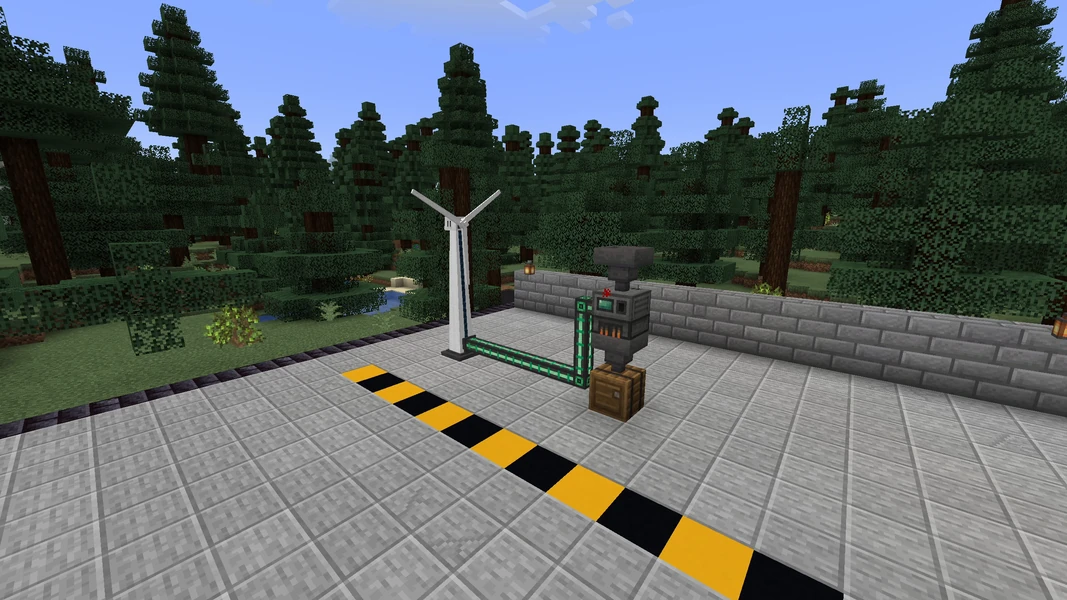
Craftoria guides you through the mods with the quest book. The technology starts small: a wind generator delivers energy via cables to a smelter, and the first ingots are made from raw material. This is exactly the scene our recordings show.
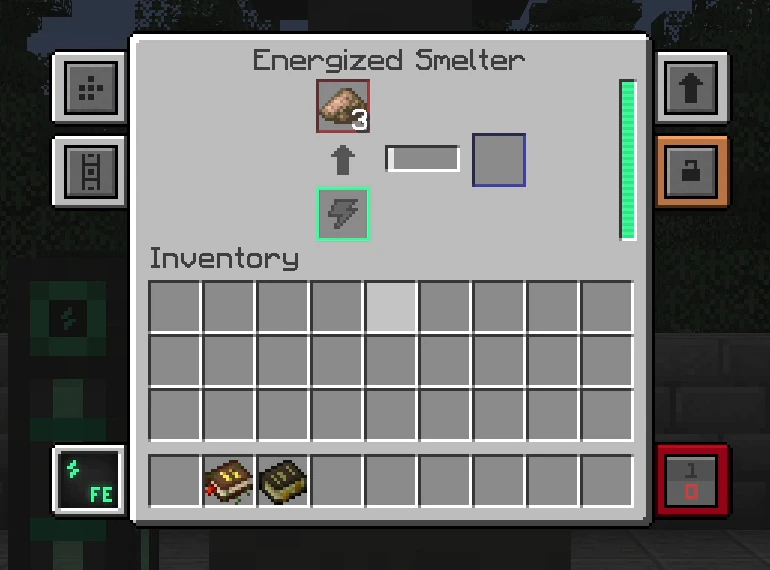
For the server, this means: large machine halls from Create, Mekanism, or Modern Industrialization cost computing time every tick, and automatic farms keep running when their chunks stay loaded via FTB Chunks. Lootr gives each player their own loot from the same chest, so exploring as a group doesn't turn into a race. Back up the world before every major rebuild, and a destroyed storage room is only a setback of a few minutes.
Common problems and their causes
| Problem | Cause | Solution |
|---|---|---|
| The installation takes significantly longer than with other packs | Craftoria has no server pack; each of the around 460 mods is downloaded individually | Wait. In our runs, it was 10 to 13 minutes until the first start |
| The panel shows a box with mods to download | The authors of these mods block downloads by third parties | Download the files from CurseForge, place them in mods, restart the server (section above) |
| The panel shows a lot of RAM in use although nobody is playing | Reserved heap and additional Java memory count toward container RAM | Check heap usage with /spark healthreport --memory and the trend over time; /spark tps shows the tick rate |
| Players get kicked for “flying” | allow-flight is at the default false, and the pack has jetpacks and flight gear |
Set the value in server.properties to true, restart the server |
| Joining fails with a message about missing or wrong mods | The player has a different Craftoria version | Install the same pack version as the server, see the next section |
| The server gets slow although nobody is online | Permanently loaded chunks with machines and farms (FTB Chunks) | Check with /spark tps and /spark profiler start --timeout 120, remove unnecessary force-loading; the limit is in the Modpack tab |
| The server gets slow when many players explore | A lot of new terrain with structures at once | Lower view-distance and simulation-distance, pregenerate the world with Chunky beforehand |
Connecting players
Every player needs Craftoria on their own PC, in the same version as the server. The easiest way is via the CurseForge app: search for Craftoria, select the matching version, install it, and launch it. In the game, the player enters the server address from your panel under “Multiplayer”. If the versions don't match, the server rejects the join. The detailed guide covering all launchers is in Joining a Minecraft Modpack Server.
Bedrock players, meaning console and mobile, cannot join a Craftoria server. The pack requires the Java Edition with the installed mods on every device.
Backups and updates
Craftoria ships with the Simple Backups mod, which in the pack writes a backup to the server folder simplebackups/ every 120 minutes and keeps up to 5 backups or 25 GB. That would fill your booked storage; our installation therefore sets the values to 2 backups and 3 GB during setup. For real backups, rely on the panel's backups: they cover the world, config/, and player data, and are stored outside your storage space. How that works is explained in the guide Creating a Minecraft Server Backup. Before every pack update:
- Create a backup in the panel.
- Read the changelog of the new version; kitchen-sink packs also swap out mods between versions.
- Bring the server and all clients to the same version together.
- Read the box with mods to download in the Modpack tab again: an update can contain new blocked mods.
- Check joining and the most important machines before everyone keeps playing.
FAQ
Why do I have to download mods myself? Because their authors have blocked downloads by third parties on CurseForge, and we respect that decision. The panel lists the affected files with a link. The server starts without them too.
Is 10 GB enough for my group?
At measured idle, the container used around 4.8 GB. That is not a capacity measurement for your group: with players, machines, and new terrain, the demand rises. Over the first evenings, watch the tick rate with /spark tps and the RAM display trend in the panel before you add more.
Why does the panel show more RAM than Java uses in the heap? The display also includes reserved heap and additional Java memory. Check the trend over time and the server performance before you conclude there is a memory problem.
Can I turn off PvP in claimed chunks?
Yes. In the panel's Modpack tab under “Claims & Loaded Chunks”, set the “PvP in Claimed Chunks” field to “Always Prevent” or “Each Team Decides” and restart the server. In the file, this corresponds to pvp_mode: "never" or "per_team" in config/ftbchunks-world.snbt.
Do I have to pregenerate the world? No, it isn't a requirement. With many players exploring at the same time, pregenerating with Chunky helps against stutters.
How long does a restart take? We haven't measured a restart separately for Craftoria. The first start took 3 minutes and 48 seconds in the nightly run; a restart without new configuration files is usually shorter.
Sources and test setup
Test setup: The times come from our nightly test runs and a manual installation, and the pack data from our catalog and the pack author's files. In detail:
- Pack: Craftoria on CurseForge, version 1.37.0 (client file 8874369 from September 13, 2026), NeoForge 21.1.249, 560 mod files in the manifest. The author doesn't publish a ready-made server pack; file 8874371 is a starter that downloads the same mod list.
- Nightly run: October 6, 2026, 10 GB of RAM, dedicated test node. Installation plus first start 975 seconds, start until
Done228 seconds, world loading 68 seconds according to Minecraft, 464 mods installed. Earlier runs on September 29, 2026 were at 212 to 227 seconds untilDone. - Own test: October 13, 2026, 10 GB of RAM, test node: installation plus start 787 seconds, 457 mods installed,
Doneafter 81 seconds of world loading, around 4.8 GB container RAM at idle, joining verified with a login probe. The seven blocked mods were missing from themodsfolder and listed in the panel. Server deleted afterwards. - Settings: read from the overrides of the pack file (
ftbchunks-world.snbt,ftbessentials.snbt,ftbteams-server.snbt,create-server.toml,waystones-common.toml,simplebackups-common.toml), as of October 20, 2026. - Not measured: used Java heap, restart time, RAM and TPS with real players, player capacity.
- Images and clip: our own recordings from a local world with Craftoria 1.36.0 (September 2026).
- Diagnostics: spark command documentation; the command scope and permissions depend on the installed spark version.