Carrying an old Pixelmon world over to Minecraft 1.21.1 is a compatibility test on a copy. Back up the world, Pokémon player data and the old mod set together. A missing warning for 1.20.x is not a promise that migration works; a successful fresh installation does not prove a migration.
This guide is current as of September 25, 2026. The official statements come from the Pixelmon wiki, read on September 24, 2026. We saw what a fresh Pixelmon server creates on our own test server the same day. We have not moved an old world ourselves. This guide therefore tells you what officially applies and how to try it safely, not that it will work.
Which Versions Are We Talking About?
Our catalog installs The Pixelmon Modpack 9.4.1 on Minecraft 1.21.1 with NeoForge 21.1.248 and 6 GB RAM. Older Pixelmon worlds usually come from one of these lines:
| Old world | Pixelmon line | Loader back then |
|---|---|---|
| Minecraft 1.16.5 | 9.1.x | Forge |
| Minecraft 1.20.2 | 9.2.x | Forge |
| Minecraft 1.21.1 | 9.3.x and 9.4.x | NeoForge, mandatory since 9.3.0 according to the wiki |
Moving to 1.21.1 therefore means a new Minecraft version, a new Pixelmon version and a new loader all at once.
What the Pixelmon Team Officially Says
These statements are in the official Pixelmon wiki. We paraphrase them in English.
On worlds from 1.16.5: The release notes for 9.3.0 and several following versions say: worlds from 1.16.5 may not work with newer Minecraft versions, and a backup should be made before updating. In the original: “Worlds from 1.16.5 may not work with newer versions of Minecraft. Consider backups before updating.”
On player data: Since version 9.3.2, player data, meaning the team and boxes with the caught Pokémon, is stored in the folder playerdata/pokemon inside the world. According to the release notes, Pixelmon automatically moves data from the old location there on first start. This affects worlds that already ran with Pixelmon for 1.21.1 before 9.3.2.
On datapacks: Datapacks from before Pixelmon 9.2.6 no longer load because of a new format. The team offers its own converter for this. It also recommends renewing your own datapacks after every update so that the fixes from Pixelmon’s default datapacks arrive.
On updates in general: The wiki page on updating only describes updates within the same Minecraft version. For a change of Minecraft version, it refers to a fresh installation. For the jump from 1.12.2 to 1.16.5, it gives as an example that the player data folder had to be moved by hand, otherwise players were missing their Pokémon. There too: make a backup of the world first.
On settings files: After an update, according to the wiki, it may be necessary to delete the folder with the additional files, let the default values be regenerated and then re-enter your own changes.
What Is Not Documented
- There is no official statement that a world from 1.20.x runs cleanly on 1.21.1, and none that it doesn’t. The fact that a warning like the one for 1.16.5 is missing for 1.20.x is no proof that it works.
- We have not moved an old Pixelmon world to 1.21.1 ourselves.
- Whether structures, chests and player inventories from older worlds are fully preserved also depends on the other mods of the old pack. If a mod is missing in the new pack, its blocks and items are missing too.
What a Fresh Pixelmon Server Creates
On our test server with Pixelmon 9.4.1, we looked around after the first start:
- The world is in the folder
world, aslevel-nameinserver.propertiesspecifies. - Pixelmon creates its own dimension there:
world/dimensions/pixelmon/ultra_space. - The settings are YAML files in
config/pixelmon, the spawn settings inconfig/pixelmon/spawning. In one place, the wiki still mentions a filespawning.yml, which no longer exists in 9.4.1.
For the move, that means: do not copy the old folder config/pixelmon over the new files. Structure and file names have changed. Instead, transfer your values by hand into the new files. Setting Legendary Spawns and Spawn Rates shows how that works for spawns.
How to Safely Try the Move
- Back up the old world. Download the old world completely and store it separately. This file is your way back.
- Back up the new server. Also create a backup of the Pixelmon server before you change anything about its world. How to do that is explained in Creating a Minecraft Server Backup.
- Upload the world as a copy. Upload the old world in the panel under “Worlds” with its own name, for example
alte-welt-test. Do not overwrite the running world. The steps in the panel are described in Uploading a Minecraft World and Switching Safely. - Check datapacks. If the old world uses its own datapacks from before Pixelmon 9.2.6, they no longer load according to the wiki. Remove them before the first start or convert them with the Pixelmon team’s converter.
- Switch and start. Switch to the uploaded world and start the server. Watch the console until the line
Done (…)appears. On our test server, a normal start without an old world took around a minute. A large old world can take longer. - Check in-game. Join with a fellow player who has The Pixelmon Modpack version 9.4.1 installed, and check the most important things: Are the structures there? Are the team and boxes with the Pokémon there? Do chests and machines work?
- Decide. If everything is fine, you keep playing on the migrated world. If something is missing, you switch back to the previous world or restore the backup.
Keep the old world and the backups until you have played for a few days without problems. The only way back to the old Minecraft version is through the backup.
What to Do If the World Doesn’t Start
| Observation | Possible cause | What you can do |
|---|---|---|
| Server aborts while loading the world | World doesn’t match the new version, possible with 1.16.5 according to the wiki | Go back to the previous world or the backup, don’t modify the old world further |
| Datapack error messages in the log | Datapack from before 9.2.6 | Remove the datapack or convert it with the official converter |
| Players no longer have their Pokémon | Player data isn’t where the new version looks for it | Restore the backup, don’t delete anything by hand, ask official Pixelmon support |
| Blocks or items are missing | Mod from the old pack is missing in the new one | Compare against the new pack’s contents, start fresh if necessary |
| Fellow players can’t join the server | Different Pixelmon version in the launcher | Install exactly version 9.4.1, see Joining a Minecraft Modpack Server |
Start Fresh Instead of Moving
If the old world doesn’t run cleanly or the move feels too risky, a fresh start on 1.21.1 is the simplest way. You get the current world generation with Terralith and the pack’s other landscape mods, and old datapacks or settings don’t get in the way. You can still keep the old world. Cobblemon vs. Pixelmon shows how Pixelmon differs from Cobblemon if you start completely fresh. If you want to assign ranks and permissions on the new server, you’ll find the instructions in Ranks and Permissions with LuckPerms. The Best Minecraft Modpacks for Your Own Server compares more packs.
FAQ
Will my Pixelmon world from 1.16.5 run on 1.21.1? That isn’t certain. The Pixelmon team officially warns that such worlds may not work with newer Minecraft versions. Only try it with a backup and as a copy.
And a world from 1.20.2? There is no official statement on that, either for or against. We haven’t checked it ourselves. Proceed exactly as with 1.16.5.
Will my players’ caught Pokémon be preserved? Player data is stored in the world. For worlds that already ran on 1.21.1, Pixelmon moves the data to the new location automatically from 9.3.2 on, according to the wiki. There is no official assurance for older versions. Check it in-game before you keep playing.
Can I carry over my old settings files?
Don’t just copy them. In 9.4.1, the settings are in new YAML files under config/pixelmon. Transfer the values by hand.
How much RAM does the server need after the move? We offer Pixelmon with 6 GB. A large old world with many players may need more. We haven’t measured this under load.
Sources and Test Setup
Test setup: The official statements come from the Pixelmon wiki, read on September 24, 2026. We saw the structure of a fresh server on September 24 and 25, 2026 on our own test server with The Pixelmon Modpack 9.4.1 (NeoForge 21.1.248, Minecraft 1.21.1, 6 GB). The server was deleted afterwards. In detail:
- Release notes 1.21.1: Pixelmon wiki, Version History 1.21.1 (warning about 1.16.5 worlds, moving of player data from 9.3.2, renewing datapacks after updates).
- Release notes 1.20.2: Pixelmon wiki, Version history 1.20.2 (datapacks before 9.2.6, converter).
- Updating: Pixelmon wiki, Updating (only updates within one Minecraft version, example 1.12.2 to 1.16.5, regenerating settings files).
- Loader: Pixelmon wiki, Server installation (NeoForge since 9.3.0).
- Test server: world folder, dimensions and settings files read from the server after the first start.
- Not measured: moving a real world from 1.16.5 or 1.20.x, the behavior of player data when jumping from an older Minecraft version, the effect of the datapack converter, a real player joining the test server.
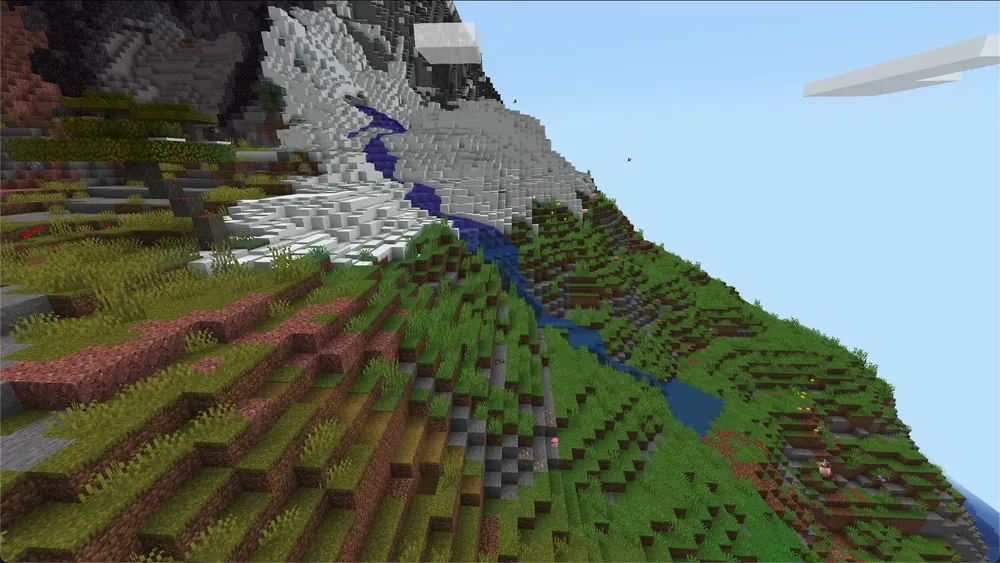
- Image: our own screenshot from The Pixelmon Modpack without shaders.
Checking Pokémon Data Separately from Structures
After the test import, check known structures and containers as well as the team and boxes of a previous player. Match that player’s identity against the old server while doing so. Intact landscape alone does not confirm that Pokémon data was carried over. Then check dimensions, datapacks and mod-dependent items. Only save a test copy after you have backed up the original state separately; missing mods can alter contents when saving. If the result is contradictory, stop the attempt and document the old and new versions. Restore the old server with its matching save and mod set instead of mixing files between unclear formats.