
This guide sets up a server for the original Assetto Corsa. What matters most is that all clients have the matching cars and tracks, that server_cfg.ini and entry_list.ini belong together, and that you use the assigned ports. Configurations for Assetto Corsa EVO or Competizione are not a substitute.
An Assetto Corsa server makes sense if you want to run races, track days or league nights with fixed rules. At game-serverhosting, you rent a preconfigured dedicated server and control tracks, cars, slots, sessions, realism options and mods precisely through the panel, the file manager and the configuration files.
Requirements
You need Assetto Corsa on your PC, the desired tracks and cars installed for every participant, and access to the game-serverhosting panel. In many cases, the guided editor and the file manager are enough for management. If you want to control every setting, you also edit server_cfg.ini and entry_list.ini.
The official dedicated server is listed on Steam as a separate app: Documentation at store.steampowered.com. This source matters because it confirms that Assetto Corsa uses a separate dedicated server download. At game-serverhosting, you don't have to run SteamCMD or the installation yourself; the server environment is provided for you.
If you're also planning other survival or sandbox servers, you'll find comparable basics in the guide Rent a Minecraft Server: The Complete Guide 2025 and in the co-op guide Rent and Set Up a Valheim Server.
Order and Start the Server
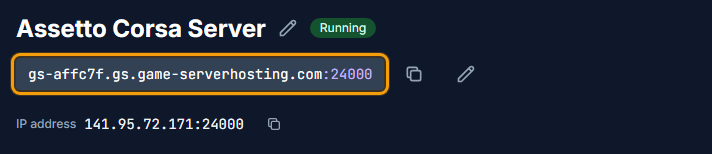
Select Assetto Corsa in the order wizard and, once provisioning is complete, open the server management page in the panel. There you'll see the status, connection details and the assigned ports. Wait until the server is shown as ready before you change any configuration.
For file changes, the rule is: stop the server first, change the configuration, save, and then restart. This prevents running processes from overwriting your changes or the server from starting with a half-finished configuration.
Guided Configuration Editor in the Panel
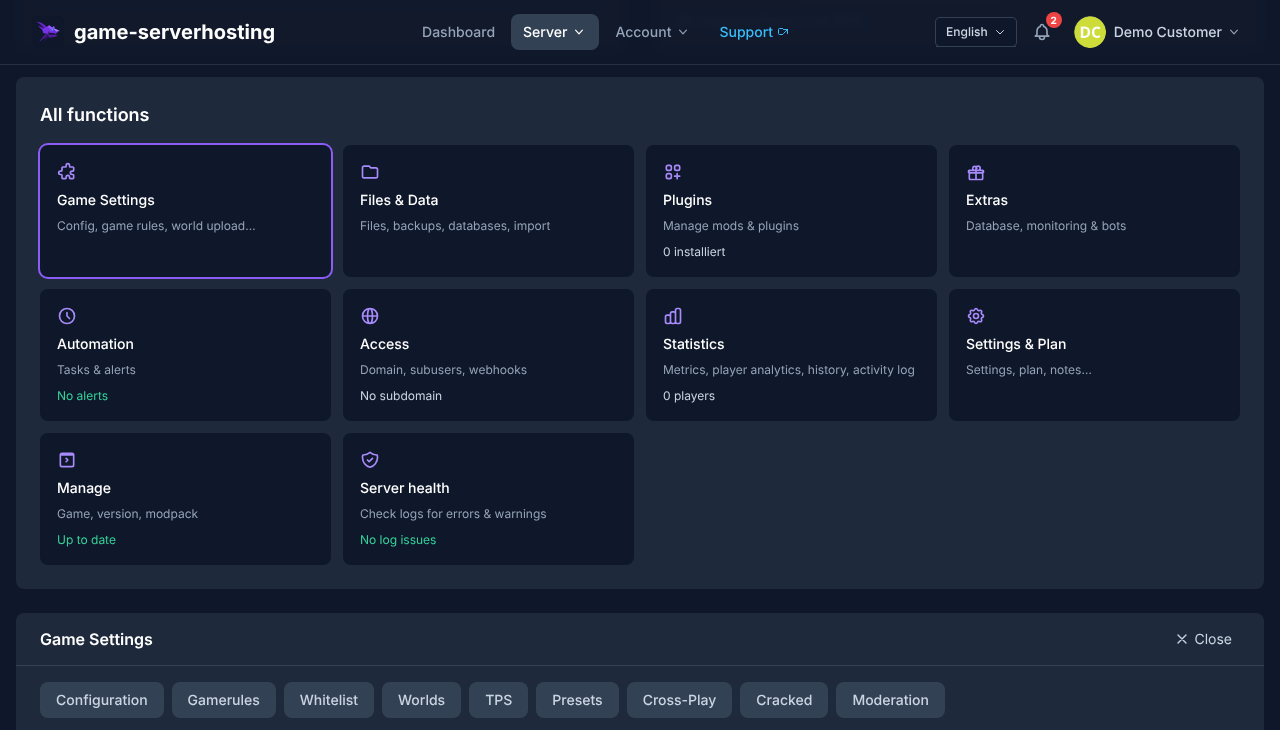
The fastest way is the guided editor in the game-serverhosting panel. There you set the player count, session rules, ABS, traction control, damage, fuel consumption, tyre wear and voting options using form fields. Changes take effect after a restart.
 (Enlarge image)
If you only run standard races with well-known cars, the editor is often enough. For modded tracks, fixed driver slots or exact file tuning, you should check the following files.
Required Files in the cfg Directory
Assetto Corsa mainly uses cfg/server_cfg.ini and cfg/entry_list.ini. The first file controls the server name, track, car list, ports, rules and sessions. The second file defines the individual car slots.
Configure server_cfg.ini
[SERVER]
NAME=My AC Server
CARS=ks_mazda_mx5_nd;bmw_m3_e92
TRACK=ks_nordschleife
CONFIG_TRACK=nordschleife
MAX_CLIENTS=16
RACE_OVER_TIME=60
ALLOWED_TYRES_OUT=2
ABS_ALLOWED=1
TC_ALLOWED=1
STABILITY_ALLOWED=0
AUTOCLUTCH_ALLOWED=1
TYRE_BLANKETS_ALLOWED=1
FORCE_VIRTUAL_MIRROR=0
REGISTER_TO_LOBBY=1
PICKUP_MODE_ENABLED=1
SLEEP_TIME=1
VOTING_QUORUM=75
VOTE_DURATION=20
BLACKLIST_MODE=0
CLIENT_SEND_INTERVAL_HZ=18
DAMAGE_MULTIPLIER=100
FUEL_RATE=100
TYRE_WEAR_RATE=100
PASSWORD=
ADMIN_PASSWORD=myAdminPassword
HTTP_PORT=8081
UDP_PORT=9600
TCP_PORT=9600
MAX_BALLAST_KG=0
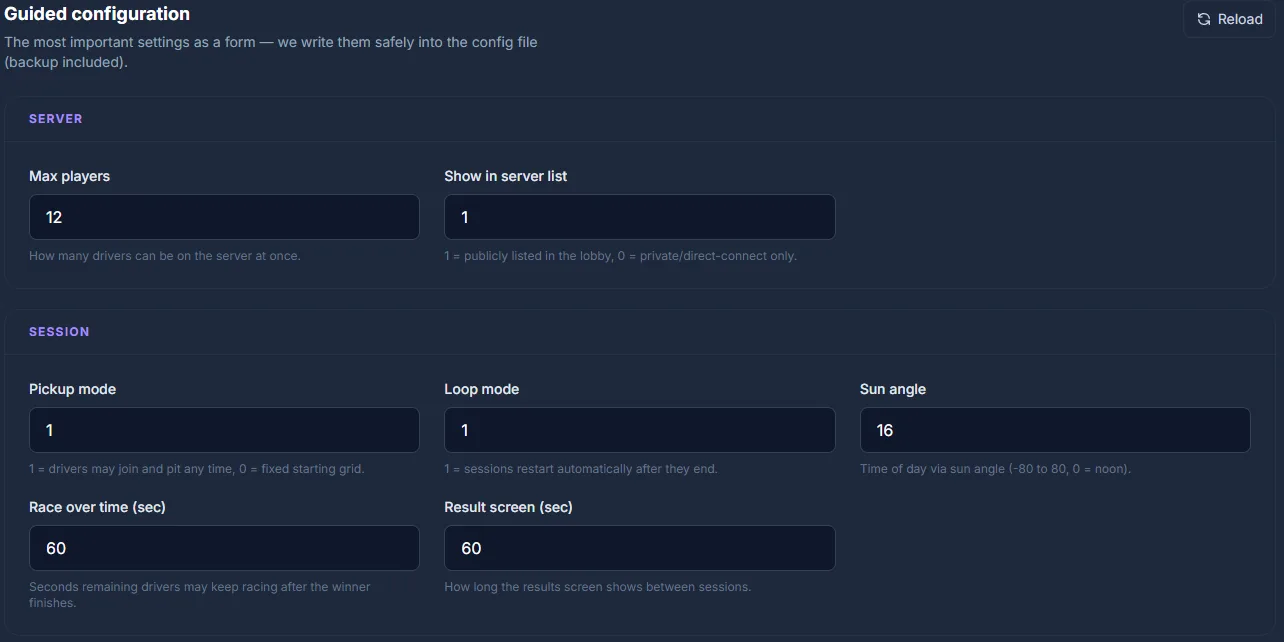
The most important ones are CARS, TRACK, MAX_CLIENTS, PASSWORD, ADMIN_PASSWORD, TCP_PORT, UDP_PORT and HTTP_PORT. CARS is a semicolon-separated list of car folder names; launch cars like the BMW M3 E92 are called bmw_m3_e92 without the ks_ prefix. CONFIG_TRACK names the track layout, for ks_nordschleife for example nordschleife, endurance or touristenfahrten; only leave the value empty if the track has no ui subfolder with layouts. TRACK matches the track's folder name. The default ports are 9600 for TCP/UDP and 8081 for HTTP; you'll find the ports actually assigned to you in the panel.
 (Enlarge image)
Create entry_list.ini
[CAR_0]
MODEL=ks_mazda_mx5_nd
SKIN=red
SPECTATOR_MODE=0
DRIVERNAME=
TEAM=
GUID=
BALLAST=0
RESTRICTOR=0

[CAR_1]
MODEL=bmw_m3_e92
SKIN=white
SPECTATOR_MODE=0
DRIVERNAME=
TEAM=
GUID=
BALLAST=0
RESTRICTOR=0
In pickup mode, you need at least as many [CAR_N] blocks as MAX_CLIENTS, otherwise the server won't start at all; more entries are allowed. The keys are DRIVERNAME, TEAM and GUID (the server silently ignores spellings like DRIVER_NAME). Open slots stay without DRIVERNAME and GUID. For league races, enter a driver's SteamID64 in GUID, and the slot is then permanently bound to them.
Configure Sessions
[PRACTICE]
NAME=Free Practice
TIME=30
IS_OPEN=1

[QUALIFY]
NAME=Qualifying
TIME=15
IS_OPEN=1

[RACE]
LAPS=10
WAIT_TIME=60
IS_OPEN=0
TIME stands for minutes, LAPS for the race distance in laps. IS_OPEN accepts three values: 0 blocks joining, 1 allows it at any time, 2 allows it until 20 seconds before the start. For league races, 2 is usually the best choice; 0 prevents late joins from interfering with the ongoing competition.
Add Tracks, Cars and Mods
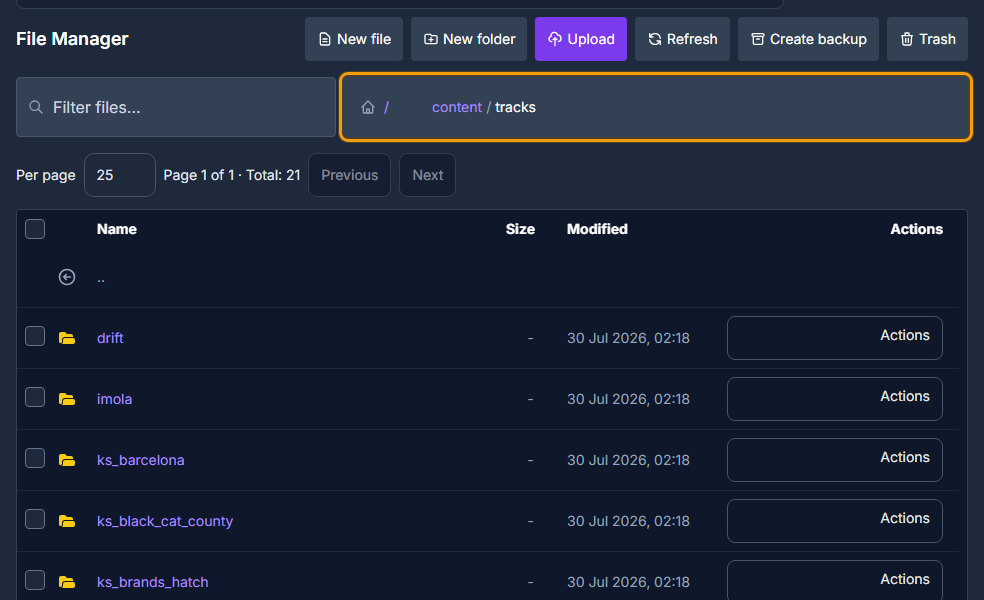
You can recognize Kunos content by its folder name: launch cars are called bmw_m3_e92, for example, while later DLC content from Dream Pack 1 onwards carries ks_. Never rely on the prefix; always go by the actual folder under content/cars/. You have to upload mods separately and install them identically for all drivers. Extract the mod archive locally, upload tracks to content/tracks/ and cars to content/cars/, and then enter the exact folder name in server_cfg.ini or entry_list.ini.
 (Enlarge image)
| Source | Content |
|---|---|
| OverTake.gg (formerly RaceDepartment) | Tracks, cars, skins — over 17,000 AC downloads |
| League and community Discords | Many leagues maintain their own curated mod packs there |
| Kunos' own content | Preferred base for stable standard races |
Restart the server after every upload. Pay particular attention to upper and lower case, because Linux file systems can distinguish between Track and track.
Use Content Manager
Content Manager is the unofficial launcher by x4fab; you download it from acstuff.club/app (Windows-only, Lite version free, full version via donation). Through Content Manager, you can install CSP on your client. Whether your target server requires CSP depends on its configuration and the content used. You use it locally on your PC, not as a replacement for the game-serverhosting panel. It's handy for presets, car selection, skin lists, session planning and checking whether your local client configuration matches the server configuration.
For running the server, the panel remains the central place for status, restarts, file access and connection details. Use Content Manager as a complement when you want to prepare setups or test on the client side.
Check Ports and Connection
| Port | Protocol |
Usage |
|---|---|---|
| 9600 | TCP |
Player connections |
| 9600 | UDP |
Player data stream |
| 8081 (default example) | TCP |
Lobby/status queries via HTTP, not an admin management UI |
At game-serverhosting, the required ports are prepared on the server side. Still, always use the port details from your panel, because they can differ depending on the instance.
 (Enlarge image)
After restarting, first check whether the server runs without errors. Then test the lobby listing, direct join via IP/port, car selection and a short session with at least one client. If mods are used, a second player with a fresh mod installation should join so that checksum problems show up early.
Troubleshooting
Server doesn't appear in the lobby
Set REGISTER_TO_LOBBY=1 and check the ports shown in the panel. If the lobby updates with a delay, also test direct join via IP and port.
Car or track isn't recognized
Compare the entries in CARS, TRACK and MODEL exactly with the folder name under content/cars/ or content/tracks/. Pay attention to upper/lower case and remove any accidental spaces.
Players get "Checksum failed"
The server and client aren't using the same mod version or have different files. Distribute the same mod source to all drivers and replace old versions completely instead of just overwriting them.
Server doesn't start after changes
Check for missing semicolons in CARS, invalid port values, wrong sections and the number of [CAR_N] blocks. As a test, revert to a known Kunos track and a standard car to rule out mod errors.
Really Test a Free Car Slot
Start with a track and a car that are available on both the server and the test client. Check the model and skin folder names in every CAR_N block; a display name from Content Manager is no substitute for a file name. If the client finds the server but can't select a car, check the slot count, GUID binding and pickup mode. A missing or wrong skin is a content problem, not a reason to open new ports. Back up both INI files together and, after every change, test joining all the way to a drivable session.
FAQ
Do I need my own Steam copy for the server?
For the dedicated server itself, you use the separate Steam app 302550. Players need Assetto Corsa as a game client to be able to join.
How many players should I set?
Base MAX_CLIENTS on your booked package, the track and the race format. More cars mean more data traffic and more coordination around slots and mods.
Can I assign fixed cars to league drivers?
Yes. In entry_list.ini, enter the GUID (SteamID64) for the desired slots. The slot is then bound to that driver.
Does every player have to install the same mods?
Yes. For modded tracks, cars and skins, the server and clients should use the same version. Otherwise, join errors or checksum messages are likely.
What's the difference between the panel and Content Manager?
The panel manages your rented server, files, restarts and connection details. Content Manager runs locally on your PC and helps with presets, client configuration and convenient Assetto Corsa management.
What is AssettoServer, and do I need it?
AssettoServer is an open-source community server with AI traffic, dynamic weather and Steam authentication. It supports freeroam and practice rather than qualifying or race formats. Which CSP version clients need depends on the AssettoServer configuration and the enabled features; the minimum version can be configured. For race formats, the Kunos server covered in this guide remains the right choice.
Does this guide also apply to Assetto Corsa EVO?
No. This guide covers only the original Assetto Corsa from 2014 and its server configuration. Don't derive any instructions, version approval or availability for EVO or Competizione from it.
Conclusion
With a rented Assetto Corsa server, you control races far more reliably than through spontaneous lobbies. What matters is a clean server_cfg.ini, a matching entry_list.ini, identical mod versions and a quick join test after every change. That way, you can run track days, club races or league sessions with a traceable configuration and clear processes.
