This guide sets up a server for the original Assetto Corsa. What matters is matching cars and tracks on all clients, a consistent server_cfg.ini and entry_list.ini, and the assigned ports. Configurations for Assetto Corsa EVO or Competizione are not a substitute.
Last checked: September 25, 2026.
An Assetto Corsa server makes sense if you want to run races, track days or league nights with fixed rules. At game-serverhosting, you rent a preconfigured dedicated server for this and control tracks, cars, slots, sessions, realism options and mods through the panel, file manager and configuration files.
Requirements
You need Assetto Corsa on your PC, the desired tracks and cars on all participants' machines, and access to the game-serverhosting panel. For management, the guided editor and the file manager are enough in many cases. If you want to control every setting, you also edit server_cfg.ini and entry_list.ini.
The official dedicated server is listed on Steam as its own app: documentation at store.steampowered.com. This source is important because it confirms that Assetto Corsa uses a separate dedicated server download. At game-serverhosting, you don't have to run SteamCMD and the installation yourself; the server environment is provided for you.
If you are also planning other survival or sandbox servers, you will find comparable basics in the guide Rent a Minecraft Server: The Complete 2025 Guide and in the co-op guide Rent and Set Up a Valheim Server.
Order and Start the Server
Select Assetto Corsa in the order wizard and, after provisioning, open the server management page in the panel. There you can see the status, connection details and released ports. Wait until the server is shown as ready before changing configurations.
For file changes: stop the server first, change the configuration, save and then restart. This prevents running processes from overwriting your changes or the server starting with a half-finished configuration.
Guided Configuration Editor in the Panel
The fastest way is the guided editor in the game-serverhosting panel. There you set player count, session rules, ABS, traction control, damage, fuel consumption, tyre wear and voting options via form fields. Changes take effect after a restart.
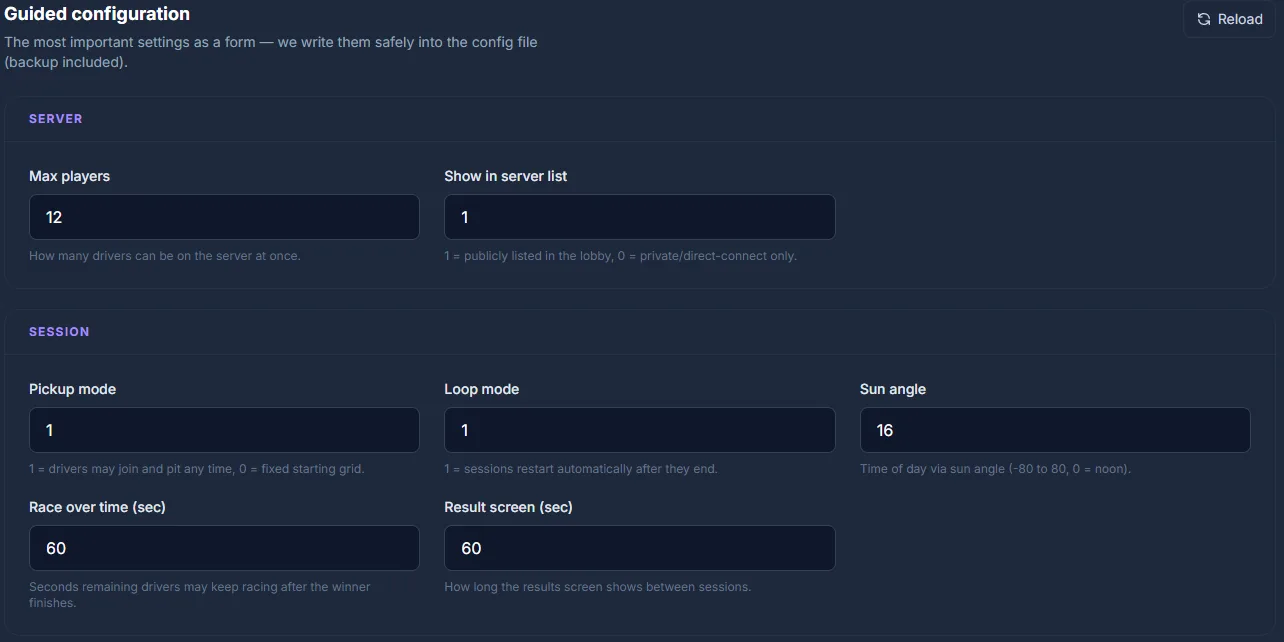
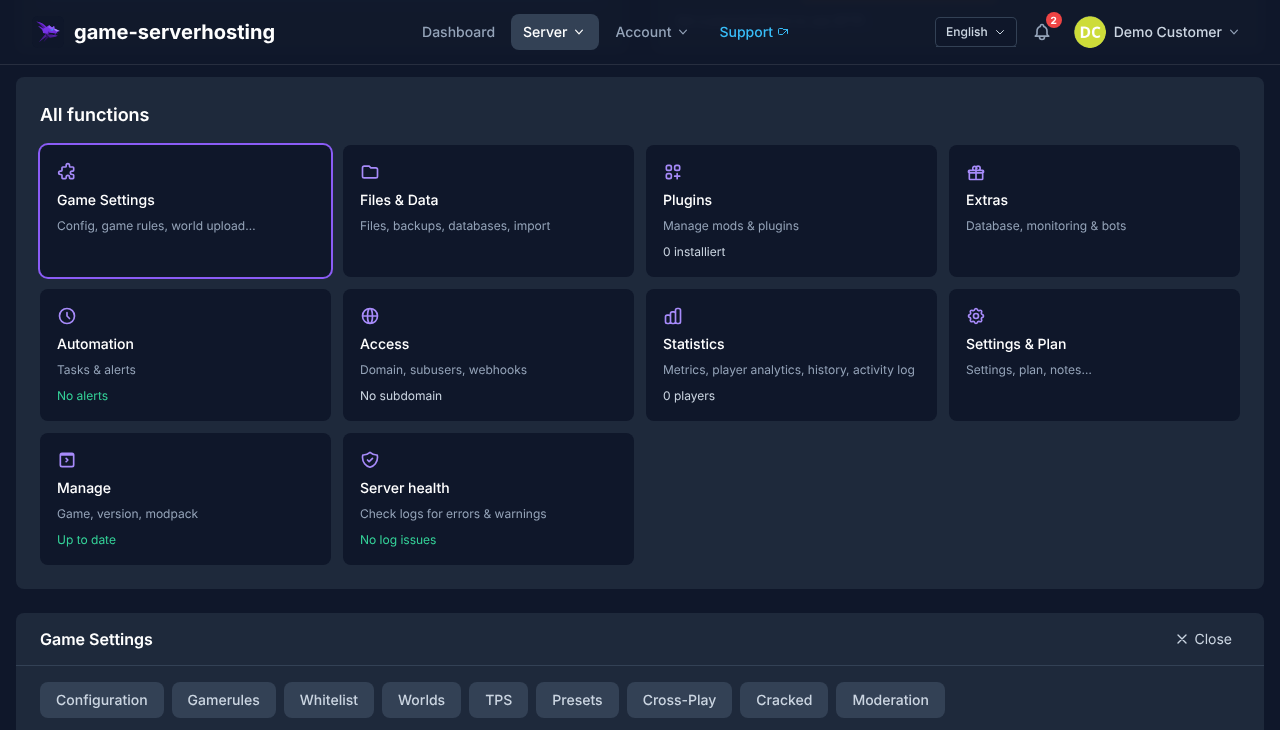
If you only run standard races with known cars, the editor is often enough. For mod tracks, fixed driver slots or exact file matching, you should check the following files.
Required Files in the cfg Directory
Assetto Corsa mainly uses cfg/server_cfg.ini and cfg/entry_list.ini. The first file controls server name, track, car list, ports, rules and sessions. The second file defines the individual car slots.
Configure server_cfg.ini
[SERVER]
NAME=My AC Server
CARS=ks_mazda_mx5_nd;bmw_m3_e92
TRACK=ks_nordschleife
CONFIG_TRACK=nordschleife
MAX_CLIENTS=16
RACE_OVER_TIME=60
ALLOWED_TYRES_OUT=2
ABS_ALLOWED=1
TC_ALLOWED=1
STABILITY_ALLOWED=0
AUTOCLUTCH_ALLOWED=1
TYRE_BLANKETS_ALLOWED=1
FORCE_VIRTUAL_MIRROR=0
REGISTER_TO_LOBBY=1
PICKUP_MODE_ENABLED=1
SLEEP_TIME=1
VOTING_QUORUM=75
VOTE_DURATION=20
BLACKLIST_MODE=0
CLIENT_SEND_INTERVAL_HZ=18
DAMAGE_MULTIPLIER=100
FUEL_RATE=100
TYRE_WEAR_RATE=100
PASSWORD=
ADMIN_PASSWORD=myAdminPassword
HTTP_PORT=8081
UDP_PORT=9600
TCP_PORT=9600
MAX_BALLAST_KG=0
Most important are CARS, TRACK, MAX_CLIENTS, PASSWORD, ADMIN_PASSWORD, TCP_PORT, UDP_PORT and HTTP_PORT. CARS is a semicolon-separated list of car folder names; launch cars such as the BMW M3 E92 are called bmw_m3_e92 without the ks_ prefix. CONFIG_TRACK names the track variant, for ks_nordschleife for example nordschleife, endurance or touristenfahrten; only leave the value empty if the track has no ui subfolder with layouts. TRACK corresponds to the track's folder name. The default ports are 9600 for TCP/UDP and 8081 for HTTP; you can find the actually assigned ports in the panel.
Create entry_list.ini
[CAR_0]
MODEL=ks_mazda_mx5_nd
SKIN=red
SPECTATOR_MODE=0
DRIVERNAME=
TEAM=
GUID=
BALLAST=0
RESTRICTOR=0

[CAR_1]
MODEL=bmw_m3_e92
SKIN=white
SPECTATOR_MODE=0
DRIVERNAME=
TEAM=
GUID=
BALLAST=0
RESTRICTOR=0
In pickup mode, you need at least as many [CAR_N] blocks as MAX_CLIENTS, otherwise the server won't start at all; more entries are allowed. The keys are DRIVERNAME, TEAM and GUID (spellings like DRIVER_NAME are silently ignored by the server). Open slots stay without DRIVERNAME and GUID. For league races, you enter a driver's SteamID64 in GUID, which binds the slot to them.
Configure Sessions
[PRACTICE]
NAME=Free Practice
TIME=30
IS_OPEN=1

[QUALIFY]
NAME=Qualifying
TIME=15
IS_OPEN=1

[RACE]
LAPS=10
WAIT_TIME=60
IS_OPEN=0
TIME stands for minutes, LAPS for the race distance in laps. IS_OPEN has three values: 0 blocks joining, 1 allows it at any time, 2 allows it until 20 seconds before the start. For league races, 2 is usually the best choice; 0 prevents later joins from interfering with the ongoing competition.
Add Tracks, Cars and Mods
You can recognize Kunos content by the folder name: launch cars are called, for example, bmw_m3_e92, later DLC content from Dream Pack 1 onwards carries ks_. Never rely on the prefix, but always on the real folder under content/cars/. You have to upload mods separately and install them identically for all drivers. Extract the mod archive locally, upload tracks to content/tracks/ and cars to content/cars/, and then enter the exact folder name in server_cfg.ini or entry_list.ini.
| Source | Content |
|---|---|
| OverTake.gg (formerly RaceDepartment) | Tracks, cars, skins — over 17,000 AC downloads |
| League and community Discords | Many leagues maintain their own coordinated mod packs there |
| Kunos' own content | Preferred basis for stable standard races |
After every upload, restart the server. Pay particular attention to upper and lower case, because Linux file systems can distinguish between Track and track.
Use Content Manager
Content Manager is the unofficial launcher by x4fab; you download it from acstuff.club/app (Windows-only, Lite version free, full version via donation). Through Content Manager, you also install the Custom Shaders Patch (CSP), without which many community servers won't run. You use it locally on your PC, not as a replacement for the game-serverhosting panel. It is handy for presets, car selection, skin lists, session planning and checking whether your local client configuration matches the server configuration.
For server operation, the panel remains the central place for status, restarts, file access and connection details. Use Content Manager as a supplement when you want to prepare setups or test on the client side.
Check Ports and Connection
| Port | Protocol | Usage |
|---|---|---|
| 9600 | TCP | Player connections |
| 9600 | UDP | Player data stream |
| 8081 (default example) | TCP | Lobby/status queries via HTTP, no admin management UI |
At game-serverhosting, the required ports are prepared on the server side. Still, always use the port details from your panel, because they can differ per instance.
After the restart, first check whether the server runs without errors. Then test the lobby entry, direct join via IP/port, car selection and a short session with at least one client. If mods are used, a second player with a fresh mod installation should join so that checksum problems show up early.
Troubleshooting
Server does not appear in the lobby
Set REGISTER_TO_LOBBY=1 and check the ports shown in the panel. If the lobby updates with a delay, also test the direct join via IP and port.
Car or track is not recognized
Compare the entry in CARS, TRACK and MODEL exactly with the folder name under content/cars/ or content/tracks/. Pay attention to upper/lower case and remove accidental spaces.
Players get "Checksum failed"
Server and client are not using the same mod version or are using different files. Distribute the same mod source to all drivers and replace old versions completely instead of just overwriting them.
Server does not start after changes
Check for missing semicolons in CARS, invalid port values, wrong sections and the number of [CAR_N] blocks. As a test, reset to a known Kunos track and a standard car to rule out mod errors.
Really Testing a Free Car Slot
Start with a track and a car that exist on both the server and the test client. Check the model and skin folder names in every CAR_N block; a display name from Content Manager does not replace a file name. If the client finds the server but can't select a car, check the slot count, GUID binding and pickup mode. A missing or wrong skin is a content problem, not a reason for a new port release. Back up both INI files together and test joining after every change until you reach a drivable session.
FAQ
Do I need my own Steam copy for the server?
For the dedicated server itself, you use the separate Steam app 302550. Players need Assetto Corsa as the game client to be able to join.
How many players should I set?
Set MAX_CLIENTS according to your booked package, the track and the race format. More cars mean more data traffic and more coordination effort for slots and mods.
Can I assign fixed cars to league drivers?
Yes. In entry_list.ini, enter the GUID (SteamID64) for the desired slots. The slot is then bound to that driver.
Does every player have to install the same mods?
Yes. For mod tracks, cars and skins, the server and clients should use the same version. Otherwise, join errors or checksum messages are likely.
What is the difference between the panel and Content Manager?
The panel manages your rented server, files, restarts and connection details. Content Manager runs locally on your PC and helps with presets, client configuration and convenient Assetto Corsa management.
What is AssettoServer, and do I need it?
AssettoServer is an open-source community server with AI traffic, dynamic weather and Steam authentication. It only supports freeroam and practice, no qualifying or races, and all clients need CSP. For race formats, the Kunos server from this guide remains the right choice.
Does this guide also apply to Assetto Corsa EVO?
No. Since version 0.6 (April 2026), EVO has its own dedicated server tool with a different configuration. This guide covers the original Assetto Corsa from 2014.
Conclusion
With a rented Assetto Corsa server, you control races far more precisely than with spontaneous lobbies. What matters is a clean server_cfg.ini, a matching entry_list.ini, identical mod versions and a quick join test after every change. This way you run track days, club races or league sessions with a traceable configuration and clear procedures.