Minecraft Server किराए पर लेना तब फायदेमंद है, जब तुम्हें अपनी कॉन्फ़िगरेशन, सपोर्ट और समझने योग्य ऑपरेशन प्रक्रियाओं के साथ हमेशा उपलब्ध रहने वाली दुनिया चाहिए। सिर्फ RAM और खिलाड़ियों की संख्या ही ज़रूरी नहीं हैं, बल्कि Edition, Whitelist, Backups, Plugin स्रोत और Java तथा Bedrock खिलाड़ियों के लिए साफ़ कनेक्शन टेस्ट भी अहम हैं।
किराए पर लिया गया Minecraft Server कब उपयोगी होता है
अपना Server तुम्हें दुनिया, नियमों, Mods, Plugins, Whitelist और एक्सेस पर नियंत्रण देता है। लोकल Hosting की तुलना में तुम्हें होम नेटवर्क, Port forwarding या लगातार चलने वाले Hardware की चिंता खुद नहीं करनी पड़ती। यह खासकर तब व्यावहारिक है, जब कई खिलाड़ी अलग-अलग समय पर ऑनलाइन होते हैं या जब दुनिया किसी एक व्यक्ति के PC पर निर्भर नहीं रहनी चाहिए।
game-serverhosting में बात पेड Multi-Game-Hosting की है, जिसमें तकनीकी नियंत्रण, सपोर्ट और पारदर्शी ऑपरेशन प्रक्रियाएं मिलती हैं। Minecraft के लिए इसका मतलब है: तुम एक उपयुक्त Plan चुनते हो, Dashboard में Settings मैनेज करते हो, Server address के जरिए कनेक्ट होते हो और Extensions व्यवस्थित तरीके से इंस्टॉल कर सकते हो। “कोई Lag नहीं” जैसे पूर्ण Performance वादे भरोसेमंद नहीं होते, क्योंकि Performance हमेशा world size, खिलाड़ियों की संख्या, Redstone, view distance, Mods और Plugins पर निर्भर करती है। इसलिए लक्ष्य है सही dimensioning और जांची जा सकने वाली setup प्रक्रिया।
अगर तुम दूसरे Setups की तुलना कर रहे हो, तो तुम्हें ऐसे ही ऑपरेशन फैसले Minecraft Server Complete Guide 2026 और Valheim Server Guide to Mods and Configuration में भी मिलेंगे।
ऑर्डर से पहले की जरूरतें
तुम्हें वह Minecraft version चाहिए, जिस पर तुम्हारा group खेलना चाहता है: Java Edition, Bedrock Edition या Cross-Play। यह भी साफ़ कर लो कि तुम Vanilla, Plugins के साथ Paper/Spigot या कोई Modpack खेलना चाहते हो। Plugins और Mods एक ही चीज़ नहीं हैं: Plugins आम तौर पर Server functions बढ़ाते हैं, जबकि Mods अक्सर Client और Server files से जुड़े होते हैं और version discipline मांगते हैं।
Official Minecraft help खुद चलाए जाने वाले Java Server के लिए बताती है कि Java installed होना चाहिए और पहले start के बाद अन्य चीजों के साथ eula.txt और server.properties बनते हैं। स्रोत: help.minecraft.net पर Documentation। किराए पर लिए गए Server में तुम इनमें से कई steps Dashboard और management के जरिए करते हो, लेकिन terms फिर भी महत्वपूर्ण हैं: EULA, Server files, properties और version अब भी तय करते हैं कि तुम्हारा Server कैसे चलेगा।
RAM की सिफारिश
मौजूदा guidance शुरुआत के लिए अभी भी उपयोगी है, लेकिन इसे rough planning समझना चाहिए। बहुत सारे entities, बड़े farms, high view distance, कई chunks वाली worlds या बड़े Plugin stacks ज्यादा resources मांग सकते हैं।
| खिलाड़ी | RAM | Plan |
|---|---|---|
| 1-5 | 2 GB | Starter |
| 5-15 | 4 GB | Standard |
| 15-30 | 8 GB | Pro |
| 30+ | 12-16 GB | Premium |
छोटी Vanilla worlds के लिए अक्सर छोटे Plans काफी होते हैं। कई comfort Plugins, Dynmap जैसी maps, बड़े spawn areas या events वाले Paper के लिए तुम्हें reserve रखना चाहिए। अगर तुम uncertain हो, तो बिल्कुल minimum से शुरू मत करो; ऐसा Plan चुनो जिससे Server simultaneous players, Nether travel और नए chunks के दौरान भी stable रहे।
Setup step by step
1. Plan और play style तय करना
पहले चुनो कि तुम Vanilla, Plugin Server या Modpack Server चलाना चाहते हो। इसके बाद RAM, Slots और management को उसी हिसाब से सेट करो। सिर्फ खिलाड़ियों की संख्या काफी नहीं है: कई technical farms वाले पांच खिलाड़ी किसी fresh survival world पर दस खिलाड़ियों की तुलना में Server पर ज्यादा load डाल सकते हैं।
2. ऑर्डर पूरा करना
Stripe Checkout के बाद automatic provisioning शुरू होती है। मौजूदा product configuration सामान्यतः इसके लिए 1-3 मिनट बताती है; queue, game और installation scope duration को प्रभावित कर सकते हैं। इसके बाद Dashboard में जांचो कि Server status, address और access data visible हैं या नहीं। सिर्फ address ही नहीं, बल्कि management access, console और backup area भी note कर लो।
3. Connection test करना
Java के लिए तुम Server address इस्तेमाल करते हो:
tumhara-server.gs.game-serverhosting.com
SRV record के कारण port की जरूरत नहीं होती, बशर्ते DNS configuration सही तरह लागू हो। Bedrock के लिए supported crossplay setup में Dashboard में दिखाया गया address और वहां assigned UDP port इस्तेमाल करो। 19132 official Geyser setup के अनुसार default port है, लेकिन Hosting platforms कोई दूसरा port assign कर सकते हैं। पहले operator account से test करो, फिर normal player से। इससे तुम जल्दी समझ पाते हो कि permissions, Whitelist और Cross-Play इच्छानुसार काम कर रहे हैं या नहीं।
4. Basic configuration सेट करना
Game mode, difficulty, Whitelist, operators, maximum player count और view distance सेट करो। एक साथ बहुत ज्यादा values मत बदलो: important changes के बाद Server restart करो और console में warnings जांचो। खासकर server.properties options सीधे gameplay feel और Performance पर असर डालते हैं।
5. Plugins install करना
सीधे Dashboard से: Modrinth, Hangar, SpigotMC — FTP client की जरूरत नहीं।
फिर भी controlled तरीके से install करो। पहले सिर्फ वे Plugins लो जिनकी तुम्हें सच में जरूरत है: permissions management, protection, Backups या moderation। Server version के साथ version compatibility जांचो और Plugin notes पढ़ो। हर बड़े बदलाव के बाद एक बार start करना, login करना और console जांचना चाहिए।
6. Backups और restore जांचना
Backup तभी valuable है, जब तुम्हें पता हो कि उसे restore कैसे करना है। Plugin updates, version changes और world changes से पहले backup बनाओ। नई world में कम से कम एक बार flow जांचो: backup trigger करना, backup ढूंढना, restore समझना। इससे बाद में chunks damage होने या किसी Plugin के गलत data लिखने पर stress कम होता है।
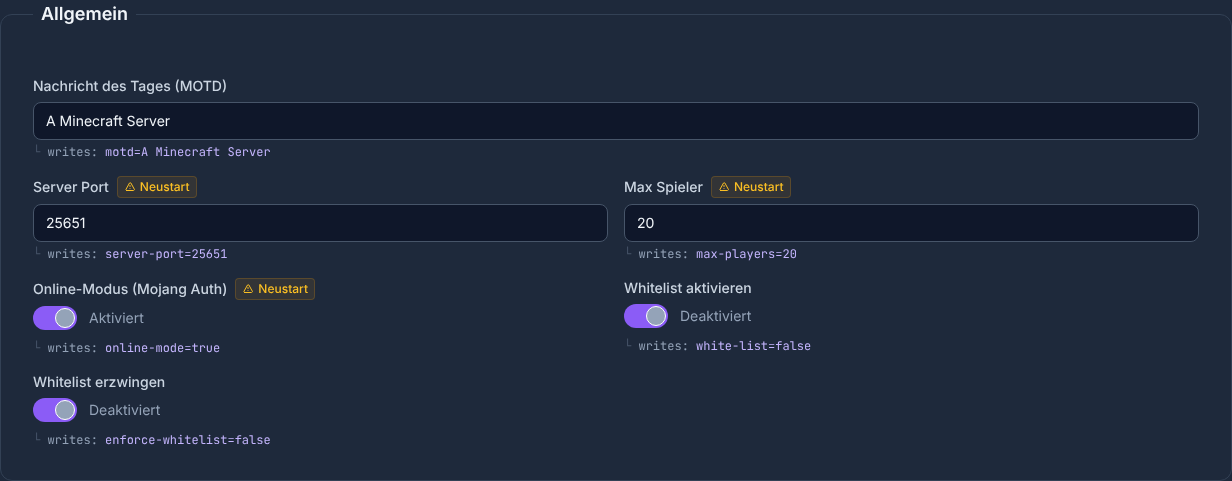
Configuration editor loaded value, लिखी जाने वाली value और वे settings दिखाता है जो restart के बाद ही effective होती हैं। इसलिए save करने के बाद loaded value जांचो और accordingly marked fields पर Server restart करो।
Bedrock Cross-Play
Supported Paper, Spigot और अन्य approved Bukkit setups में platform Crossplay के लिए Geyser + Floodgate set up करता है। हर Modloader ये Bukkit Plugins load नहीं कर सकता। Bedrock players Dashboard में बताई गई address और assigned UDP port इस्तेमाल करते हैं। Geyser documentation समझाती है कि इस port को UDP traffic allow क्यों करना चाहिए।
Expectation सही रखना जरूरी है: Cross-Play Editions को जोड़ता है, लेकिन हर Java Plugin को automatically perfect Bedrock experience नहीं बनाता। Menus, resource packs, combat mechanics या Plugin interfaces setup के हिसाब से अलग feel हो सकते हैं। इसलिए real Bedrock client से test करो, सिर्फ Java से नहीं।
अगर तुम्हें servers के बीच configuration logic में रुचि है, तो Rust Server Guide to Setup and Management भी helpful है, क्योंकि वहां rules, updates और admin access से जुड़े मिलते-जुलते सवाल आते हैं।
नतीजा जांचना
Setup के बाद पूरा function test होना चाहिए। Java player के रूप में connect करो, Bedrock player के रूप में connect करो, Whitelist और permissions test करो, world में एक छोटी चीज़ बदलो, Server restart करो और जांचो कि progress save हुई है या नहीं। इसके बाद console और logs में recurring errors देखो।
Typical everyday situations भी test करो: teleport, Nether portal, sleeping, Plugin command, death और respawn। अगर तुम public या semi-public project plan कर रहे हो, तो protection functions, spawn area और moderation rights भी जांचो।
Troubleshooting
Java players connect नहीं कर पा रहे
पहले जांचो कि Server online है या नहीं और तुमने address exact copy किया है या नहीं। अगर SRV record इस्तेमाल हो रहा है, तो Java के लिए port की जरूरत नहीं होनी चाहिए। अगर available हो, तो Dashboard की direct address से alternative test करो।
Bedrock players को Server नहीं दिख रहा
Port 19132, address और Bedrock version check करो। Consoles पर additional platform restrictions या network settings भूमिका निभा सकते हैं। संभव हो तो दूसरे Bedrock device, जैसे Windows या mobile device, से test करो।
Plugins load नहीं हो रहे
Server version, Plugin version और dependencies जांचो। किसी दूसरे Minecraft या Paper version के लिए बना Plugin errors पैदा कर सकता है। हाल में installed Plugins को एक-एक करके हटाओ, restart करो और console पढ़ो।
Server slow महसूस हो रहा है
View distance घटाओ, active entities, बड़े farms और heavy Plugins जांचो। अगर problem सिर्फ नए world areas में होती है, तो chunk generation वजह हो सकती है। लगातार high load पर बड़ा RAM Plan या हल्का Plugin set समझदारी है।
स्रोत और जांच का आधार
- Minecraft Help: Java Server setup – Java requirement, Server files और basic connection।
- GeyserMC: Setup – Bedrock connection, UDP requirement और default port।
- PaperMC: Plugins जोड़ना – Plugin installation और security limits।
- 23.07.2026 की अपनी product check – provisioning window, loader gate, automatic crossplay setup और dynamically assigned Bedrock port को product configuration और implementation के against checked किया गया।
इस गाइड की सीमाएं
RAM values planning values हैं, measured capacity guarantee नहीं। Actual requirement और start duration अन्य बातों के साथ world, player activity, Plugins, Mods और queue पर निर्भर करते हैं। Crossplay सिर्फ उन setups पर लागू है जिन्हें current ordering या configuration flow में explicitly इसके लिए approved दिखाया गया है। Dashboard में दिखाए गए connection data निर्णायक हैं।
FAQ
Minecraft Server के लिए मुझे कितनी RAM चाहिए?
1-5 खिलाड़ियों के लिए 2 GB एक reasonable starting point है, 5-15 खिलाड़ी 4-GB class में fit होते हैं, 15-30 खिलाड़ी आम तौर पर 8 GB की तरफ जाते हैं। Mods, बड़ी worlds और बहुत सारे Plugins ज्यादा मांग सकते हैं।
क्या Java और Bedrock players साथ खेल सकते हैं?
Ordering और configuration flow में जिन Bukkit setups को explicitly crossplay-capable दिखाया गया है, उनमें platform Geyser और Floodgate set up करता है। Bedrock players Dashboard में दिखाए गए connection data इस्तेमाल करते हैं। Forge, Fabric और दूसरे Modloader setups इससे automatically Bedrock compatible नहीं हो जाते।
क्या Plugins के लिए मुझे FTP client चाहिए?
Supported server types के लिए Dashboard में Plugin manager उपलब्ध है; इस installation path के लिए FTP client जरूरी नहीं। फिर भी version और dependencies Server से match होने चाहिए। Paper official Plugin guide में बताता है कि Plugins trusted sources से ही क्यों होने चाहिए और restart से पहले क्यों check किए जाने चाहिए।
Setup के तुरंत बाद मुझे क्या test करना चाहिए?
Login, Whitelist, operator rights, Java connection, Bedrock connection, Plugin commands, restart, world saving और backup restore test करो।
क्या किराए पर लिया गया Server automatically lag-free होता है?
नहीं। कोई भी provider general रूप से lag-free होने की guarantee नहीं दे सकता। Plan, world size, player count, view distance, entities, Mods, Plugins और current server load निर्णायक होते हैं।
Vanilla: view an example
Our own captures from a demonstration environment. The version and setup shown may differ from your server.
- Vanilla: the original Java game.
- A snowy mountain landscape at sunset.
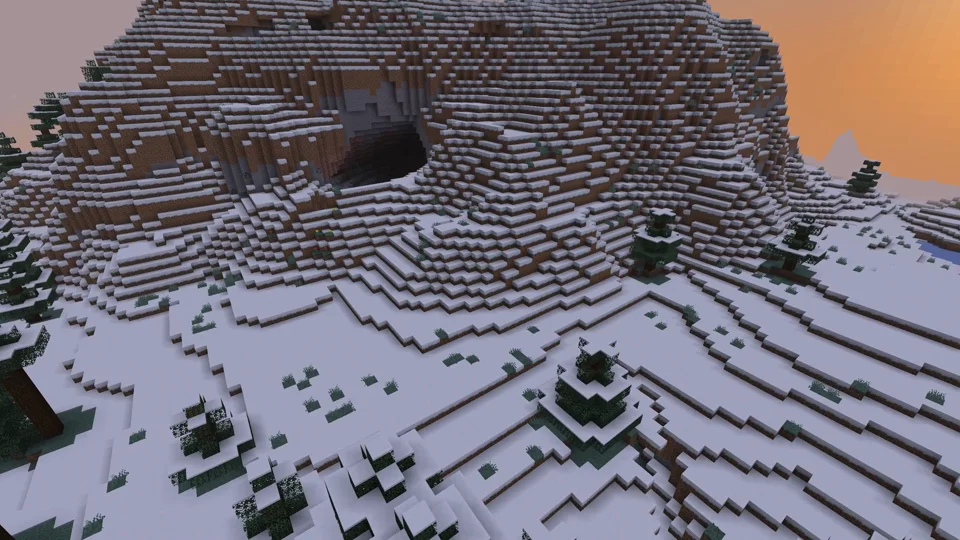
Java Edition
Paper: view an example
Our own captures from a demonstration environment. The version and setup shown may differ from your server.
- Paper: Java Minecraft with plugins.
- WorldEdit: a golden pyramid and glass dome.
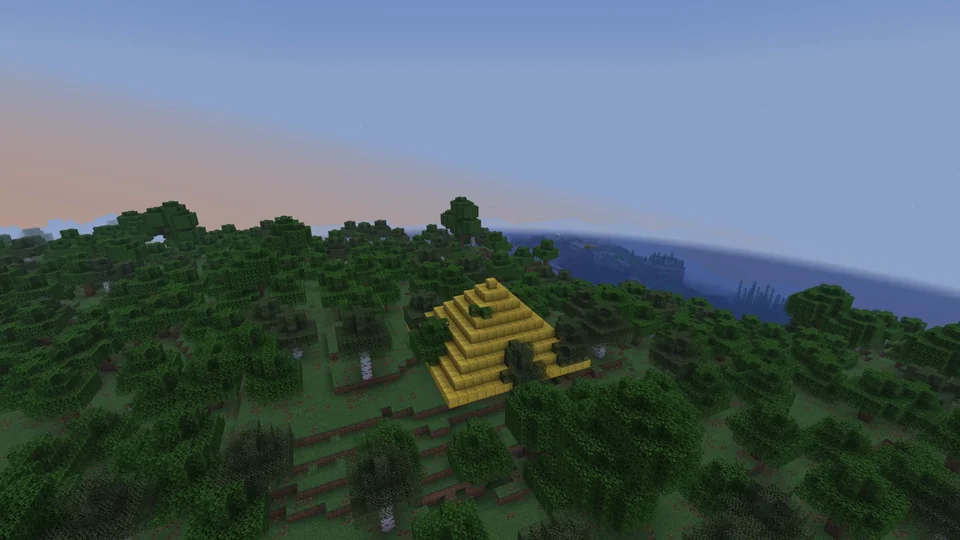
Paper / WorldEdit 7.3.16
Purpur: view an example
Our own captures from a demonstration environment. The version and setup shown may differ from your server.
- Purpur: more server settings.
- Phantom riding enabled for this demo.
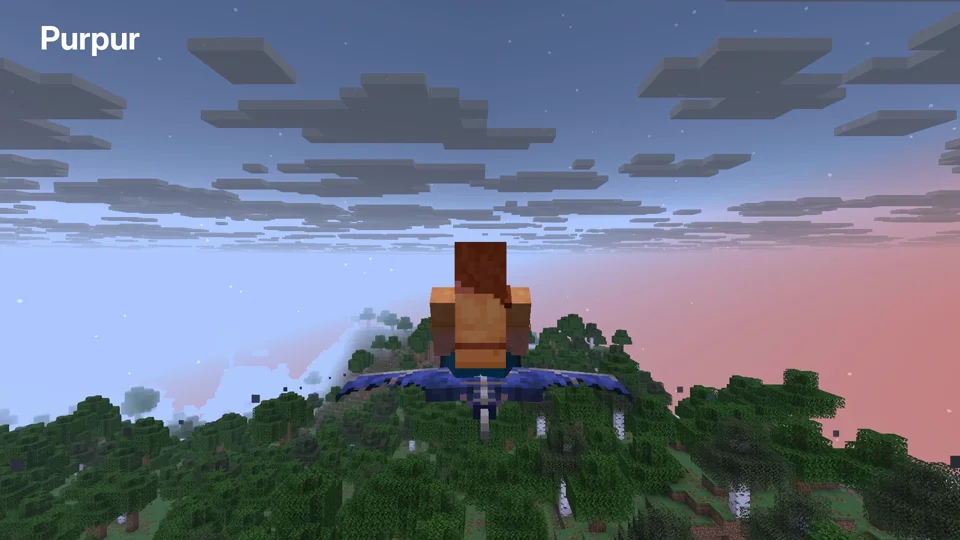
Purpur 1.21.6; phantom riding enabled
Fabric: view an example
Our own captures from a demonstration environment. The version and setup shown may differ from your server.
- Fabric: mods such as Cobblemon. Your client needs matching versions and mods.
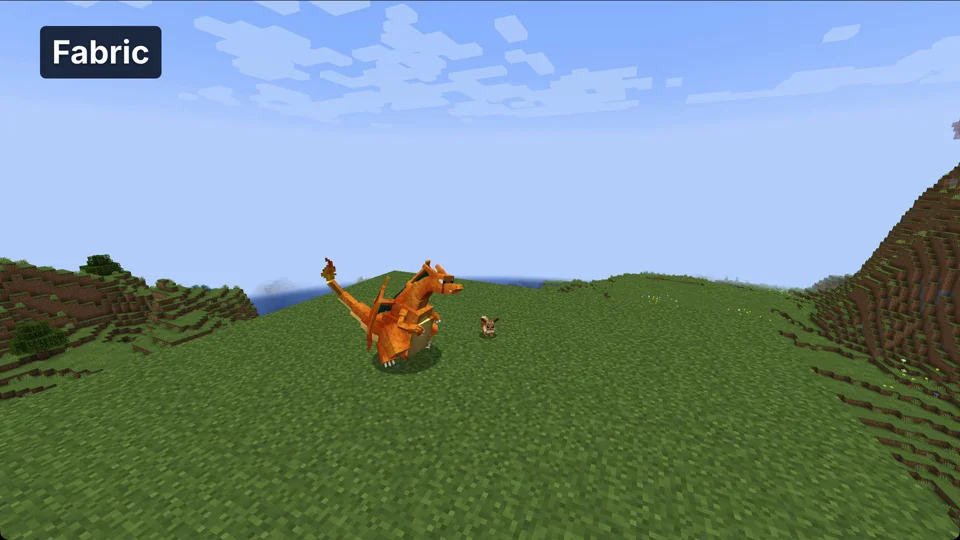
Minecraft 1.21.1 / Cobblemon 1.8.1 / Fabric API 0.116.17
NeoForge: view an example
Our own captures from a demonstration environment. The version and setup shown may differ from your server.
- NeoForge: technical mods such as Create. Your client needs matching mods.
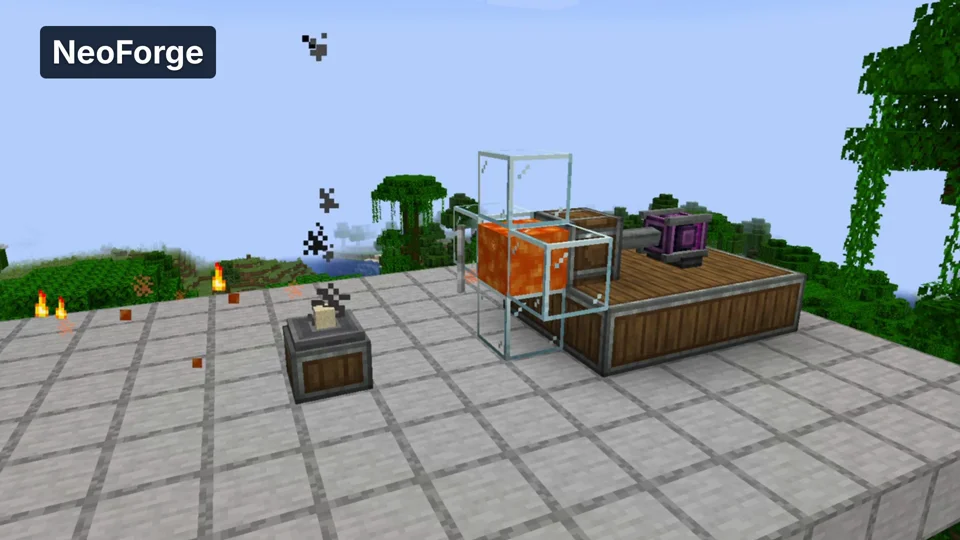
Minecraft 1.21.1 / Create 6.0.10
Velocity: view an example
Our own captures from a demonstration environment. The version and setup shown may differ from your server.
- Velocity: a proxy connects multiple Java servers. Here we move from the lobby to the second world.
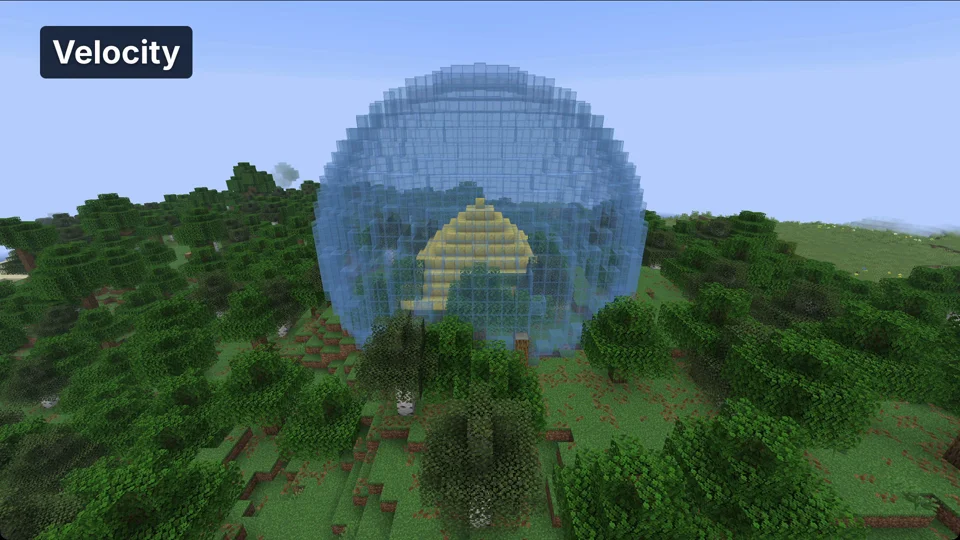
Java Minecraft 1.21.6; proxy world switch