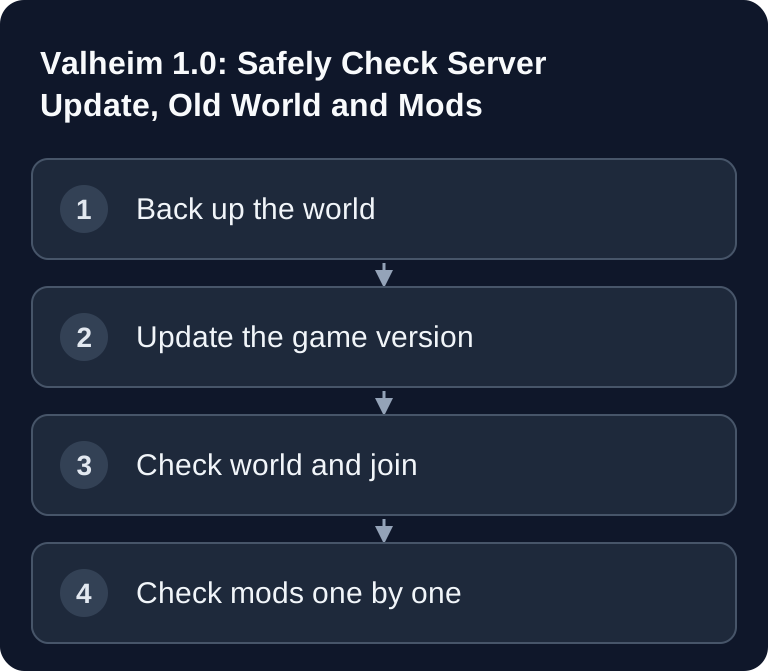
According to Iron Gate, Valheim 1.0 can continue existing worlds; new biome content is generated correctly in areas that have not been explored yet. Back up .db and .fwl together and check the correct world name after the update. Mods need their own compatibility check. The official 1.0 FAQ from Iron Gate explains the limits of old worlds and the lack of official mod support.
Before the update: back up the world and configuration
Stop the server in the panel before you copy world files. Download the files that belong together for your world: <Weltname>.db contains the world data, <Weltname>.fwl the world information. Also back up the server settings, your mod list and the versions used. A panel backup is handy; for this version jump, a second copy of the world files outside the server is especially helpful. Check that you can actually open or download both files before you continue.
Note the configured world name and the save path. On our Valheim server, the save directory is located at /home/container/saves; in the panel, the file manager and backup management can show the relevant files. The -world launch parameter must later use the same world name again. A typo can create a new, empty world and then looks like data loss, even though the old world is still there. The official dedicated server guide explains -world, -savedir and the built-in save and backup parameters.
| Back up | Why |
|---|---|
World files .db and .fwl |
Only together can they be clearly restored as an existing world |
| Panel backup and external copy | A way back after a faulty update or accidental overwriting |
| World name, password, crossplay setting | Check the connection and the correct world after the restart |
| Mod list including versions | Narrow down errors after the update in a targeted way |
Should the old world stay?
Yes, if your builds and your progress matter. Iron Gate explicitly states that old saves are preserved in Valheim 1.0 and can be played on. What matters for Deep North is exploration: new biome terrain is generated correctly in areas that have not been visited yet. If the north of your world has already been explored extensively, a fresh world may be the better choice for the full new experience. Iron Gate recommends a fresh start but does not require it. Do not delete the old world for this comparison; create a second world and keep the backup.
Changing the seed is not a safe method to "repair" an existing world selectively. World files, seed and explored areas belong together. So plan the decision with your group: continue your progress and visit undiscovered areas, or start over for Deep North.
Update the server to 1.0 and test
- Check in the panel that the server is fully stopped and a usable backup exists.
- Run the provided game update via the intended server/version path. Do not change the world name or the save path in the meantime.
- Start without third-party mods at first if possible, or with a mod set that is proven to work with 1.0. Iron Gate offers no official mod support and guarantees no compatibility after the update.
- Wait until the console reports that the server is ready. Check that exactly your expected world was loaded.
- Connect with a normal game client of the same version. Check a known base, your inventory and the join of a second player.
- If you use crossplay, also test a join via the join code from another platform. You can find the crossplay guide for Valheim 1.0 here.
A green server status alone confirms neither the right world nor working mods. Document the tested save state and the time of the backup so that you can go back in a targeted way if something fails. With large worlds or many builds, also watch memory usage and save operations after the first start, without treating a fixed RAM value as a guarantee.
What is new in Deep North?
According to the official patch notes, the 1.0 update adds the Deep North biome with new enemies, materials, gear, building and crafting content. For server operators, the most important difference from the earlier Ashlands phase is world generation in unexplored areas. This guide therefore gives no boss or story spoilers: the technical decision is first "existing world or new world?", then "safely updated and tested?". For the general setup of a server, the Valheim server guide will also help you.
If something goes wrong
Empty world after startup: Compare -world with the file name and check whether .db and .fwl are in the save directory in use. Stop the server before you copy anything back.
Server does not start with mods after 1.0: Start as a test without BepInEx and mods. If vanilla works, check the framework and mods one by one for an explicitly supported 1.0 version. A Thunderstore page alone is not proof of compatibility. The Valheim mod guide describes the controlled mod comparison.
Deep North looks incomplete in the old world: Check whether the affected region had already been explored before 1.0. A new world is then the most reliable way to experience the new biome as intended; keep the old world separately.
Restore needed: Stop the server. Restore the backed-up file pair and the matching configuration, start again and check a known base first. Never overwrite your only backup with the state that just failed.
FAQ
Do I have to start a new world for Valheim 1.0?
No. Existing worlds remain playable. For correctly newly generated Deep North areas, the relevant regions must still be unexplored; Iron Gate recommends a fresh start for the full experience.
Will my old characters and saves be deleted?
According to Iron Gate's 1.0 FAQ, existing saves are preserved. Even so, back up the world files before a server update and verify that you can restore them.
Do Valheim Plus and other mods work with 1.0 right away?
That is not guaranteed. Valheim has no official mod support. For each mod, check its current version, dependencies and the author's notes; if errors occur, test the world without mods first.
Can I keep playing with console friends after the update?
Yes, if the server's crossplay backend is active and players use compatible current clients. Test the join code in practice once after the update.
Telling a new world apart from a new biome
After the update, first check a known base and the configured world name. An empty landscape at the new spawn can be a different save; missing Deep North content in an already explored area has a different cause. To check this, review the exploration so far and test new areas on a copy without overwriting the original save. Match .db and .fwl by name and backup time. If only mods report errors, first test the unchanged world without that extension. A complete world restart is not an automatic requirement for the update.