एक उपयोगी सर्वर बैकअप में परस्पर संबद्ध गेम-स्थिति शामिल होती है और इसे किसी उपयुक्त वातावरण में पुनर्स्थापित किया जा सकता है। केवल फ़ाइल का आकार या एक सफल डाउनलोड इसे साबित नहीं करते। इसलिए बैकअप लेने और पुनर्स्थापित करने की योजना एक साथ बनाएँ।
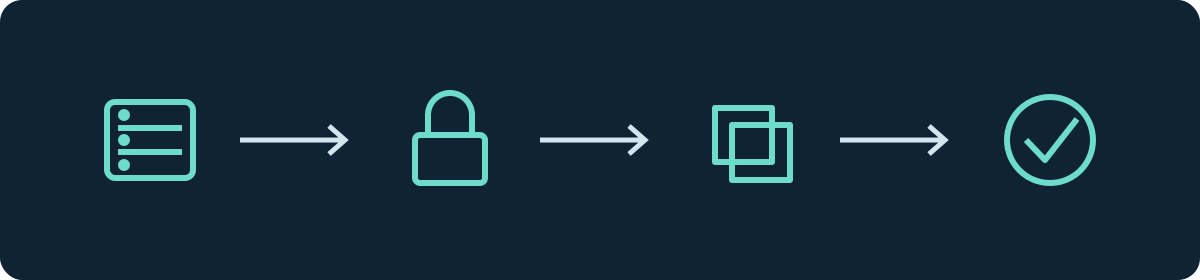
गेम-स्थिति में क्या शामिल होता है
| घटक | छोड़ने पर क्या छूट सकता है |
|---|---|
| सभी वर्ल्ड फ़ोल्डर और डाइमेंशन | निर्माण, खोजे गए क्षेत्र, Nether, End या मॉड वर्ल्ड |
| खिलाड़ी डेटा | इन्वेंटरी, स्थिति, प्रगति और आँकड़े |
| कॉन्फ़िगरेशन और एक्सेस नियम | वर्ल्ड का नाम, गेम नियम, व्हाइटलिस्ट और ऑपरेटर |
| मॉड्स, प्लगइन्स, डेटापैक्स और उनका डेटा | मशीनें, क्लेम्स, अर्थव्यवस्था या अतिरिक्त गेम नियम |
| बाहरी डेटाबेस | अधिकार, बैलेंस या सर्वर फ़ोल्डर के बाहर संग्रहीत अन्य डेटा |
| संस्करण नोट | पुनर्स्थापन के लिए आवश्यक सर्वर और रनटाइम संयोजन |
किसी सामान्य पथ-सूची से अलग-अलग फ़ोल्डर चुनने के बजाय पूरी सर्वर संपत्ति को सुरक्षित करें। वर्ल्ड का ले-आउट सर्वर सॉफ़्टवेयर और संस्करण के साथ बदलता रहता है। विशेष रूप से पहले प्रचलित world, world_nether और world_the_end में विभाजन मौजूदा संस्करणों के लिए कोई सार्वभौमिक नियम नहीं है। वास्तविक फ़ोल्डर और सक्रिय वर्ल्ड के नाम की जाँच करें। Paper माइग्रेशन संदर्भ पुराने और नए प्रारूपों में अंतर करता है।
पैनल में बैकअप की जाँच करना
चुने गए सर्वर पर Backups खोलें। मौजूदा बैकअप के समय और पूर्णता की स्थिति की जाँच करें। यदि आप नया बैकअप बना रहे हैं, तो पूरा परिणाम आने तक प्रतीक्षा करें। शुरू किया गया कार्य या प्रगति पट्टी अभी तक उपलब्ध पुनर्स्थापन नहीं है।
अपने सर्वर के लिए दिखाए गए भंडारण और डाउनलोड के विकल्पों की जाँच करें। टैब के मौजूद होने से किसी निश्चित समय-सारणी का अनुमान न लगाएँ। चल रहे सर्वर के बाहर एक अतिरिक्त प्रतिलिपि तब भी सुरक्षा देती है जब उसका अपना संग्रहण अब सुलभ न हो।
मैन्युअल फ़ाइल बैकअप: पहले पूरी तरह रोकना
SFTP के माध्यम से मैन्युअल प्रतिलिपि के लिए सर्वर को रोकें और पुष्टि करें कि प्रक्रिया समाप्त हो चुकी है। केवल शांत खेल-चरण पर्याप्त नहीं है: पृष्ठभूमि प्रक्रियाएँ वर्ल्ड और प्लगइन फ़ाइलों में लिखना जारी रख सकती हैं। सहेजने का एक अकेला आदेश भी उसके बाद होने वाली लंबी फ़ाइल प्रतिलिपि को अपने आप सुसंगत नहीं बनाता।
रुकावट की पूर्व सूचना दें, नए खेल सत्रों को रोकें और रुकने के बाद संबद्ध फ़ाइलों को सुरक्षित करें। बाहरी डेटाबेस के मामले में उनके लिखने वाले एप्लिकेशन को भी बंद करें या डेटाबेस की प्रलेखित सुसंगत बैकअप प्रक्रिया का उपयोग करें। एक चल रहा परीक्षण इंस्टेंस भी लिख सकता है।
SFTP गाइड फ़ाइल एक्सेस के बारे में बताता है। सर्वर को पैनल के माध्यम से रोकें; निजी एक्सेस डेटा को सार्वजनिक डायग्नोस्टिक रिपोर्ट में अपलोड न करें।
बैकअप को पहचान योग्य बनाना
तारीख, सर्वर और अवसर के साथ एक नाम का उपयोग करें, जैसे 2026-09-12-survival-vor-update। इसके साथ Minecraft संस्करण, सर्वर सॉफ़्टवेयर, लोडर, संबंधित एक्सटेंशन और बैकअप के समय के साथ एक टेक्स्ट नोट भी रखें। यह दर्ज करें कि बाहरी डेटाबेस शामिल हैं या अलग से सुरक्षित किए गए हैं।
जाँच करें कि आर्काइव खोला जा सकता है और अपेक्षित फ़ाइलें मौजूद हैं। यदि आप वही आर्काइव स्थानांतरित करते हैं, तो ट्रांसफ़र से पहले और बाद में उसके SHA-256 चेकसम की तुलना कर सकते हैं। समान चेकसम एक अपरिवर्तित ट्रांसफ़र सिद्ध करते हैं; वे यह सिद्ध नहीं करते कि मूल बैकअप पूर्ण था।
एक प्रतिलिपि पर पुनर्स्थापन का परीक्षण करना
- दस्तावेज़ीकृत संस्करणों के साथ एक अलग लक्ष्य तैयार करें और एक्सेस को सीमित करें।
- यदि लक्ष्य पर पहले से कोई स्थिति मौजूद हो तो उसे सुरक्षित करें और उसकी प्रक्रिया रोकें।
- चुनी गई बैकअप स्थिति को पूरी तरह पुनर्स्थापित करें। पुराने वर्ल्ड डेटा को नए प्लगइन डेटाबेस के साथ न मिलाएँ।
- शुरू करने से पहले सक्रिय वर्ल्ड, कॉन्फ़िगरेशन और डेटाबेस कनेक्शन की जाँच करें।
- सर्वर शुरू करें और कंसोल पढ़ें। ज्ञात निर्माणों, डाइमेंशन, इन्वेंटरी और मुख्य प्लगइन कार्यों की तुलना करें।
- एक छोटा परीक्षण परिवर्तन करें, ठीक से रोकें और फिर से शुरू करें। परिवर्तन फिर से मौजूद होना चाहिए।
किसी परीक्षण प्रतिलिपि को उत्पादन डेटाबेस का उपयोग नहीं करना चाहिए। अन्यथा परीक्षण भी वास्तविक गेम-स्थिति को बदल सकते हैं। परीक्षण का परिणाम नोट करें और अपरिवर्तित बैकअप स्थिति को आगे भी सुरक्षित रखें।
आपातकाल में रीसेट करना
पहले अंतिम अच्छे समय-बिंदु और उससे होने वाली प्रगति की हानि निर्धारित करें। तुलना के लिए वर्तमान त्रुटिपूर्ण स्थिति को भी सुरक्षित करें। इसके बाद लक्ष्य को रोकें और चुनी गई संपूर्ण स्थिति को पुनर्स्थापित करें। किसी असफल संस्करण परिवर्तन की स्थिति में उपयुक्त पुराना सॉफ़्टवेयर भी इसमें शामिल है; पहले से बदली जा चुकी वर्ल्ड को डाउनग्रेड करना पुनर्स्थापन नहीं है।
खिलाड़ियों को बताएँ कि किस समय-बिंदु से परिवर्तन गायब हैं। एक सामान्य खाते से वर्ल्ड की जाँच करें और उसके बाद ही कनेक्शन डेटा फिर से प्रकाशित करें या एक्सेस खोलें। यदि केवल गलत वर्ल्ड सक्रिय थी, तो जल्दबाज़ी में सारा डेटा रीसेट करने के बजाय पहले वर्ल्ड के नाम को स्पष्ट करें।
आवृत्ति और संग्रहण की योजना बनाना
इस आधार पर निर्णय लें कि आप अधिकतम कितनी प्रगति खोना स्वीकार कर सकते हैं। यदि कोई समूह रोज़ाना बड़ी परियोजनाएँ बनाता है, तो साप्ताहिक बैकअप बहुत मोटा हो सकता है। परिवर्तनों से पहले अतिरिक्त रूप से स्पष्ट रूप से जुड़ा हुआ बैकअप भी बनाएँ। कई समय-बिंदुओं को सुरक्षित रखें, क्योंकि कोई त्रुटि बाद में ही सामने आ सकती है।
वास्तविक आर्काइव आकार और उपलब्ध संग्रहण की माप लें। बैकअप, उनकी अनपैक की गई पुनर्स्थापन और आगे वर्ल्ड की वृद्धि के लिए स्थान की योजना बनाएँ। सामान्यीकृत संपीड़न अनुपात या निश्चित वर्ल्ड आकार इसके लिए अविश्वसनीय हैं।
FAQ
क्या एक कॉपी किया गया वर्ल्ड फ़ोल्डर पर्याप्त है?
पूर्ण सर्वर पुनर्स्थापन के लिए आमतौर पर नहीं। एक्सटेंशन, अधिकार और बाहरी डेटा भी गेम-स्थिति का हिस्सा हो सकते हैं।
क्या मैं एकमात्र बैकअप को परीक्षण के लिए खोल सकता हूँ?
एक प्रतिलिपि के साथ काम करें। किसी नए संस्करण में लोड करना भी डेटा को बदल सकता है।
पुनर्स्थापन शुरू हो जाता है, लेकिन खिलाड़ियों के पास कोई आइटम नहीं है। अब क्या करें?
खिलाड़ी डेटा के समय और पूर्णता के साथ-साथ अब तक के प्रमाणीकरण और प्रॉक्सी मार्ग की जाँच करें। प्रक्रिया का सफल आरंभ पूर्ण खिलाड़ी स्थितियों की पुष्टि नहीं करता।
संबंधित गाइड
- Minecraft चंक्स गायब: नुकसान जाँचें और सुरक्षित करें
- Minecraft नई दुनिया लोड करता है: पुराना मैप वापस पाएं
यह गाइड अन्य भाषाओं में
Deutsch · English · Español · Français · Nederlands · Português · Русский
Create a backup: view an example
Our own captures from a demonstration environment. The version and setup shown may differ from your server.
- Open Files & Data, then Backups.
- Click Create backup. The progress is shown.
- The finished backup appears in the list.
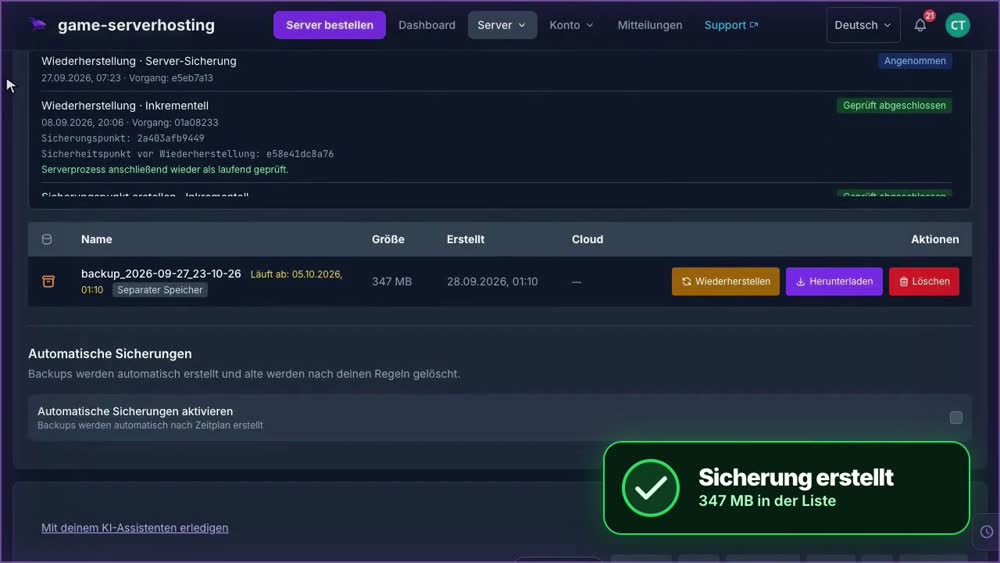
GSH-Testserver · 2026-09-28
Restore a backup: view an example
Our own captures from a demonstration environment. The version and setup shown may differ from your server.
- Open Files & Data, then Backups. Select the backup you want.
- Restoring stops the server and writes the saved data back.
- Confirm Restore and wait for the operation to finish.
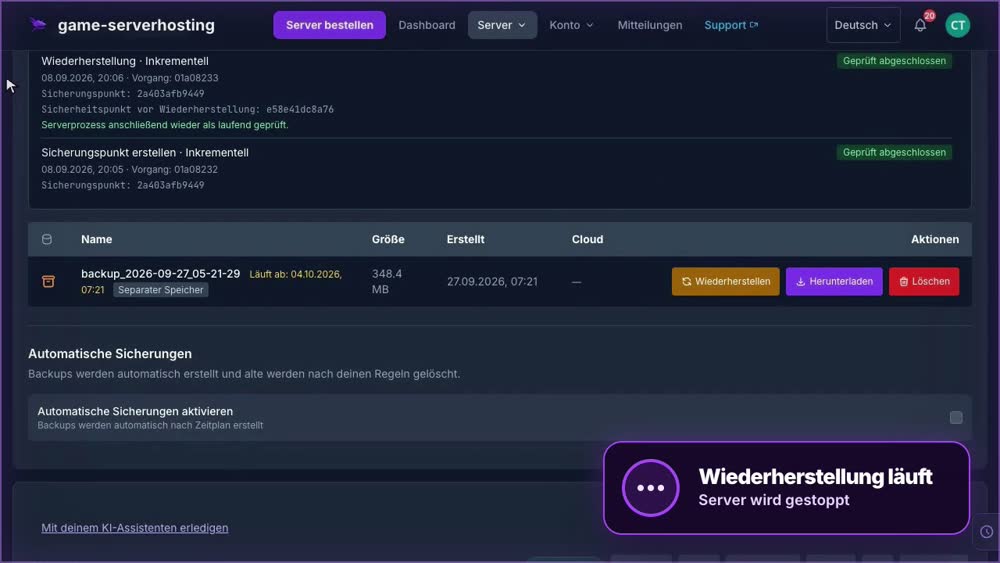
GSH-Testserver · 2026-09-28