Game server guides
Guides for your game and for the panel.
Choose a game
- 7 Days to Die 4
- Abiotic Factor 2
- Among Us 3
- ARK 7
- Arma Reforger 2
- Assetto Corsa 4
- Barotrauma 2
- BeamNG.drive 2
- Conan Exiles 4
- Core Keeper 2
- CS2 7
- DayZ 4
- Don't Starve Together 4
- Eco 3
- Enshrouded 4
- Factorio 4
- FiveM 4
- Garry's Mod 3
- Hytale 5
- Icarus 2
- Insurgency: Sandstorm 2
- Killing Floor 2 2
- Left 4 Dead 2 4
- Minecraft 85
- Mordhau 2
- MTA:SA 2
- Mumble 1
- Necesse 2
- open.mp 2
- Palworld 12
- Project Zomboid 5
- RedM 3
- RuneScape: Dragonwilds 2
- Rust 7
- Satisfactory 5
- SCP: Secret Laboratory 3
- Sons of the Forest 2
- Soulmask 2
- Space Engineers 2
- Squad 4
- Team Fortress 2 4
- TeamSpeak 3
- Terraria 4
- The Forest 2
- tModLoader 2
- Unturned 2
- Valheim 8
- Vintage Story 2
- V Rising 4
- Windrose 2
Game guides (254)
-

Rent a Terraria Server – Set Up Multiplayer
Set up your own Terraria dedicated server: requirements, world size, tShock, plugins, admin permissions and checks for stable multiplayer worlds.
-
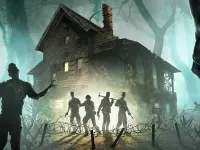
Install 7 Days to Die Mods – Server and Client
Here's how to install 7 Days to Die mods cleanly on server and client: identify the mod type, fill /Mods correctly, check versions and fix errors.
-
Rent a 7 Days to Die Server – Multiplayer Guide 2026
Set up your own 7 Days to Die server. Configure Blood Moon, loot respawn, zombie settings and admin rights properly.
-

Set Up and Manage a TeamSpeak 3 Server
Set up your own TeamSpeak 3 server properly: connection, admin token, channels, permissions, bots, SRV records and troubleshooting.
-

FiveM Server Costs: What Does a Roleplay Server Cost?
What a FiveM server costs: hosting, license key, GTA V, scripts, domain and ongoing costs, calculated in an easy-to-follow way.
-
Set Up FiveM Roleplay: Framework and FXServer
Technical setup of a self-managed FXServer environment with framework, resources and controlled tests.
-

Optimize CS2 Server Tickrate and Performance
How to optimize CS2 server performance, network settings, monitoring and resource planning without unsubstantiated tickrate promises.
-
CS2 Competitive Server Setup: GSLT, Config & Map Pool
Set up a CS2 competitive server: GSLT with App ID 730, match cfg, overtime and a controlled map pool, tested reproducibly.
-

Create and Set Up a Palworld Dedicated Server – Guide 2026
Configure a Palworld dedicated server: test the connection via the right platform route, check the assigned connection details, and set up player count, admin password and backups.
-

Set Up a Valheim Dedicated Server on Windows
Self-host a Valheim server on Windows: set up and verify SteamCMD, port forwarding, firewall and autostart properly.
-
Installing Valheim Mods with BepInEx – Step by Step
You install Valheim mods with BepInEx, Thunderstore or r2modman in a controlled way on both server and client. This guide covers installation, mod syncing, verification and troubleshooting.
-
Rent and Set Up a Valheim Server – Co-op Guide 2026
Rent, configure and use your own Valheim dedicated server with friends: ports, crossplay, password, world files and troubleshooting.
Ready for your own server?
Use our guides and launch your game server in just a few minutes.
View all games